# How to Read Barcodes with Uneven Lighting
In some scenarios, the captured barcode image may have inconsistent lighting across the barcode. For example, the following image shows a barcode image with uneven lighting.
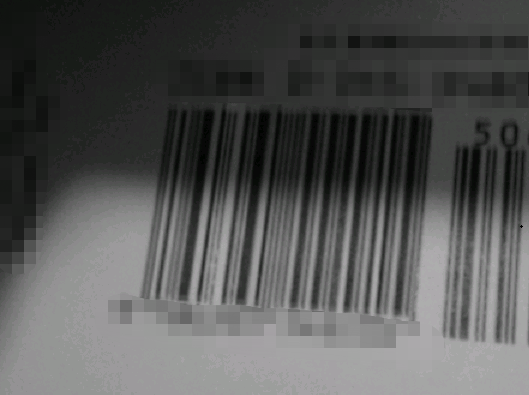
Figure 1 – Sample barcode image with uneven lighting
Converting the original barcode image to a binarized image is a very important step. Dynamsoft Barcode Reader (DBR) provides two binarization modes:
- `BM_THRESHOLD`: uses a global threshold to binarize the image. If the gray value of the pixel is less than the threshold, it will be black in the binary image, otherwise it will be white.
- `BM_LOCAL_BLOCK`: use a threshold for a pixel based on a small region around it.
The following two images show the effects of `BM_THRESHOLD` (global thresholding) and `BM_LOCAL_BLOCK` (local thresholding).

Figure 2 – Binarized image by global thresholding
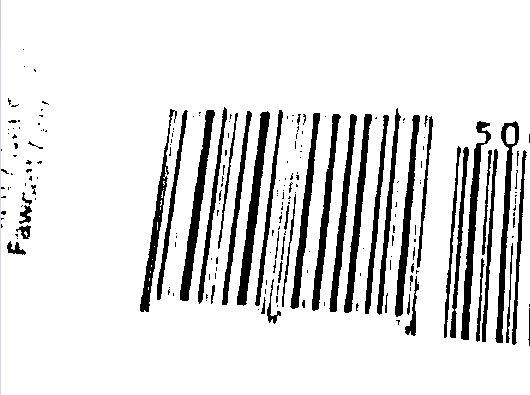
Figure 3 – Binarized image by local thresholding
Obviously, the local thresholding result is much better. Now we will demonstrate how to configure the parameter `BinarizationModes` to achieve the effect mentioned above.
## Particular Parameter Required
DBR provides a parameter [`BinarizationModes`](/capture-vision/docs/core/parameters/reference/image-parameter/binarization-modes.html) that allows you to control the conversion of a grayscale image to a binary image.
## Example
Below is an example illustrating how to configure the parameter `BinarizationModes`.
* Update parameter `BinarizationModes` in your JSON template
```json
{
"CaptureVisionTemplates": [
{
"Name": "CV_0",
"ImageROIProcessingNameArray": ["TA_0" ]
}
],
"TargetROIDefOptions" : [
{
"Name": "TA_0",
"TaskSettingNameArray": [ "BR_0" ]
}
],
"BarcodeReaderTaskSettingOptions": [
{
"Name" : "BR_0",
"SectionArray": [
{
"Section": "ST_REGION_PREDETECTION",
"ImageParameterName": "IP_0"
},
{
"Section": "ST_BARCODE_LOCALIZATION",
"ImageParameterName": "IP_0"
},
{
"Section": "ST_BARCODE_DECODING",
"ImageParameterName": "IP_0"
}
]
}
],
"ImageParameterOptions": [
{
"Name": "IP_0",
"ApplicableStages":[
{
"Stage": "SST_BINARIZE_IMAGE",
"BinarizationModes": [
{
"Mode": "BM_LOCAL_BLOCK",
"BlockSizeX": 0,
"BlockSizeY": 0,
"EnableFillBinaryVacancy": 1,
"ThresholdCompensation": 10
}
]
}
]
}
]
}
```
* Apply the above settings following the article [Use Templates for Configuring Parameters](https://www.dynamsoft.com/barcode-reader/docs/core/programming/features/use-runtimesettings-or-templates.md#json-template).