# Zoom Control
Zoom control is commonly used when processing small barcodes or scanning from a long distance. There are two zoom control features:
- Auto-zoom: Lets the library determine whether to zoom in.
- Zoom factor: Lets you set the zoom factor directly. This is commonly used when focusing on small barcodes.
## Auto Zoom
Enable auto-zoom so the camera can zoom in automatically.
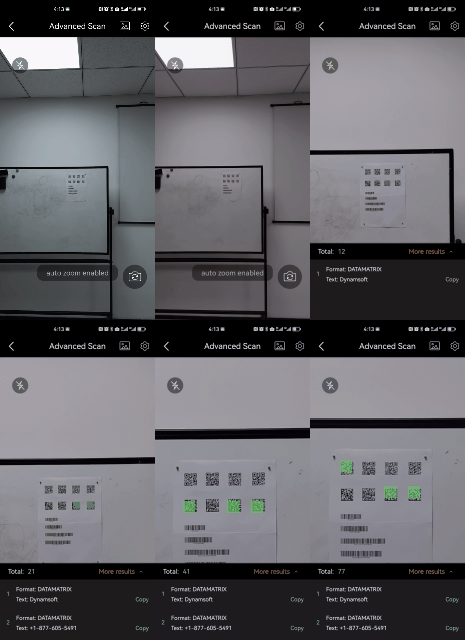
Auto Zoom
>- Objective-C
>- Swift
>
>1.
```objc
[self.dce enableEnhancedFeatures:DSEnhancedFeaturesAutoZoom];
```
2.
```swift
dce.enableEnhancedFeatures(EnhancedFeatures.autoZoom)
```
**Related API**
- [`enableEnhancedFeatures`](/camera-enhancer/docs/mobile/programming/ios/primary-api/camera-enhancer.html#enableenhancedfeatures)
## Zoom Factor
>- Objective-C
>- Swift
>
>1.
```objc
[self.dce setZoomFactor:2.0];
```
2.
```swift
dce.setZoomFactor(2.0)
```
**Related API**
- [`setZoomFactor`](/camera-enhancer/docs/mobile/programming/ios/primary-api/camera-enhancer.html#setzoomfactor)