


What Is an EMV QR Code? Build and Read a Payment QR in JavaScript
The QR code on a street vendor’s payment sign, the screen at a supermarket checkout, and the invoice QR on a utility bill usually carry the same thing: an EMV QR code — a QR symbol whose payload follows the EMVCo QR Code Specification for Payment Systems (merchant-presented mode). The payload is not free text; it is a flat run of tag-length-value fields in a fixed order, ending in a CRC-16 checksum, and that envelope is what Pix in Brazil, PromptPay in Thailand, UPI in India, SGQR in Singapore and DuitNow in Malaysia all build on. This article builds a conformant payload in the browser with bwip-js, renders it as a QR Code at the specification’s error-correction level, then reads it back with Dynamsoft Barcode Reader and parses it the way a payment app would — field by field, checksum first.
What you’ll build: a browser-side EMV QR generator that assembles the TLV payload and its CRC-16 checksum from a form (static and dynamic codes, any ISO 4217 currency, randomized test merchants), verifies its own output by decoding the rendered symbol back, and a companion scanner that takes any payment QR — from the live camera, an image, a screenshot, or a pasted payload string — and produces the named field list, the checksum verdict, and the payment screen a wallet would show.
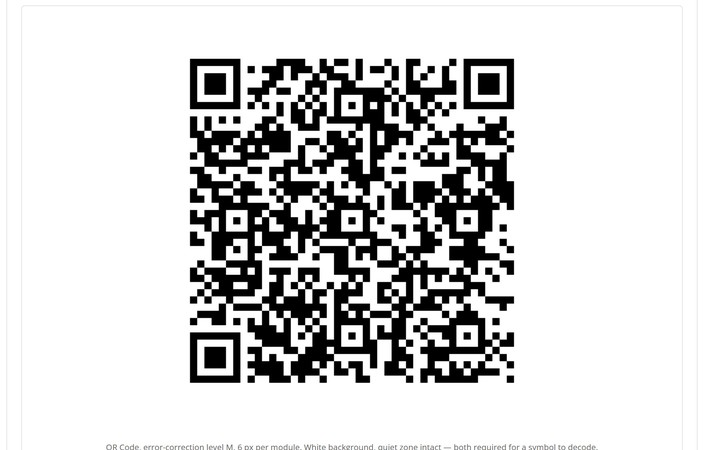
Key Takeaways
- An EMV QR payload is a flat TLV stream: every field is a two-digit tag, a two-digit decimal length, and exactly that many characters of value — no delimiters. The length says where the next field starts, which also caps any single value at 99 characters.
- The stream ends with tag 63: a CRC-16/CCITT-FALSE checksum (polynomial
0x1021, initial value0xFFFF) computed over the payload including the literal6304header but not the four hex characters it protects. Computing it over the wrong range is the most common implementation bug, and it produces a code that renders fine and is rejected by every wallet. - Top-level objects must appear in ascending tag order, and tags 26–51 plus 62 are nested templates — their values are sub-TLV streams built with the same rules one level down.
- A static code (tag 01 =
11) must omit the amount and lets the payer type it; a dynamic code (tag 01 =12) carries the amount in tag 54 and is minted per transaction. EMVCo requires QR error-correction level M for payment symbols. - Encoding and decoding are different problems: bwip-js draws the symbol, Dynamsoft Barcode Reader proves it. Decoding the rendered image back and comparing it byte for byte is what turns “the QR looks right” into a checkable statement.
Common Developer Questions
Is an EMV QR code a different barcode type from a normal QR code?
No. To a scanner it is an ordinary QR Code (ISO/IEC 18004) carrying a specific text payload — every EMV QR decodes as a plain QR string starting with 0002. The EMV part is the payload grammar: TLV fields in ascending tag order with a CRC-16 trailer. That is why the demos here encode with bwip-js (a QR Code at error-correction level M) and decode with Dynamsoft Barcode Reader on its default template; the payment semantics live entirely in the parse.
How is the EMV QR checksum calculated, and why do valid-looking codes fail?
The checksum is CRC-16/CCITT-FALSE over the payload up to and including the 6304 header that introduces it, written as four uppercase hex characters — for the demo’s dynamic sample the payload is 174 characters and the checksum is 40D2. The classic failure is computing the CRC before appending 6304, or over the wrong range: the result renders as a perfectly scannable QR that every wallet rejects, and nothing on screen tells you why. The demo’s tampered sample makes the failure visible — an amount edited from 12.50 to 99.99 still scans, but the parser reports that the code says 40D2 while the content computes to AB69.
What is the difference between a static and a dynamic EMV QR code?
Tag 01 (point of initiation method) decides: 11 is static — one printed sticker that carries no amount, so the payer types the figure in their wallet app — and 12 is dynamic — minted per transaction, carrying the amount in tag 54 and, in practice, a per-transaction reference in tag 62 that the merchant reconciles against. A static code that includes an amount, or a dynamic code without one, violates the spec; the generator in this article validates both directions as you type.
Can a generated EMV QR code be used to make a real payment?
No. Real payment QR codes carry a merchant account registered with an acquirer or a national scheme inside tags 26–51 — a GUID such as BR.GOV.BCB.PIX for Pix or an AID-style identifier for card networks — and the wallet resolves that account to somewhere money can move. The generated codes here use fictional identifiers like com.dynamsoft.demo, which is exactly what makes them safe test vectors: wallets decline them, and that is the desired behavior for test data.
Online Demo
- Generator: https://www.dynamsoft.com/codepool/demos/emv-qr-generator/
- Scanner: https://www.dynamsoft.com/codepool/demos/emv-qr-scanner/
Both run entirely in your browser. The generator assembles payloads and renders symbols locally; the scanner decodes locally with Dynamsoft Barcode Reader — from the live camera or from an image — and nothing is uploaded.
Demo Video: From Form to Payment QR, and Back
The first video walks the generator: type a merchant name and watch the symbol and its payload re-emit on every keystroke, randomize into a different valid merchant with the changed fields highlighted, then verify the round trip — the rendered symbol is decoded back and matched byte for byte.
The second video walks the scanner: the camera locks onto a dynamic payment code and the result panel opens with the checksum-verified field list, a simulated wallet turns those fields into a payment confirmation and a mock receipt, and the tampered sample — the amount edited from 12.50 to 99.99 — fails the checksum visibly in red.
Prerequisites
- A modern browser. The generator’s payload assembly and rendering are fully client side; decoding needs a secure context (HTTPS or localhost) for license activation, and live camera scanning additionally needs camera permission.
- A Dynamsoft Barcode Reader license for your own deployment. The hosted demos activate their Codepool license automatically.
Get a 30-day free trial license for Dynamsoft Barcode Reader.
The Payload: Tag, Length, Value
An EMV QR payload looks like noise until you see the split. Every field is three parts — a two-digit tag, a two-digit decimal length, and exactly that many characters of value — and the fields run together with nothing between them:
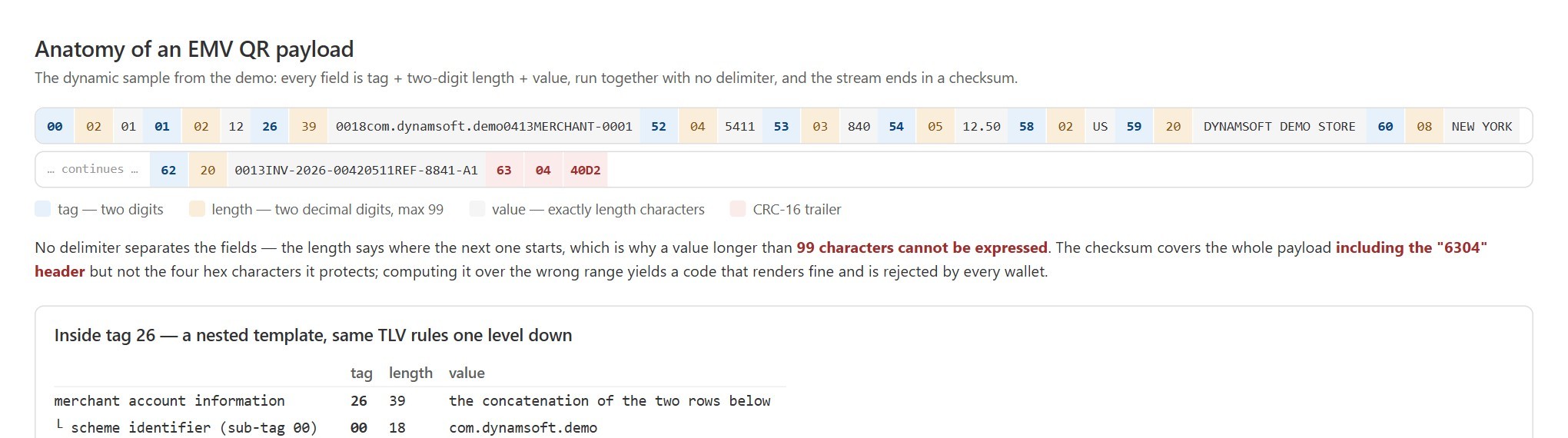
Three rules do most of the work:
- Ascending tag order. Top-level objects are emitted from small tags to large ones; the form does not choose the sequence, the model does.
- The two-digit length caps values at 99 characters. A 26-character merchant name cannot be expressed, which is why the generator counts characters against EMVCo’s own limits (25 for the name, 15 for the city) as you type.
- Tags 26–51 and 62 are templates. Their value is itself a TLV stream: tag 26 carries the merchant account (a scheme identifier plus scheme-specific fields), and tag 62 carries additional data such as the bill number (sub-tag 00) and the reference label (sub-tag 05) that a payment is reconciled against later.
Step 1: Encode the Fields in Tag Order
The shared model (emv-model.js, loaded by both demos) owns the format so the generator and the scanner cannot drift apart. The TLV primitive is four lines:
function tlv(tag, value) {
    var str = value == null ? '' : String(value);
    if (str.length > 99) {
        throw new Error('Tag ' + tag + ' is ' + str.length
            + ' characters; TLV length is written as two digits and caps at 99.');
    }
    return tag + twoDigits(str.length) + str;
}
The builder then emits the objects it was given, in ascending order, nesting the merchant account template and the additional-data template as it goes:
function buildPayload(fields) {
    var parts = [];
    parts.push(tlv('00', '01'));
    if (fields.pointOfInitiation) parts.push(tlv('01', fields.pointOfInitiation));
    if (fields.guid) {
        var mai = tlv('00', fields.guid);
        if (fields.merchantId) mai += tlv('04', fields.merchantId);
        parts.push(tlv(fields.maiTag || '26', mai));
    }
    if (fields.mcc) parts.push(tlv('52', fields.mcc));
    if (fields.currency) parts.push(tlv('53', fields.currency));
    if (fields.amount) parts.push(tlv('54', fields.amount));
    if (fields.country) parts.push(tlv('58', fields.country));
    if (fields.merchantName) parts.push(tlv('59', fields.merchantName));
    if (fields.merchantCity) parts.push(tlv('60', fields.merchantCity));
    var additional = '';
    if (fields.billNumber) additional += tlv('00', fields.billNumber);
    if (fields.referenceLabel) additional += tlv('05', fields.referenceLabel);
    if (additional) parts.push(tlv('62', additional));
    return sealWithCrc(parts.join(''));
}
A static code is the same builder with pointOfInitiation: '11' and no amount — the generator hides the amount input in that mode so a stale value cannot leak into the payload.
Step 2: Seal the Payload with CRC-16/CCITT-FALSE
The checksum is CRC-16/CCITT-FALSE: polynomial 0x1021, initial value 0xFFFF, no reflection, no final XOR. The subtlety is the range — the CRC covers the payload including the 6304 header that introduces it, and not the four hex characters it protects:
function crc16CcittFalse(text) {
    var crc = 0xFFFF;
    for (var i = 0; i < text.length; i++) {
        crc ^= (text.charCodeAt(i) & 0xFF) << 8;
        for (var bit = 0; bit < 8; bit++) {
            crc = (crc & 0x8000) ? ((crc << 1) ^ 0x1021) & 0xFFFF : (crc << 1) & 0xFFFF;
        }
    }
    return crc & 0xFFFF;
}

function sealWithCrc(body) {
    var withHeader = body + '6304';
    return withHeader + crcHex(withHeader);   // four uppercase hex characters
}
Two anchors say this implementation is right before any wallet sees it. The canonical CCITT-FALSE test vector holds: CRC("123456789") must be 29B1. And a published MasterCard example payload — the Secure-Card-on-File sample from their developer docs — parses cleanly, with our computed checksum matching the 6F6D the example ships with. The shared model carries 51 unit tests covering both anchors, the round trips, and the tamper cases; run them with node emv-model.test.js.
Step 3: Render the Symbol at Error-Correction Level M
EMVCo specifies QR error-correction level M for payment symbols, so the renderer passes it explicitly along with one option that is easy to miss:
bwipjs.toCanvas(canvas, {
    bcid: 'qrcode',
    text: payload,
    scale: 6,
    padding: 12,
    eclevel: 'M',
    backgroundcolor: 'FFFFFF'
});
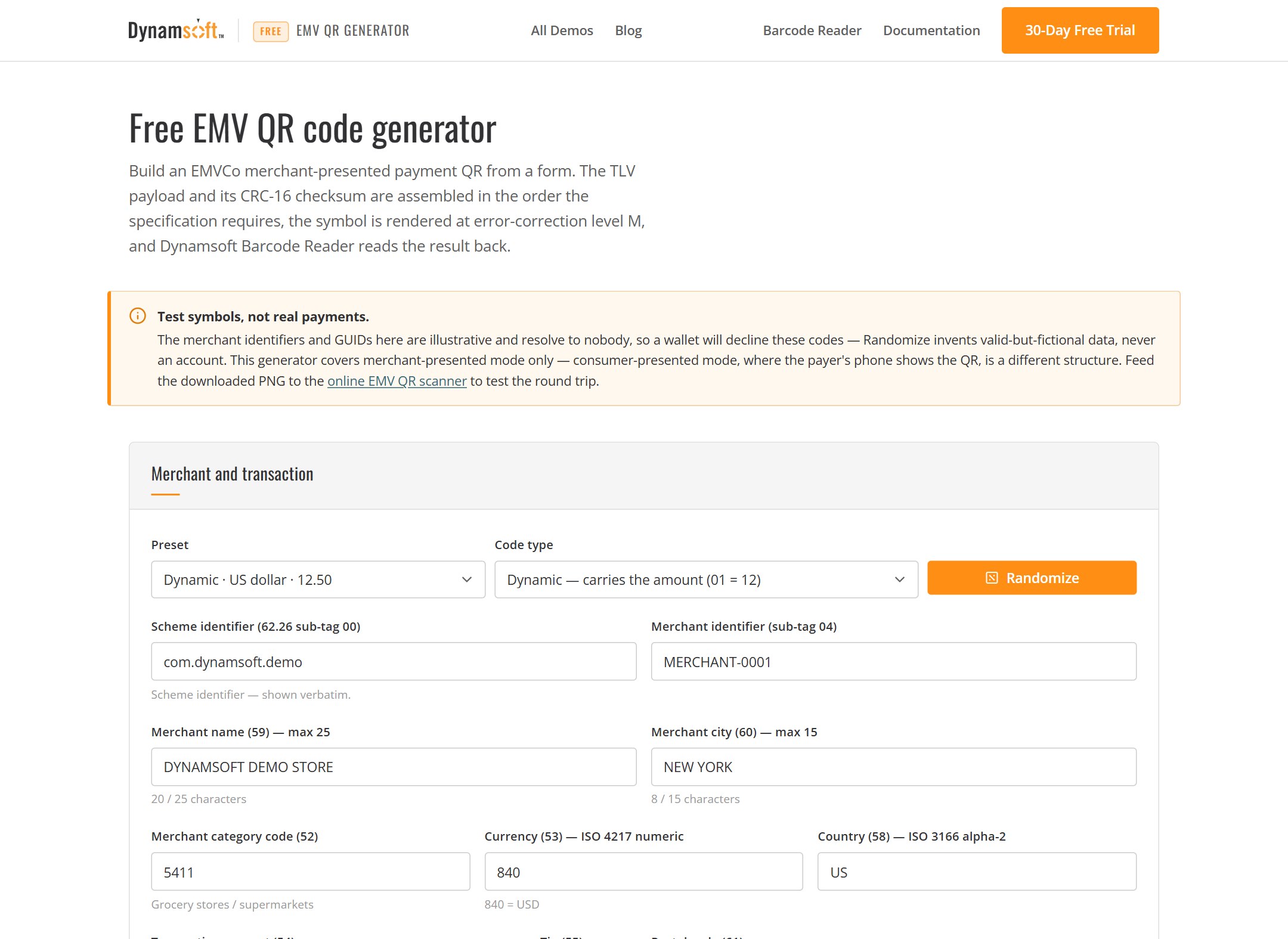
The backgroundcolor is not cosmetic. Without it bwip-js leaves the background transparent; on a white page that looks identical, but canvas.toDataURL() keeps the alpha channel, and a decoder composites transparent onto black — the whole symbol reads as one dark rectangle and decodes to nothing. A white background and an intact quiet zone are both required for a symbol to decode, which is why the stage around the canvas is plain white.
Step 4: Read the Symbol Back with Dynamsoft Barcode Reader
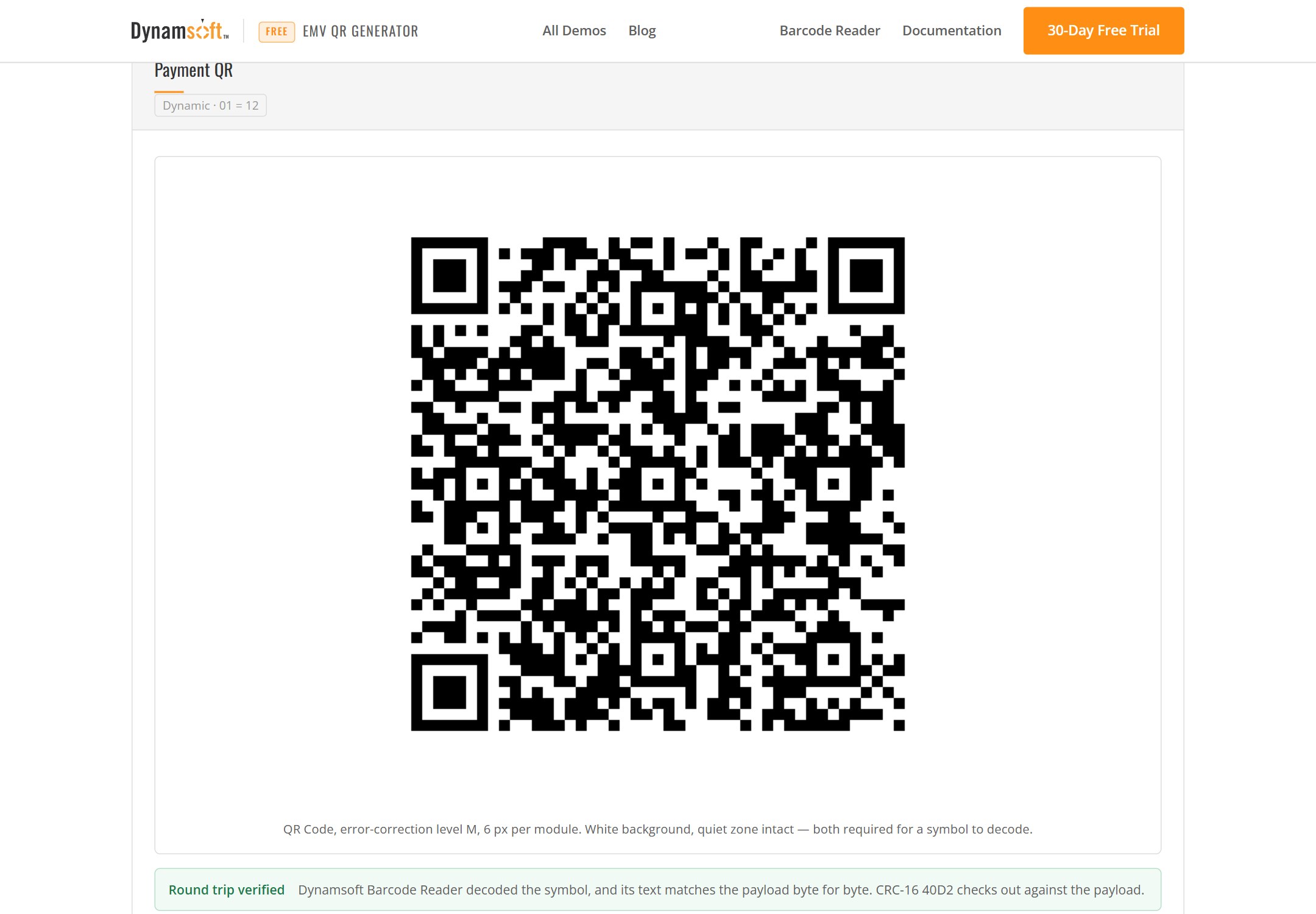
A QR that renders is not evidence of anything — it looks identical whether the payload is a valid payment QR or a truncated string of digits. So the generator offers a round trip: click Verify it scans, and the page decodes its own canvas and compares the text against the payload that produced it.
var result = await cvRouter.capture(canvas.toDataURL('image/png'));
var items = (result && result.items) || [];
for (var i = 0; i < items.length; i++) {
    if (items[i].type === Dynamsoft.Core.EnumCapturedResultItemType.CRIT_BARCODE) {
        decoded = items[i];
        break;
    }
}
Two design points from the demo are worth keeping. First, the reader activates lazily — building and rendering a payload needs nothing but bwip-js, so the SDK loads only when the visitor asks for verification, and a generator that phoned home on page load for a feature nobody clicked would be the wrong trade. Second, a text match alone is not the verdict: the demo parses the decoded string as EMV afterward, because a matching string with a broken checksum is still not a payment QR. Only a byte-for-byte match plus a verified CRC turns the strip green.
Step 5: Parse a Payment QR Like a Wallet Does
The scanner is the same model run backwards, and its first rule is the one that matters: the checksum runs before anything else. Input comes from the live camera, from an uploaded or pasted image, or from a payload string typed straight into the page — and the camera path reads QR symbologies only, so a Code 128 on the same shelf label cannot win the decode race and pose as the payment code the visitor aimed at. A payload that fails the CRC is reported as tampered or not an EMV QR at all, and its fields are never shown as if trustworthy. A payload that passes gets the full treatment — every top-level tag named, nested templates indented under their parents, the currency and merchant category resolved from their ISO codes, and a summary sentence a payer would recognize: Requests USD 12.50 to DYNAMSOFT DEMO STORE (grocery stores / supermarkets), reference INV-2026-0042, CRC verified.
The demo then answers the “so what” that a field table cannot: a simulated wallet builds its payment screen from exactly the fields parsed above.
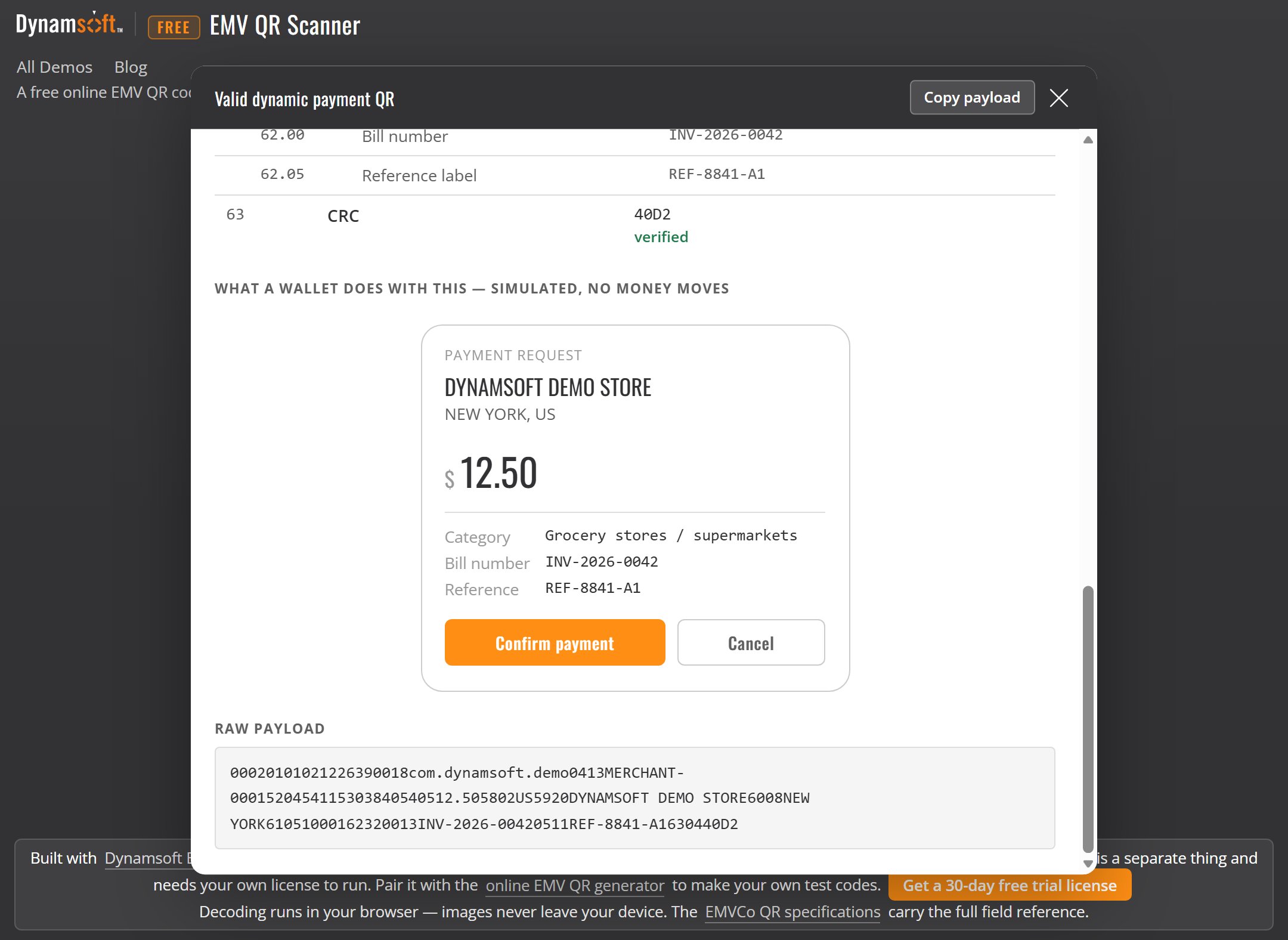
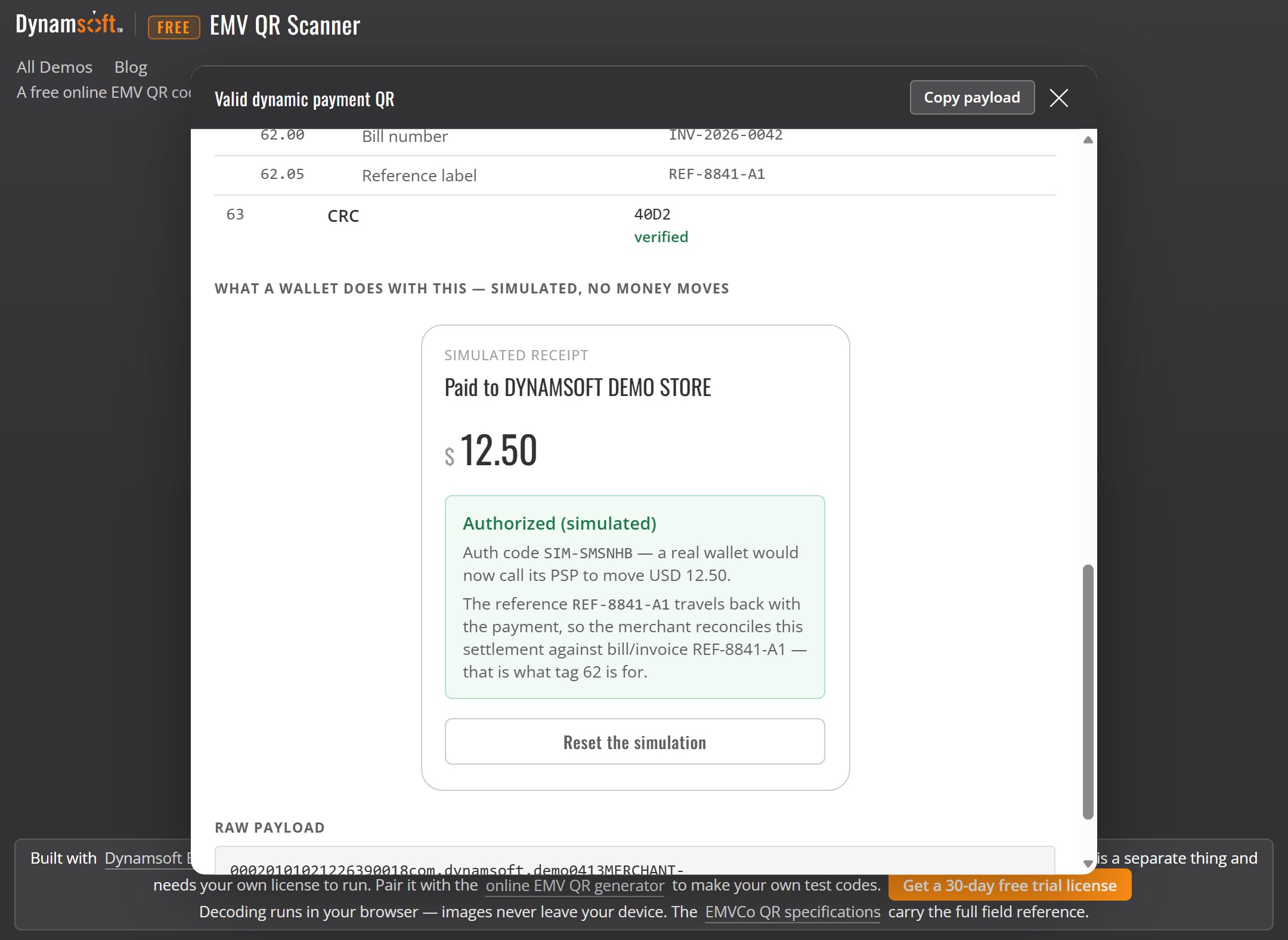
Confirming produces a mock authorization receipt — an auth code, and an explicit statement of where tag 62 goes: the reference travels back with the payment so the merchant reconciles the settlement against that bill number. No payment provider is contacted; the point is that the structured data drives a real UI.
What a Tampered Code Looks Like
The bundled third sample is a dynamic code whose amount was edited from 12.50 to 99.99 after the checksum was computed. It still scans — the QR itself is well formed — and that is the point: the damage is invisible to any reader that does not check the CRC.
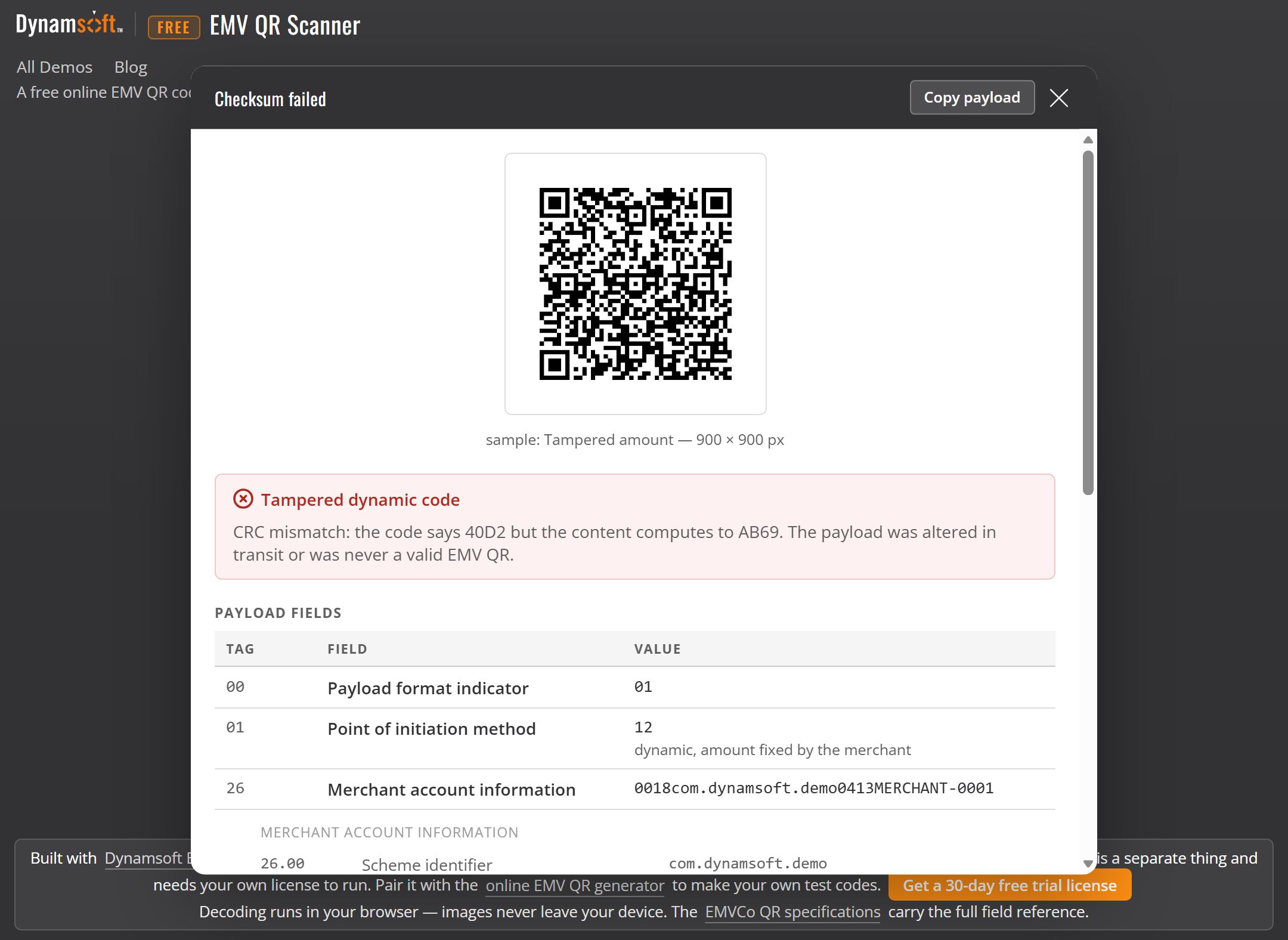
The scanner rejects it before showing a single field as trustworthy. This is the attack the checksum exists for — swapping a merchant’s counter sticker for a fraudster’s is a real, documented fraud pattern, and a photographed code carries no other integrity signal.
Common Issues & Edge Cases
The checksum covers the wrong range. Computing the CRC before appending 6304, or over the payload including the four checksum characters, produces a code that renders and scans and fails in every wallet. Seal the payload in one function, the way sealWithCrc does above, and the range cannot drift.
The QR renders but nothing decodes it. Check the background first: a transparent-background PNG composites onto black in a decoder. Pass backgroundcolor: 'FFFFFF' to bwip-js (Step 3), and keep the quiet zone.
A field silently truncates or throws. TLV lengths are two decimal digits, so any value over 99 characters is inexpressible. The model throws rather than truncating; catch it and surface the limit next to the input, as the generator does with live character counters.
A static code carries an amount, or a dynamic one does not. Both violate the spec and both are common. The validator treats them as errors with the rule spelled out — a static code leaves the amount to the payer; a dynamic code must carry it in tag 54.
Real-world payloads do not always follow the named sub-tags. A published MasterCard example nests its bill number under sub-tag 03 rather than the sub-tag 00 the specification names. The scanner shows what is literally present instead of silently renumbering it — exactly what a parser facing production traffic needs to do.
The currency code means nothing to a human. Tag 53 carries ISO 4217 numeric codes (840, not USD). Resolve them for display; the demo generates its currency table from the official ISO list rather than a hand-typed subset, and the difference shows up as 978 = EUR instead of “unknown”.
Real-World Constraints
The demos cover merchant-presented mode only. Consumer-presented mode — the payer’s phone shows the QR and the merchant scans it — is a different payload structure and deliberately out of scope. The merchant account identifiers in the generator are fictional, so wallets decline these codes; that is what makes them safe test vectors. And the spec is the authority: this article covers the fields a working demo needs, not the full EMVCo specification, which is worth reading directly if you are building production payment software.
Conclusion
An EMV QR code is a QR Code wearing a contract: TLV fields in ascending tag order, nested templates for scheme data, and a CRC-16 seal that makes tampering detectable. The build is mostly formatting with one piece of real arithmetic, and the two halves reinforce each other — writing the parser alongside the generator is what makes every generated code checkable, and the round trip is what makes “it scans” a statement you can verify instead of assume. Point the generated codes at the scanner, watch a wallet consume the fields, and the format stops being a wall of hex.
Source Code
Get the complete sample project source code on GitHub: