




Full License
View and Activate Your Purchased License(s)
You can find all your purchased licenses in the Customer Portal - Full License.
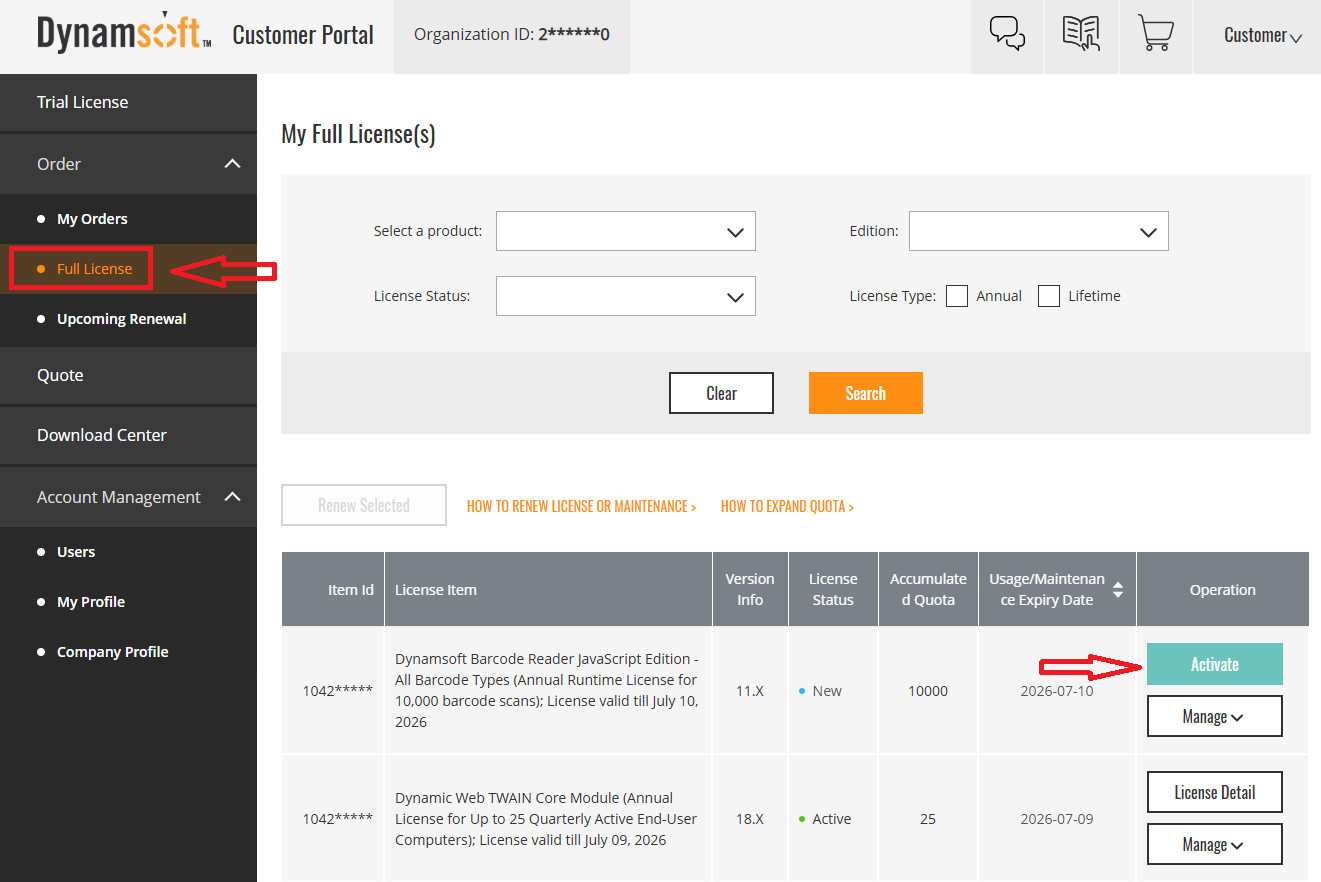
For some licenses, activation is required before they can be used. Click Activate as indicated to enable the license.
License Details
To view details for a license, click the License Detail button on the relevant activated license.
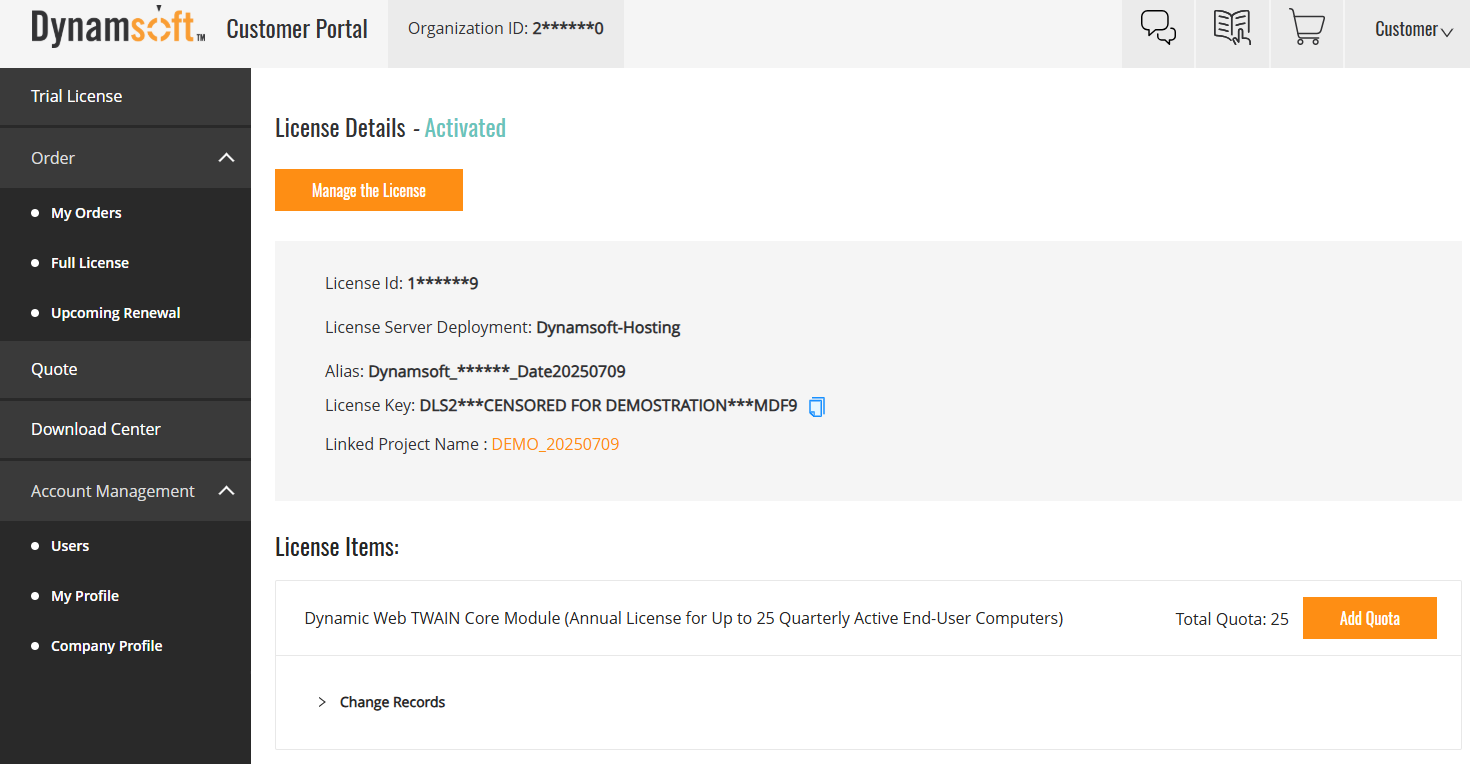
This page shows your license key, linked project, and deployment information.
Manage License
Click the Manage button for more license management options, including:
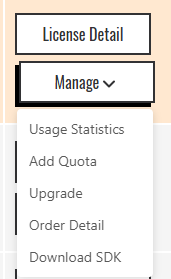
- Usage Statistics: View license usage and activity.
- Add Quota: Purchase and add additional license quota.
- Upgrade: Upgrade to a newer SDK version.
- Order Detail: View your original order information.
- Download SDK: Access the relevant SDK download.
Downloading Older SDK Versions
You can also find download links for older versions of Dynamsoft products in the Download Center.
If you need assistance with activation, managing quotas, or finding the right SDK, please contact Dynamsoft support.
 Yes
Yes No
No