


Add Review, Annotation & PDF Editing to Your Document Scanning Workflow
Dynamsoft Document Viewer is a JavaScript SDK for embedding document viewing, annotation, and editing capabilities into web applications. It integrates directly with Dynamic Web TWAIN and Mobile Document Scanner, runs entirely on the client side, and requires no server or plugin. The SDK supports PDF, JPEG, PNG, and TIFF files, renders documents of up to 1,000 pages without performance loss, supports Chrome, Firefox, Safari, and Edge, and integrates with React, Angular, Vue, and plain JavaScript. It ships with four viewer types: Edit Viewer for annotation and editing, Capture Viewer for camera workflows, Perspective Viewer for cropping and transformation, and Browse Viewer for multi-page navigation.
Which Product Should I Choose?
| Dynamic Web TWAIN | Mobile Document Scanner | + Document Viewer | |
|---|---|---|---|
| Capture from hardware scanners | ✔ | — | — |
| Capture from mobile camera | — | ✔ | — |
| Annotation | — | — | ✔ |
| Multi-page review UI | Basic | — | Full |
| Native PDF processing | ✔ | — | ✔ |
Annotate, Organize and Customize with Ease
Seamless In-Browser Viewing
Load and render large PDFs and image files (TIFF, PNG, JPEG, etc.) with speed and precision.
Swap, share and delete pages within documents.
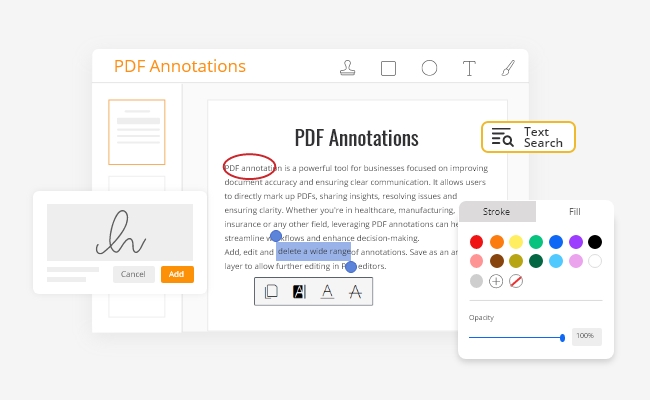
Rich Annotation Tools
Markup PDFs directly to improve clarity.
Add stamps, freehand shapes or images.
Add, edit and delete annotations in a separate layer.
Workflow Integration
Customize buttons and tooltips to enhance user experience.
Export markups for downstream processing.
Flexible APIs and full control over UI and behavior.
Smarter Ways to Work with Text
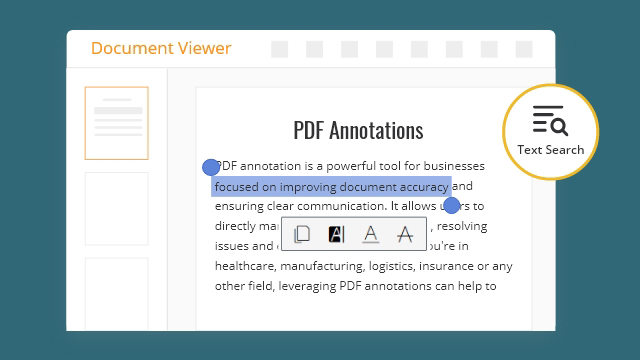
Boost Accuracy & Clarity with Annotations
Highlight & underline to emphasize, Strikeout to remove.
Add text, stamps, images, shapes or signatures.
Compatible with layered PDFs. Save & share.
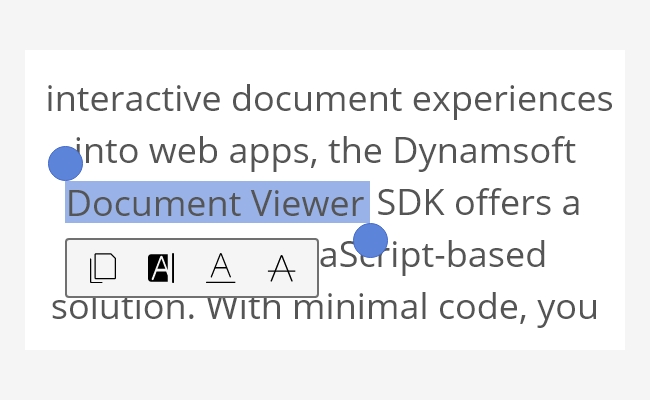
Select & Copy Sections of Text
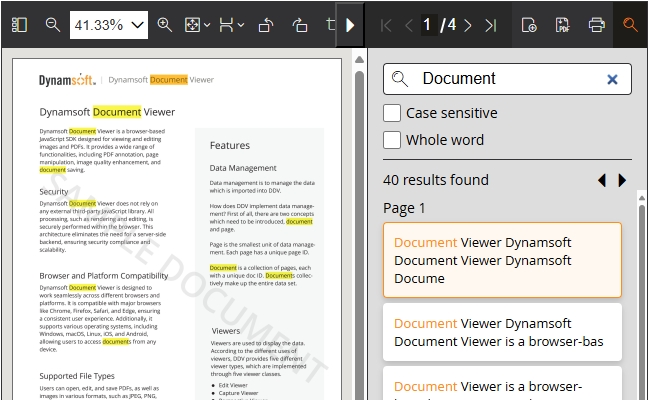
Find Keywords in Long Documents
Essential Features
Security
All processing done securely within the browser.
No reliance on third-party JavaScript libraries.
No need for a server back-end.
Browsers & File Types
Works with Chrome, Firefox, Safari, Edge browsers.
Supports Windows, macOS, Linux, iOS, Android.
Opens, edits, and saves PDFs and images such as JPEG, PNG and TIFF.
UX Customization
Customizable viewers:
Edit Viewer for editing and annotating documents.
Capture and Perspective Viewers to optimize camera capture experience.
Browse Viewer for navigating multi-page documents.