




Why does the MRZ Scanner’s camera preview render incorrectly on iOS 27?
Applicable Products
This article applies to:
- Dynamsoft Barcode Reader (DBR) JavaScript SDK (
dynamsoft-barcode-reader-bundle) 11.6.3000 and earlier - Dynamsoft Capture Vision (DCV) JavaScript SDK (
dynamsoft-capture-vision-bundle) 3.6.3000 and earlier
Summary
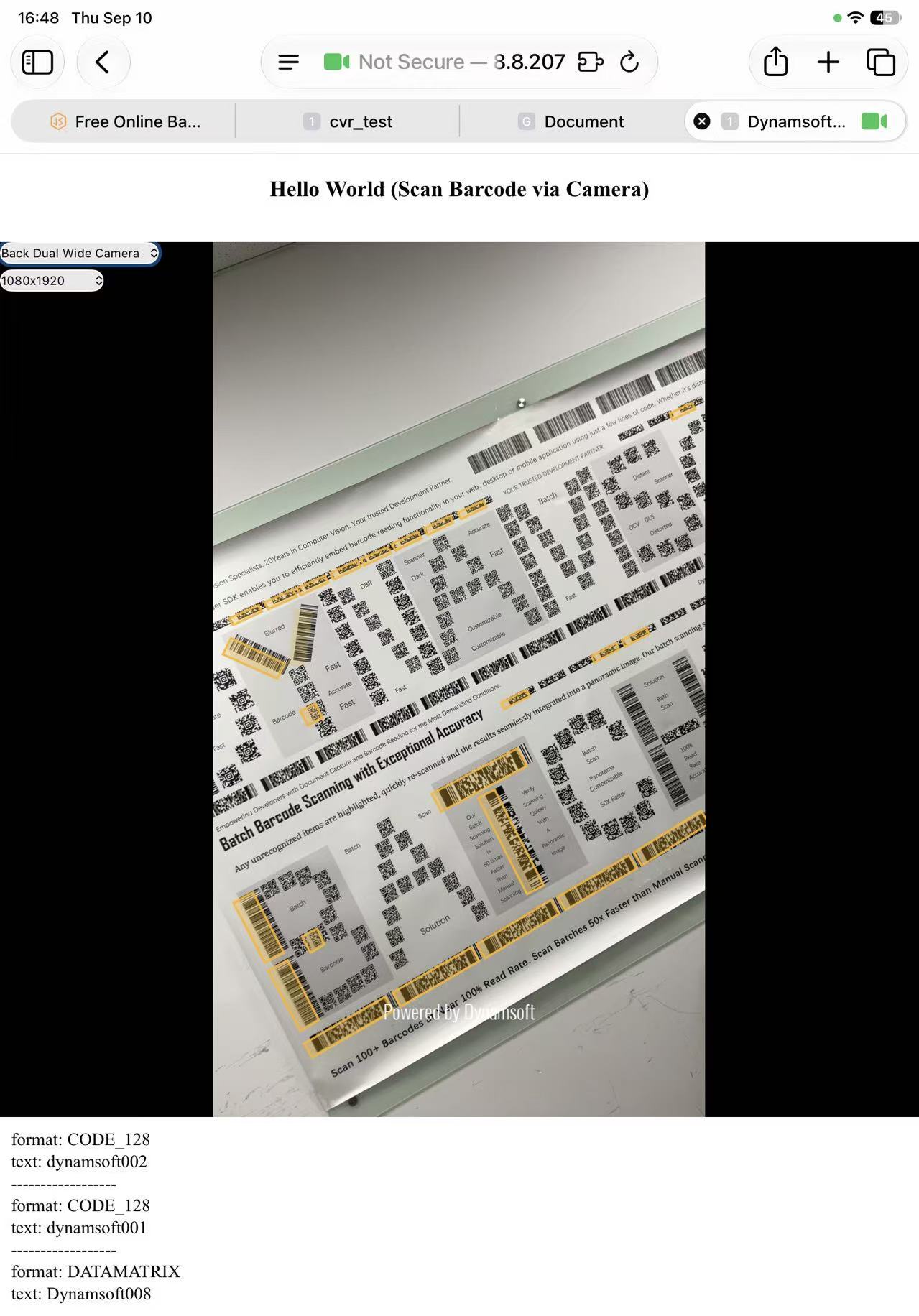
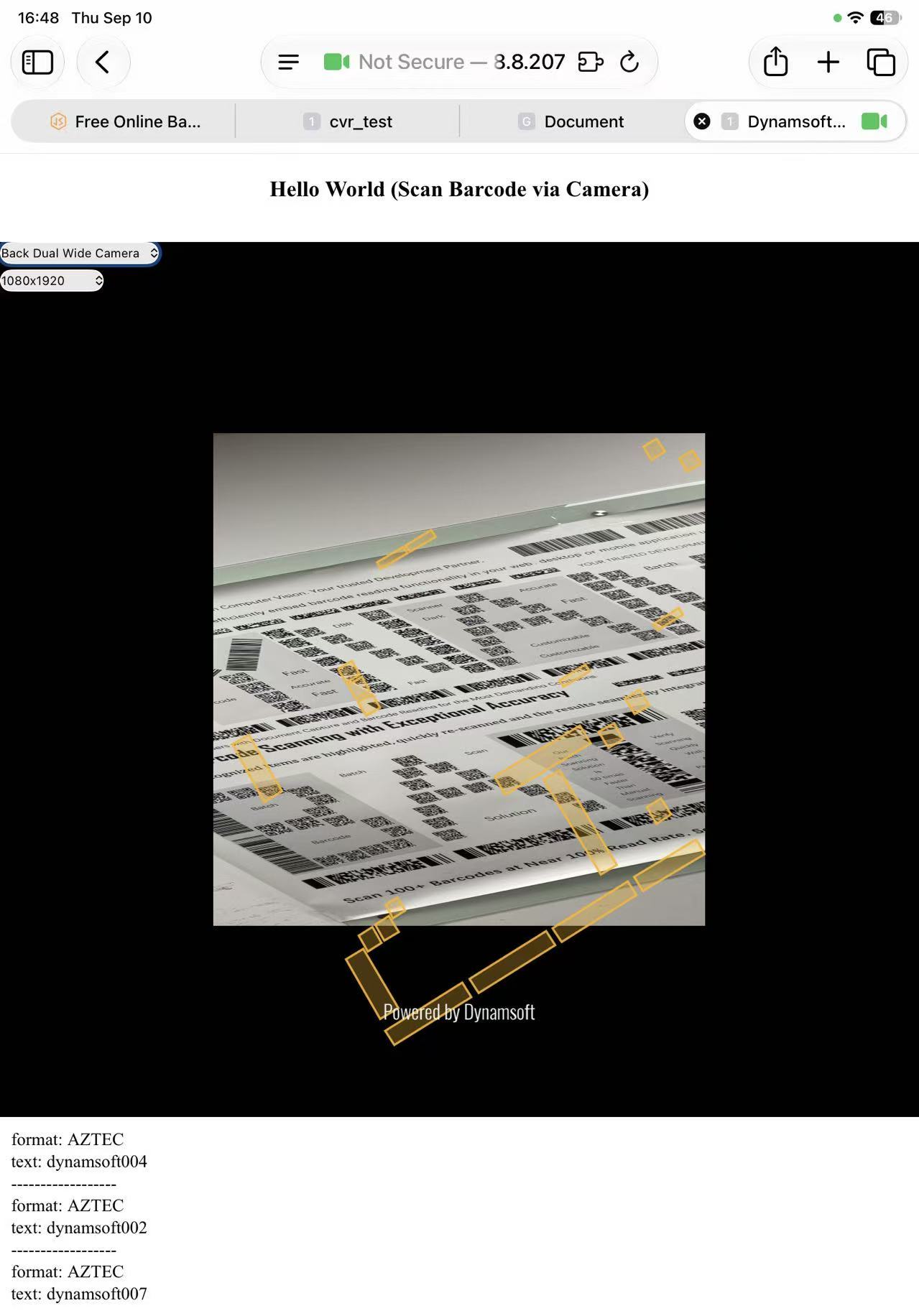
On iOS 27, switching cameras or changing resolution can make the live camera preview render incorrectly. The exact behavior depends on the SDK version:
| Version | Behavior |
|---|---|
| DBR 11.4 – 11.6.3000 (DCV 3.4 – 3.6.3000) | The preview renders distorted — squeezed or stretched instead of filling its container. Intermittent: the same switch can render correctly on one attempt and distorted on the next. |
| DBR 11.2 and earlier (DCV 3.2 and earlier) | The preview isn’t distorted, but it no longer fits its container — shown at the wrong zoom or size and not extending to the borders. |
It’s reproducible on Safari, Chrome, Edge, and Firefox — all iOS browsers share WebKit’s camera implementation, so we suspect the issue originates there rather than in any Dynamsoft SDK. It does not occur on iOS 26.
Reported to Apple, but not confirmed as an Apple bug and still open as of iOS 27 RC. Details here may change if Apple ships a fix.
Resolution
Recommended: upgrade
Upgrade to dynamsoft-barcode-reader-bundle 11.6.3200+ or dynamsoft-capture-vision-bundle 3.6.3200+, which include a built-in workaround.
If you can’t upgrade yet
Both workarounds below are temporary and version-specific — neither replaces upgrading.
DBR 11.4 – 11.6.3000 (DCV 3.4 – 3.6.3000)
The distortion requires object-fit: fill on the video element plus an ancestor using display: flex with flex: 0 0 auto, so overriding object-fit with cover on the <video> element that Dynamsoft Camera Enhancer renders avoids it:
.dm-camera-core-container video {
  object-fit: cover !important;
}
!important is needed because the SDK sets object-fit inline. The JavaScript equivalent, via cameraView.getVideoElement():
let videoElement = cameraView.getVideoElement();
videoElement?.style.setProperty('object-fit', 'cover', 'important');
covercrops rather than stretches to preserve the aspect ratio — confirm that trade-off works for your UI.
DBR 11.2 and earlier (DCV 3.2 and earlier)
Reset the video element’s dimensions whenever the camera or resolution changes, registering the handlers before cameraEnhancer.open():
const resetVideoWH = () => {
  const videoEl = cameraEnhancer.getVideoEl();
  videoEl.style.width = "";
  videoEl.style.height = "";

  requestAnimationFrame(() => {
    requestAnimationFrame(() => {
      videoEl.style.width = "100%";
      videoEl.style.height = "100%";
    });
  });
};
cameraEnhancer.on("cameraChange", resetVideoWH);
cameraEnhancer.on("resolutionChange", resetVideoWH);

cameraView.createDrawingLayer(2); // layer ID depends on the product — see below

// Normal startup routine, shown here only to indicate placement
await cameraEnhancer.open();
await cvRouter.startCapturing();
The createDrawingLayer call is part of the workaround. Pass the layer ID for your product:
| Product | Layer ID |
|---|---|
| Dynamsoft Barcode Reader (DBR) | 2 |
| Mobile Document Scanner (MDS — DDN layer) | 1 |
| MRZ Scanner (DLR layer) | 3 |
 Yes
Yes No
No