




Check Quota Usage
This guide explains how to check license quota usage for your Dynamsoft licenses through the Customer Portal and License Server.
Steps to View Quota Usage
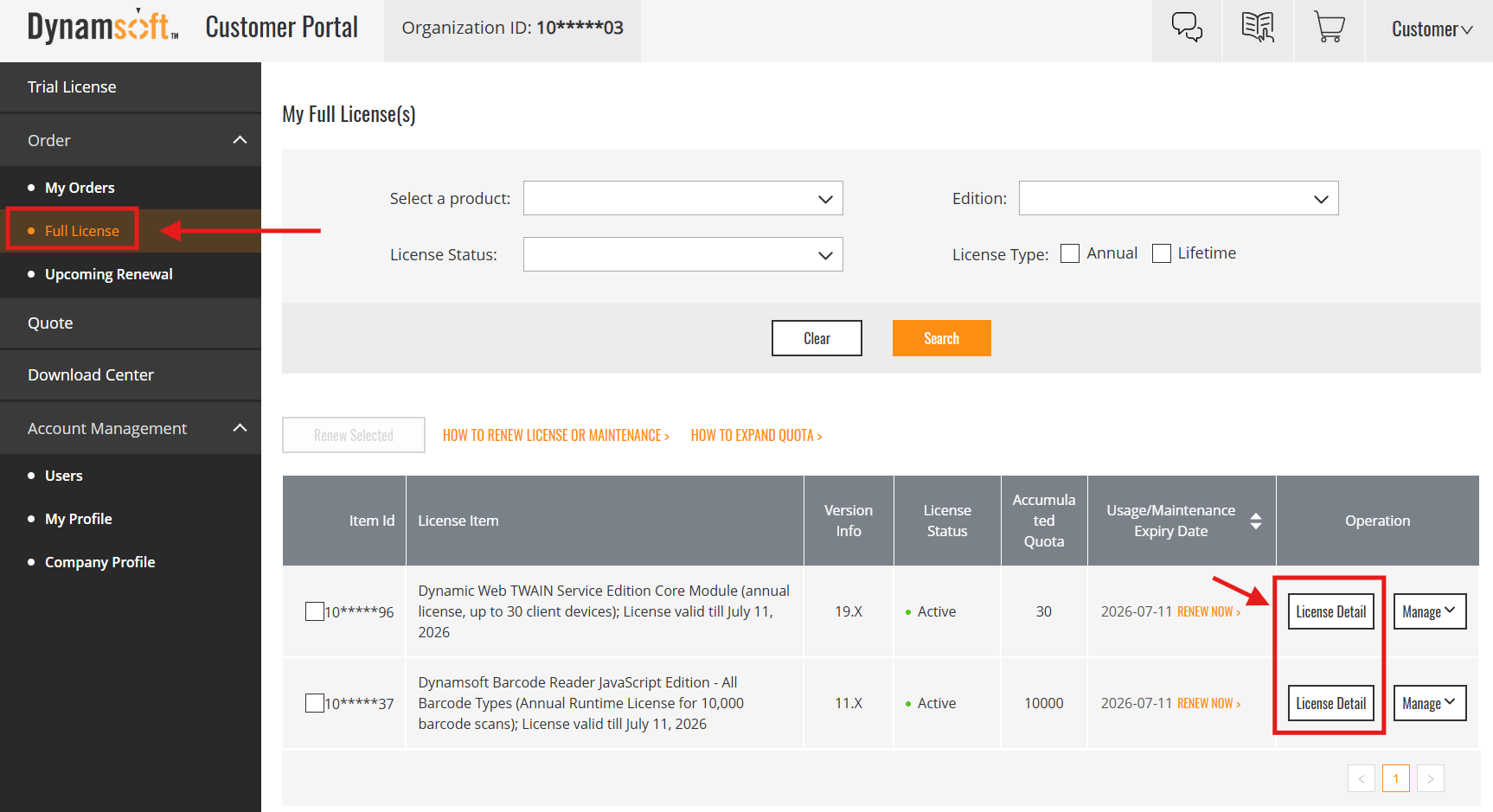
- Navigate to Order > Full License.
-
Find your license in the list and click License Detail under the “Operation” column.
-
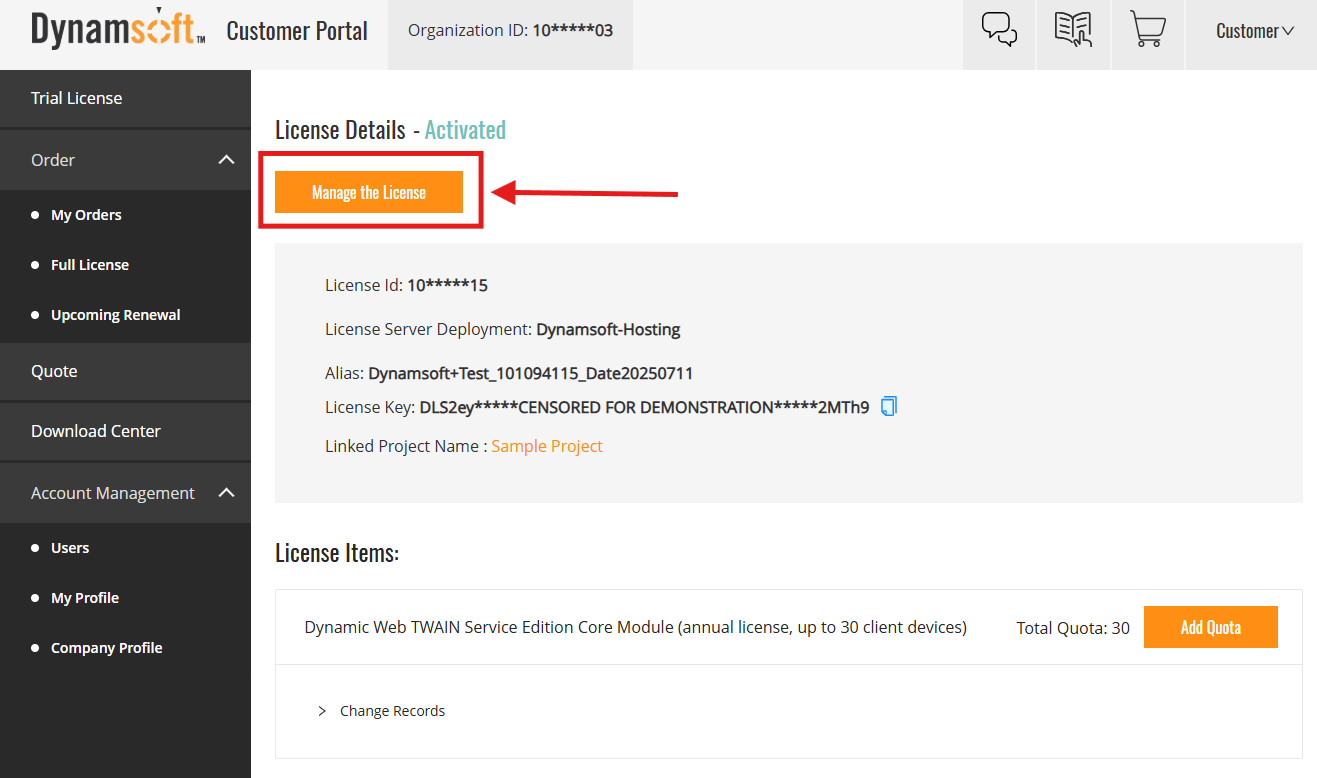
On the License Details page, click Manage the License at the top.
-
The system will redirect you to the License Server’s project page.
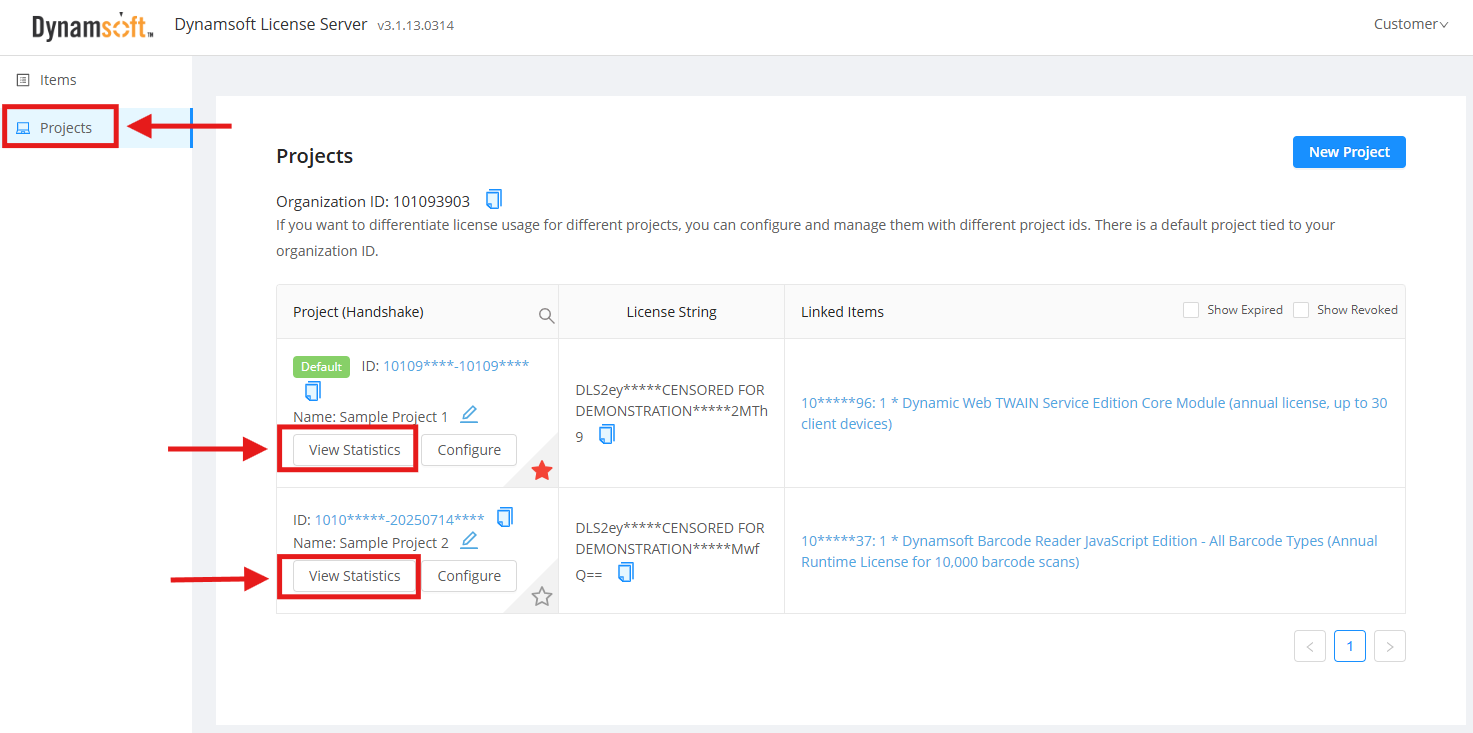
In the left menu, select Projects and locate your project. -
Click View Statistics for the relevant project.
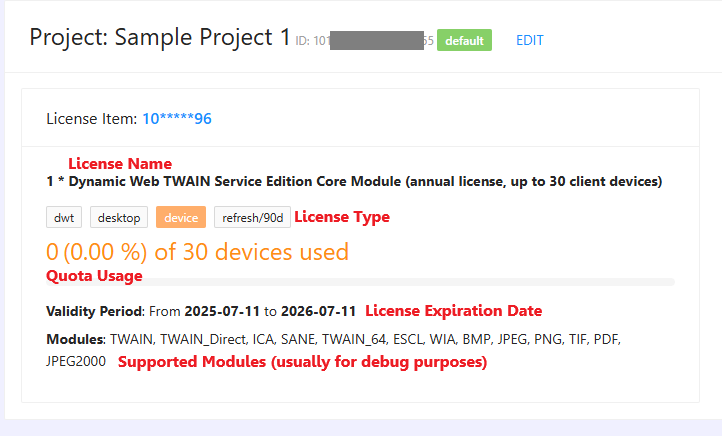
- You will see a detailed usage breakdown, including:
- License type and quota (e.g., number of devices or scans)
- Percentage and total used
- Expiry date
- Supported modules and related information
FAQ
What is quota usage?
Quota usage shows how much of your license’s total allocation (devices, scans, etc.) you have used.
Why don’t I see usage details?
You need to be an order contact for that license. Ask others in your organization to add you if you require access.
Detailed Guide: How to Add Users to a Specific Order
What if I’m close to reaching my quota?
You can expand your quota at any time, or contact support@dynamsoft.com for advice.
For further assistance, please contact support@dynamsoft.com.
 Yes
Yes No
No