


 Blog
Blog
How to Choose a Multi-Browser Web Scanning SDK: A Developer’s Guide

Choosing a multi-browser web scanning SDK is critical for building reliable document capture workflows in modern web applications. Differences between browser engines such as Chromium, WebKit, and Gecko can cause inconsistent scanning behavior, device access issues, and unstable performance across users.
This guide explains what to look for in a web scanning SDK, including browser compatibility, automation integration, reliability, and security—so development teams can implement consistent, scalable document capture across environments.
Key Takeaways for Selecting a Multi-Browser Web Scanning SDK
Below is a summary of key considerations when evaluating a web-scanning tool for your development team.
- Browser fragmentation demands robust solutions that handle differences across rendering engines such as Chromium, Gecko, and WebKit to ensure consistent scanning and data extraction.
- Prioritize real-device testing over emulation to accurately capture OS-level differences, platform quirks, and rendering discrepancies.
- Ensure the SDK integrates seamlessly with modern CI/CD pipelines and leading automation frameworks to enable continuous validation of capture quality.
- Reduce test flakiness by selecting tools with self-healing locators, retry logic, and automatic waiting capabilities.
- Consider strict security and compliance requirements, such as ISO 27001 certification and flexible deployment options such as on-premise or cloud.
- Balance cost and performance by using a hybrid testing strategy that combines local headless scanning for daily checks with cloud-based real-device validation before release.
Why Multi-Browser Web Scanning SDKs Are Critical for Modern Web Apps
Each major browser uses a different engine, such as Chromium, WebKit, or Gecko, which manages hardware access and rendering differently. Scanning features that work in Chrome may fail or behave inconsistently in Safari or Firefox. Adding mobile cameras, USB scanners, and network devices increases complexity.
A robust SDK handles these differences behind the scenes, providing consistent scanning behavior across:
- Browsers: Chrome, Edge, Safari, Firefox
- Operating systems: Windows, macOS, Linux, iOS, Android
- Capture sources: physical scanners, webcams, and mobile cameras
For development teams, this enables faster implementation, fewer compatibility issues, and a consistent user experience across all access points.
Key Criteria for Choosing a Web Scanning SDK
Selecting the right SDK requires more than reviewing feature lists. A structured assessment across technical, operational, and commercial dimensions is essential. Below is a brief overview before each criterion is discussed in detail.
| Criteria | What to Look For |
|---|---|
| Browser & Device Coverage | Native support across Chromium, WebKit, Gecko |
| Automation Integration | Compatibility with Selenium, Playwright, Cypress, Appium |
| Reliability | Retry logic, smart waiting, robust error handling |
| Maintainability | Clean APIs, good documentation, low-code options |
| Security & Support | ISO 27001 compliance, on-premise options, SLAs |
1. Browser and Device Coverage
Broad compatibility is essential. At a minimum, an SDK should natively support all three major browser engines, not just Chromium. Real-device support is also critical, as emulators often miss platform-specific issues such as OS permissions, hardware rendering differences, and camera behavior that only appear on actual devices.
Prioritize testing on the latest desktop and mobile versions of Chrome, Safari, Firefox, and Edge, as these cover most real-world users. Cloud device farms can expand coverage to thousands of configurations without maintaining physical hardware.
2. Integration with Automation Frameworks and CI/CD
A scanning SDK is most effective when it integrates seamlessly with existing workflows. Look for compatibility with leading automation frameworks such as Selenium, Playwright, Cypress, and Appium, and support for multiple programming languages including Java, Python, C#, and JavaScript to maximize team flexibility.
Integrating document scanning workflows into test automation frameworks enables continuous validation of capture quality, making CI/CD pipelines more robust and reducing regression risks in production environments.
Evaluate parallel test execution capabilities. Running scans concurrently across browsers and devices shortens test cycles and enables scalable CI/CD integration.

3. Reliability and Debugging in Web Scanning
Scanning workflows involve many variables, including device permissions, network conditions, and hardware compatibility. Without robust reliability mechanisms, these factors can cause flakiness, resulting in intermittent scan failures that are difficult to reproduce and diagnose.
A high-quality SDK should offer automatic retry logic, intelligent device readiness checks, and robust error handling. For debugging, seek comprehensive logging, screenshots, video playback of scan runs, and network logs. The ability to simulate various network conditions, such as 3G, 4G, or unstable Wi-Fi, is also valuable for identifying performance issues before production.
4. Maintainability and Developer Experience
Long-term success depends on how efficiently teams can build, adapt, and troubleshoot scanning features. Maintainability requires clear documentation, modular and intuitive APIs, reusable components, and straightforward configuration.
SDKs that support low-code or configuration-based workflows offer an additional advantage by enabling QA teams and product managers to contribute to scan setups and review results without extensive programming expertise. Self-healing locators further reduce the skill barrier and maintenance overhead as applications evolve.
5. Security, Licensing, and Compliance Considerations
A secure document scanning SDK should also support GDPR compliance, end-to-end encryption and secure image handling protocols to protect sensitive user data during transmission and storage. For industries handling sensitive documents, such as finance, healthcare, or legal, security is essential. Assess whether the SDK supports on-premise deployment, data residency controls, and compliance with standards such as ISO 27001.
On the commercial side, review license types, support SLAs, and upgrade terms. Prioritize proof-of-concept availability before making a full commitment, especially for enterprise deployments.
Cloud vs. Local Scanning: Which Approach is Best?
Following a structured process helps eliminate bias and ensures no critical factor is overlooked during SDK selection.
Cloud-based scanning provides access to a wide range of real browsers and devices without requiring infrastructure maintenance. However, it introduces ongoing operational costs and potential latency.
Local or headless scanning runs directly on developer machines or CI servers, offering faster execution, lower costs, and greater infrastructure control. However, it may miss device-specific issues that only appear in real environments.
A hybrid approach is recommended. Use local or headless scans for daily development and CI checks, and validate critical workflows on real cloud devices before release. This balances performance, accuracy, and cost efficiency while ensuring comprehensive coverage.
How to Evaluate a Web Scanning SDK (Evaluation Checklist)
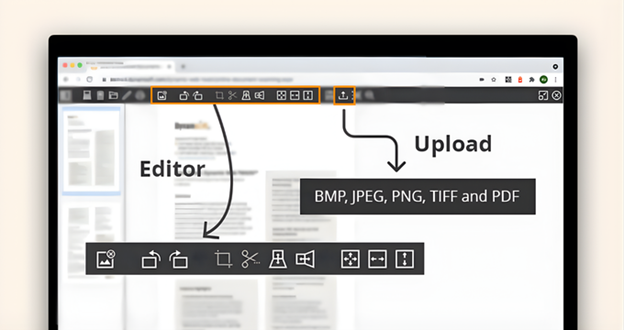
Following a structured process helps eliminate bias and ensures no critical factor is overlooked during SDK selection.
- Analyze user environments: Use analytics to identify the browsers, operating systems, and devices your users rely on.
- Define success metrics: Scan speed, accuracy, flakiness rate, and CI/CD integration complexity.
- Shortlist compatible SDKs: Focus on those that natively support your automation stack.
- Run proof-of-concept tests: Test representative workflows under realistic conditions, including slow networks and mobile devices.
- Evaluate CI/CD fit: Confirm parallelization support, build pipeline impact, and cost per scan.
- Assess maintainability: Review documentation quality, API design, and team ramp-up time.
- Review licensing and support: Compare pricing models and pilot options before committing.
Common Mistakes When Choosing a Web Scanning SDK
Even well-resourced teams can make avoidable mistakes during SDK evaluation. Identifying these patterns early can save significant time and cost.
- Do not prioritize device count over device quality. A smaller set of real-device configurations that reflect your user base is more valuable than a large number of emulated environments.
- Do not ignore test flakiness. Inconsistent scan results indicate underlying issues and should be addressed early to prevent larger production problems.
- Avoid the “works on my machine” trap. Skipping cross-browser and real-device validation commonly causes post-release scanning failures.
Final Thoughts
Reliable document scanning in modern web applications requires addressing browser fragmentation, device diversity, and automated development workflow demands. The right multi-browser web scanning SDK resolves these challenges, ensuring consistent scanning and supporting automation and maintainability.
By evaluating SDKs for coverage, integration, reliability, maintainability, and security, teams can implement scalable scanning solutions for their applications.
Dynamsoft: The Solution for Multi-Browser Web Scanning
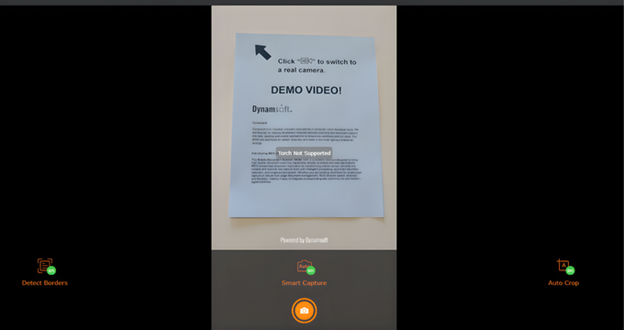
When evaluating your options, Dynamsoft stands out as a trusted, enterprise-ready software provider. It delivers highly accurate, secure, and scalable document scanning SDKs optimized for complex multi-browser environments.
By choosing Dynamsoft, you get developer-centric integration, real-device support, and strict compliance:
- Universal Support: Scan directly from major browsers (Chrome, Firefox, Edge) across Windows, macOS, Linux, and mobile.
- Broad Compatibility: Natively supports TWAIN, WIA, ICA, SANE, and eSCL drivers.
- Fast Integration: Build a working proof-of-concept in just an hour with React, Angular, and Vue support.
- High Performance: Handle enterprise volumes using proprietary disk caching, 64-bit service, and multi-threaded uploads.
- Robust Security: ISO 27001 and O-TTPS certified, featuring built-in HTTPS, encryption, and automatic cache deletion.
- Scalable Add-Ons: Easily expand with modules for Barcode Recognition, AI-powered OCR, webcams, and PDF rasterization.
Try Document Scanning Online Demo
Contact us to find the right solution for you
FAQs for Selecting a Multi-Browser Web Scanning SDK
What browsers and devices should I prioritize for web scanning?
Focus on the latest desktop and mobile versions of Chrome, Safari, Firefox, and Edge to cover most users.
How can I optimize scans for modern single-page applications across browsers?
Ensure your SDK handles dynamic content changes, fragment-based routing, and JavaScript-heavy sites effectively.
What integration features are essential for efficient automation workflows?
Look for compatibility with leading automation frameworks, support for parallel execution, and native hooks for your CI/CD pipelines.
How do I balance scan coverage, performance, and cost?
Combine fast local headless scans for daily checks with periodic validation on real cloud devices.
What security and compliance factors should influence my SDK choice?
Prioritize tools that offer on-premises deployment, data residency controls, and enterprise-grade certifications such as ISO 27001.