


 Blog
Blog
How to Build a Digital Product Passport: Architecture, Data Flow, and Best Practices

A digital product passport is a structured, machine-readable record detailing a product’s identity, composition, and lifecycle. It is accessed by scanning a data carrier, such as a QR code, on the product or packaging. The passport consists of five layers: a persistent unique identifier, a data carrier with a resolvable URL, a resolver, an API-supported content store with versioning, and an access layer that manages field visibility for each audience.
Engineering teams have begun implementation under Regulation (EU) 2024/1781. The EU DPP Registry launched on July 20, 2026, and the battery passport requirement will take effect on February 18, 2027.
Key Takeaways
- A digital product passport is a comprehensive data system, not just a QR code. The code acts only as an access point to identifiers, APIs, storage, and access controls.
- The identifier on the passport must remain permanent, while the underlying data can be updated. Passports use a resolvable URL rather than embedding data directly.
- In May 2026, CEN and CENELEC issued six harmonized DPP standards. On July 15, 2026, the European Commission referred to them in the Official Journal, thereby establishing a presumption of conformity with the ESPR.
- The EU does not store passport data. The central registry indexes only identifiers, while actual data remains in manufacturer-managed systems.
- Security relies on specific controls: TLS for data transmission, encryption for stored data, authenticated write APIs, and role-based read access, rather than general assurances.
- Each update should create a new immutable version rather than overwrite records, as regulators and recyclers may need access to historical passport data.
What counts as a digital product passport?
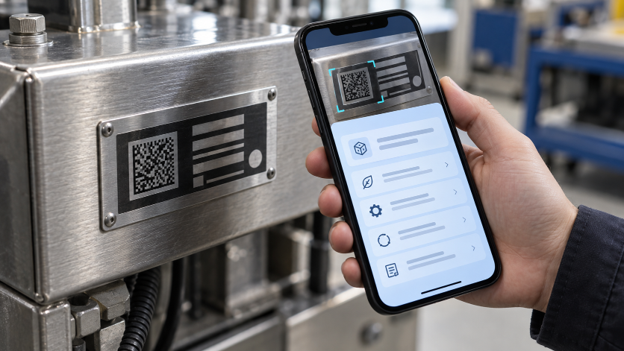
A digital product passport is a digitally accessible record containing the product’s unique identifier, material and technical information, compliance documentation, and end-of-life details. You access it by scanning the product. Article 10 of the ESPR requires the data carrier to be physically present on the product, its packaging, or its documentation. The carrier must use open, interoperable formats to avoid vendor lock-in. Passports may be issued at the model, batch, or item level, with batteries requiring item-level records.
Why Do Existing Product Data Systems Fall Short?
Current product data systems are inadequate because information is scattered across tools not designed for real-time external access, such as PLM declarations, PDF certificates, and supplier spreadsheets. A static QR code linking to a product page is insufficient: links may break if the website changes, a single page cannot provide tailored views for different audiences, and PDFs lack version history.
What will a digital product passport architecture look like?
A digital product passport architecture separates the permanent identifier from variable data using a resolver and APIs. When scanned, the identifier is retrieved, the resolver directs the request, and the API delivers the relevant data version. Each layer follows a published European standard.
| Layer | What it does | Standard |
|---|---|---|
| Unique identifier | Identifies product, operator, or facility | EN 18219:2026 |
| Data carrier | Encodes the identifier in a QR code, Data Matrix, or RFID tag | EN 18220:2026 |
| Resolver and APIs | Resolves the identifier and serves passport data | EN 18222:2026 |
| Storage and persistence | Holds current and historical versions | EN 18221:2026 |
| Exchange and interoperability | Moves data between operators and authorities | EN 18216, EN 18223 |
The standard EN 18219:2026 includes rules relating to unique identifiers and sets out how product, operator, and facility identifiers are assigned at the model, batch, or item level. EN 18220:2026 deals with data carriers and specifies which ones are allowed, namely optical 2D codes, RFID tags, and NFC chips, along with the encoding methods, read quality, and error correction. EN 18222:2026 defines the APIs used to find, resolve, retrieve, and manage passport information. EN 18221:2026 relates to storage, archiving, and persistence, including historical versions. EN 18216:2026 specifies the data exchange protocols, and EN 18223:2026 ensures interoperability between systems.
How Should You Create the Identifier and QR Code?
Create the identifier once, encode it as a resolvable URL, and never reuse it for another product. Most implementations use a GS1 Digital Link URI, which presents the GTIN with optional batch or serial numbers as a structured web address. Although the ESPR references ISO/IEC 15459 instead of GS1, GS1 Digital Link is preferred because both warehouse scanners and consumer phones can use a single symbol. Generate the identifier as a standard ISO/IEC 18004 QR code, increase error correction for challenging surfaces, and test samples from actual production.
What is the procedure for updating and versioning Passport data?
Update passport information using an authenticated write API that creates a new version rather than replacing the existing one. Since the code contains only the address, you do not need to reprint labels when updating recycled content, repair instructions, or state-of-health readings. Ensure each version is immutable, includes a timestamp, and is assigned to the submitting operator.
How do you secure a digital product passport?
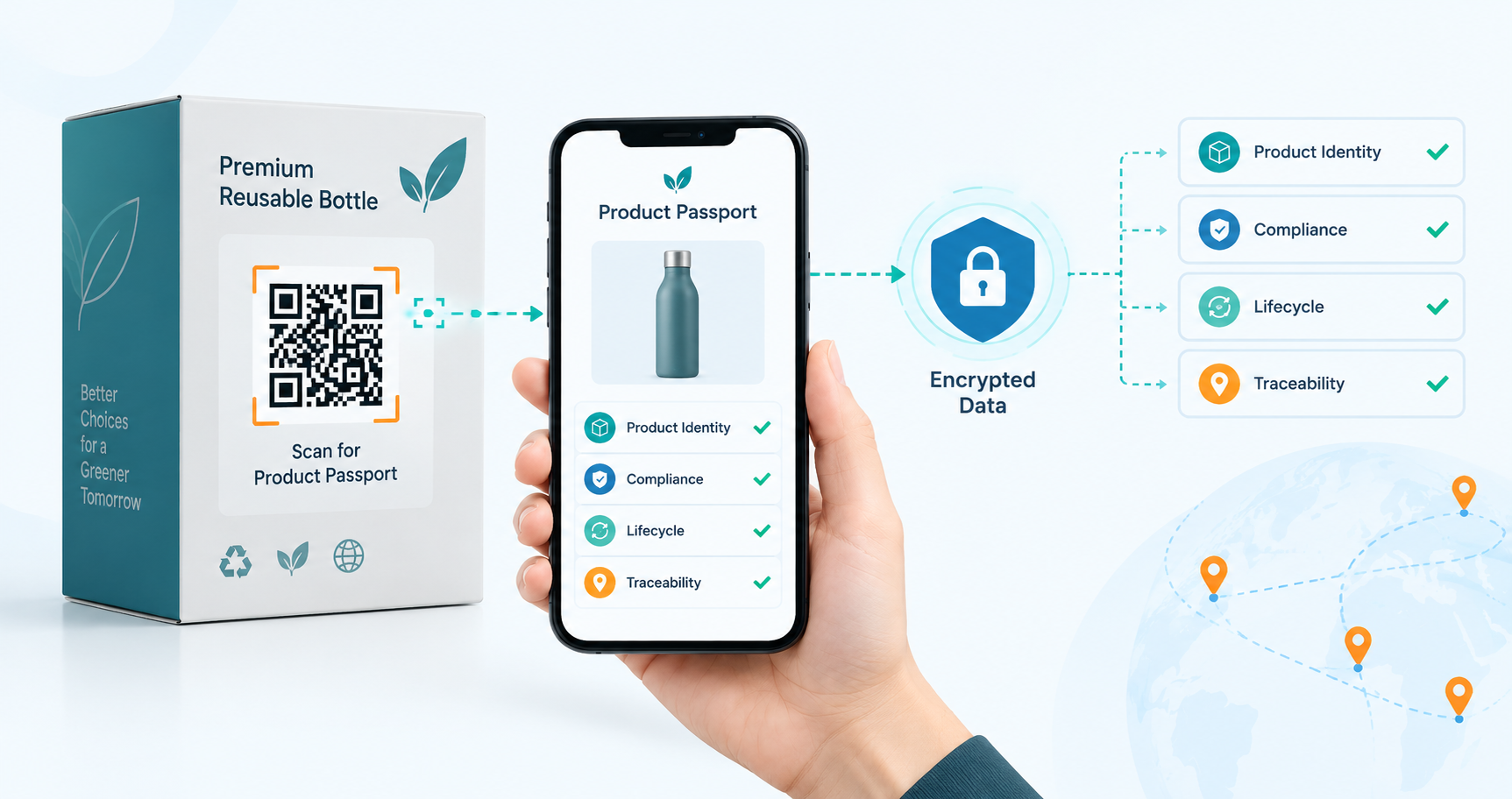
To secure a digital product passport, implement controls at four stages: during transport, during storage, on the write path, and on the read path. Serve all resolvers and API endpoints over HTTPS with TLS, as browsers require this for camera access. Encrypt records at rest and store the change audit log in a location that application code cannot alter without detection.
When writing, authenticate each system submitting data using machine credentials such as OAuth 2.0 client credentials or mutual TLS, so changes can be traced to the correct supplier or plant. For reads, apply role-based access control: consumers receive public data, authorities receive complete records, and restricted fields are never sent to unauthorized users.
EN 18239 and EN 18246 address access rights and data authentication, but neither has been referenced in the Official Journal as of mid-2026. Data residency decisions remain outstanding. Since the EU registry only indexes identifiers and does not store passport content, data stays with the host, and camera frames are retained on the user’s device through client-side scanning.
What Should You Evaluate in a Scanning Component?
Evaluate the scanning component using four criteria: decoding location, supported symbologies and platforms, performance with damaged labels, and deployment method.
- Decoding location: On-device decoding processes frames locally and does not transmit any data externally, ensuring that images of your customer’s products remain on-site.
- Symbology coverage: Barcode types differ by sector. Data Matrix is standard for small industrial and medical parts, while GS1 DataBar and Composite codes are common in regulated supply chains.
- Platform reach: A single, consistent API for phones, handhelds, and server-side applications eliminates the need to maintain multiple integrations for the same function.
- Damaged-label performance: Field carriers often arrive scuffed, curved, or faded. Test using labels from your own production line and evaluate performance based on the most challenging ten percent, rather than the average.
- Deployment model: A browser-based scanner eliminates the need for app store review and device enrollment, simplifying access for contractors and recyclers outside your organization.
- Licensing in restricted environments: Air-gapped plants and secure sites cannot access external activation servers. Offline licensing is required to ensure the component functions in these environments.
How Dynamsoft Solutions Can Help

Dynamsoft Barcode Reader acts as the scanning component for a digital product passport system, reading barcodes in a browser or native app and sending the identifier to your resolver. The JavaScript version runs entirely on the client side using WebAssembly, so no images or barcode data are sent to external servers, enabling offline scanning. It supports over 30 symbologies, including QR Code, Micro QR Code, Data Matrix, GS1 DataBar, and GS1 Composite Code. It is compatible with Chrome 78+, Firefox 68+, Safari 14+, and Edge 79+ on desktop and mobile devices, and integrates with React, Vue, Angular, and progressive web apps.
On-device data decoding ensures compliance with data residency requirements. Dynamsoft holds ISO 27001 and O-TTPS certifications, offers offline licensing for secure environments, and supports license server deployment for centralized management. Custom scan templates improve decoding for blurred, damaged, wrinkled, and directly part-marked codes. Dynamsoft’s Code Parser interprets GS1 Application Identifiers and supports version 24.0 of the GS1 AI definitions, providing structured fields such as GTIN, batch number, and serial number. The same API model is available for iOS, Android, Python, Java, .NET, C++, and Node.js.
Test barcode reader online demo with your printed passport labels before starting development.
Digital Product Passport: What to Get Right First
The primary challenge in building a digital product passport is integration, not labeling. The identifier must be permanent, data must be versioned and retrievable years later, the access layer must distinguish between consumers and regulators, and scanning must remain reliable even with damaged labels.
If you are designing this layer, review Dynamsoft Barcode Reader documentation to assess how client-side decoding and GS1 parsing integrate with your architecture, or download the 30-day free trial to test it with your labels.
Frequently Asked Questions
How does a digital product passport differ from a QR code?
The digital product passport is the underlying data record, while the QR code is only the printed access point. The code contains an identifier (URL), and the actual content is stored in a database and accessed through APIs.
Does a digital product passport need to use GS1 Digital Link?
A digital product passport does not have to use GS1 Digital Link, as the ESPR refers to the ISO/IEC 15459 series for unique identifiers rather than specifying GS1. However, GS1 Digital Link remains the most widely used method, and compliance with EN 18220:2026 offers a separate route to presumed conformity for the carrier.
Where is the data from digital product passports kept, and does the EU have a copy?
The manufacturer or their appointed service provider retains the data for the digital product passport, not the European Union. The EU DPP Registry records the identifiers and references the data host location, ensuring you maintain control over the hosting region.
Is it possible to scan a digital product passport without using a mobile app or online?
Yes, you can scan the passport offline and without a mobile app if the decoding engine runs on the client device. The Dynamsoft Barcode Reader JavaScript Edition decodes via WebAssembly in the browser, so scanning does not require a network round trip. However, a connection is still required to access passport data unless it has already been cached.
What browsers and platforms support browser-based passport scanning?
Browser-based passport scanning with Dynamsoft Barcode Reader is supported on Chrome 78+, Firefox 68+, Safari 14+, and Edge 79+ for both desktop and mobile devices. Camera access is only available over HTTPS, as required by browsers for secure contexts. Native SDKs are available for iOS, Android, React Native, Flutter, and MAUI.
Will you have to reprint the labels if the passport details change?
If the code contains a resolvable identifier rather than the actual data, you do not need to reprint labels when passport details change. Updates are made via an API, and the next scan retrieves the new version.
Who can see the restricted passport data?
Access to restricted passport data is managed at the API level through role-based authorization, with the backend system determining which fields are returned to each requester. Typically, consumers receive a public subset, while repairers, recyclers, and authorities receive more comprehensive views linked to verified credentials.