


 Blog
How does a free online barcode scanner compare with a browser barcode SDK?
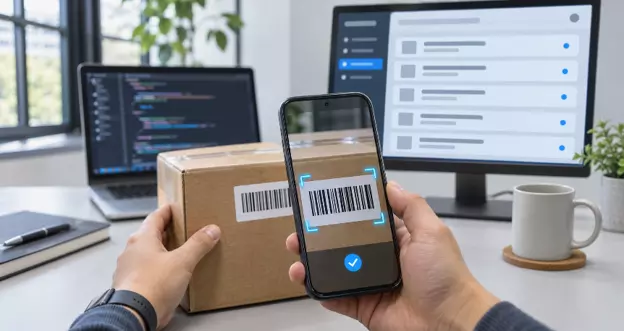
An online barcode scanner is a web-based tool that reads barcodes from a device camera or an uploaded image in the browser, without a native app. Developers usually choose between a free online barcode scanner website for individual use or a browser barcode scanner SDK, a JavaScript library that integrates scanning into web applications.
Free tools suit checking individual labels but are inadequate for integrated solutions like warehouse apps or patient check-in portals, where programmatic access, image data control, and vendor support are required.
Key Takeaways
- A free online barcode scanner is ideal for one-off manual checks (e.g., checking that a printed label scans).
- A browser-based barcode scanner SDK is preferable when you need to scan within your web app and receive results directly in your code.
- A WebAssembly-based JavaScript barcode SDK decodes on the user’s device, eliminating the need to send camera frames to a server.
- The native Barcode Detection API is experimental and not present in some major browsers, so it can’t be the sole scanning layer of a product.
- Teams in regulated industries -healthcare, financial, government - should verify where scan data is sent, whether the vendor retains it, and if license validation can be self-hosted.
What can a free online barcode scanner do?
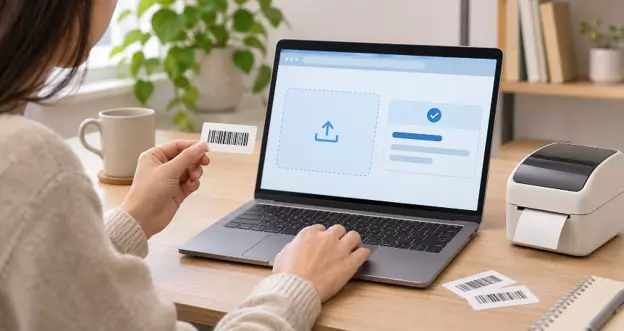
A free online barcode scanner allows users to upload an image or use a camera to scan a code and view the decoded value on a web page at no cost. Developers use these tools to verify printed labels or identify unknown symbologies.
Why do free barcode scanner websites fall short for developers?
Free barcode scanner websites target end users and are not designed for developers to embed, configure, or access programmatically. Decoded values remain on the website and cannot be integrated into order forms or inventory records. Data handling is another concern. Some free tools upload images to the provider’s server, while others decode in the browser. Few disclose their data retention practices, which is critical when barcodes contain sensitive information such as patient IDs or driver’s licenses.
Free tools lack service commitments and offer minimal optimization for damaged or poorly lit codes.
How does a browser barcode scanner SDK work?
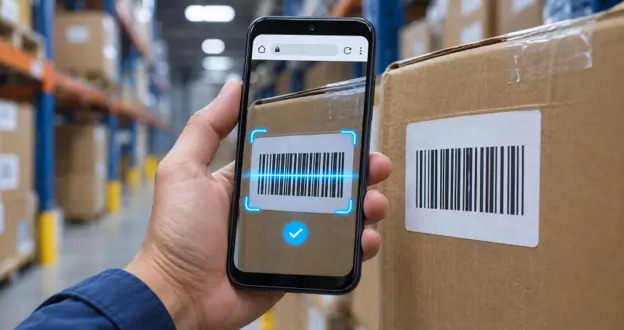
A browser barcode scanner SDK is a JavaScript library that accesses the device camera through the browser, decodes video frames within the web page, and returns barcode values to your application code.
- The page requests camera access using the browser’s built-in camera API, which functions consistently across browser barcode SDKs. According to MDN, browsers permit camera access only in secure contexts such as HTTPS and only after the user grants permission.
- A decoding engine, typically compiled to WebAssembly, processes frames in the browser instead of on a remote server.
- The SDK returns the result format, text, and location to your callback function.
Can developers use the built-in BarcodeDetector API instead?
The built-in Barcode Detection API decodes natively, but MDN marks it as experimental and not Baseline because it is unavailable in some widely used browsers. Supported formats also vary by platform. It suits progressive enhancement, but products requiring universal scanning need a built-in decoding engine.
How does free online barcode scanner compare with browser SDK?
A free online barcode scanner suits ad hoc manual checks, while a browser barcode scanner SDK is better for workflow integration. Free web tools typically lack APIs and have undocumented data handling. The native Barcode Detection API is free but immature and inconsistent in format support. A commercial browser SDK requires a license but provides an API, on-device decoding, documented browser support, and vendor assistance.
| Criterion | Free online tool | Native BarcodeDetector API | Browser barcode SDK |
|---|---|---|---|
| Best for | Manual, one-off checks | Progressive enhancement | Scanning inside your product |
| API for your code | No | Yes | Yes |
| Where decoding happens | Varies, often undocumented | On the device | On the device |
| Browser coverage | Any browser | Limited, experimental | Documented version list |
| Tuning for hard-to-read codes | Minimal | Format hints only | Configurable settings |
| Cost and support | Free, no support | Free, no vendor support | Licensed, vendor-supported |
What should regulated industries check before choosing an online barcode scanner
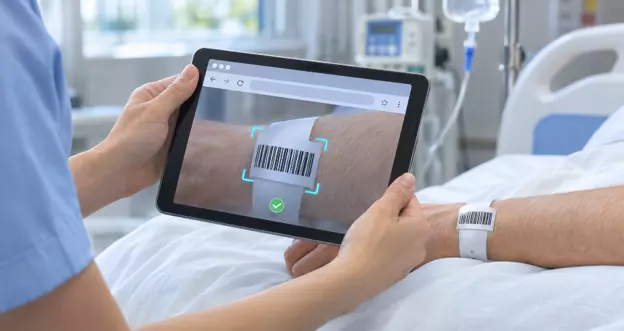
Developers should evaluate a JavaScript barcode scanner SDK for security and privacy, deployment flexibility, browser compatibility, and real-world accuracy.
How do you check a barcode SDK’s security and privacy for HIPAA, GDPR, and other regulated environments?
A secure barcode SDK decodes images on the user’s device and clearly documents any data leaving the browser. Ensure that frames and decoded values never reach vendor servers, as any transfer involves the vendor in your GDPR or HIPAA review. Confirm the vendor does not retain images or scan logs, and document all network calls the SDK makes, such as license validation, for security approval. Certifications like ISO 27001 indicate independent audits of the vendor’s security practices.
Which deployment options matter for regulated and restricted networks?
Key deployment options include self-hosting SDK files and validating licenses without internet access. Self-hosting provides version control, and private license validation enables scanning on intranets that block outbound traffic.
How do you judge browser coverage and accuracy?
Publish minimum supported versions for Chrome, Firefox, Safari, and Edge on both desktop and mobile. Test accuracy using your own challenging labels, such as damaged, curved, or low-light samples, instead of relying solely on vendor examples.
How can Dynamsoft Barcode Reader support secure, browser-based barcode scanning?
[Dynamsoft Barcode Reader JavaScript Edition[(https://www.dynamsoft.com/barcode-reader/sdk-javascript/)] is a WebAssembly-based SDK that enables camera and image barcode scanning in web applications and decodes barcodes within the user’s browser.
Security and privacy: Dynamsoft’s JavaScript SDK decodes barcodes without sending captured images to external services. Dynamsoft states it does not receive, store, or access captured barcode values and holds ISO 27001 and O-TTPS certifications.
Deployment: Dynamsoft Barcode Reader can be loaded from jsDelivr CDN, installed via npm, or hosted on your own servers. License validation uses the Dynamsoft License Server by default, but teams can self-host license tracking or select per-device licenses for offline use up to 365 days.
Browser coverage:. The documentation lists Chrome 78+, Firefox 68+, Safari 14+, and Edge 79+ on desktop and mobile, with official samples for React, Angular, Vue, Blazor, and Electron.
Accuracy: Dynamsoft Barcode Reader supports 1D, 2D, postal, and GS1 Composite symbologies, and reports reading curved, damaged, angled, dark, and DPM barcodes. Custom scan templates optimize results for challenging labels.
Developer experience: The Foundational API, built on CaptureVisionRouter, provides full control over camera, decoding, and UI. The BarcodeScanner wrapper offers a ready-made scanning UI with a single line of code.
Test the online barcode scanner demo with your own devices and labels.
Which online barcode scanner should developers choose?
Developers should use a free online barcode scanner for occasional manual checks and a browser barcode scanner SDK for integrated scanning within applications. To evaluate the solution with your own labels and devices, download the 30-day free trial of Dynamsoft Barcode Reader JavaScript Edition.
Frequently Asked Questions
Is a free online barcode scanner safe for sensitive data?
A free online barcode scanner is safe for sensitive data only if the provider documents in-browser decoding and no image retention, which most free tools do not.
Does a JavaScript barcode scanner SDK send images to a server?
A WebAssembly-based JavaScript barcode scanner SDK decodes on the user’s device and does not need to send images to a server.
Do users need to install an app to scan barcodes in a browser?
Users do not need to install an app or plugin, as a browser barcode SDK loads with the web page and uses the browser’s camera API.
Do you need HTTPS to scan barcodes in a browser?
Live camera scanning in a browser requires HTTPS, as browsers allow camera access only in secure contexts. Localhost also qualifies during development.
Does browser barcode scanning work on iPhone?
Browser barcode scanning works on iPhone if the SDK supports Safari on iOS. Dynamsoft Barcode Reader JavaScript Edition supports Safari 14 and later.
What is the difference between the BarcodeDetector API and a barcode SDK?
The BarcodeDetector API is an experimental browser feature with inconsistent availability, while a barcode SDK includes its own decoding engine and behaves consistently across supported browsers.
Can a browser barcode scanner work offline?
A browser barcode scanner can decode offline once its files are loaded, but license validation may require a network connection unless the vendor provides offline or self-hosted licensing.