


Enable Users to View, Search & Annotate PDFs and Scanned Images
For developers who need to build fast, interactive document experiences into web apps, the Dynamsoft Document Viewer SDK offers a powerful, JavaScript-based solution. With minimal code, you can enable users to view, navigate, search, and annotate PDFs and scanned images — all in the browser. Optimized for performance, the SDK handles even 1000-page PDFs with ease, making it ideal for integrating into document-heavy workflows across industries.
Annotate, Organize and Customize with Ease
Seamless In-Browser Viewing
Load and render large PDFs and image files (TIFF, PNG, JPEG, etc.) with speed and precision.
Swap, share and delete pages within documents.
Rich Annotation Tools
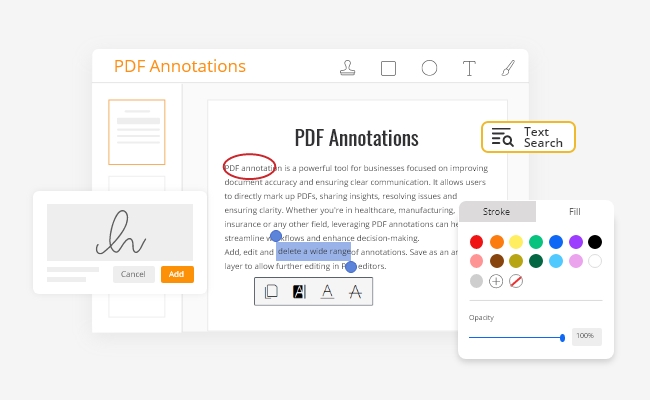
Markup PDFs directly to improve clarity.
Add stamps, freehand shapes or images.
Add, edit and delete annotations in a separate layer.
Workflow Integration
Customize buttons and tooltips to enhance user experience.
Export markups for downstream processing.
Flexible APIs and full control over UI and behavior.
Smarter Ways to Work with Text
Boost Accuracy & Clarity with Annotations
Highlight & underline to emphasize, Strikeout to remove.
Add text, stamps, images, shapes or signatures.
Compatible with layered PDFs. Save & share.
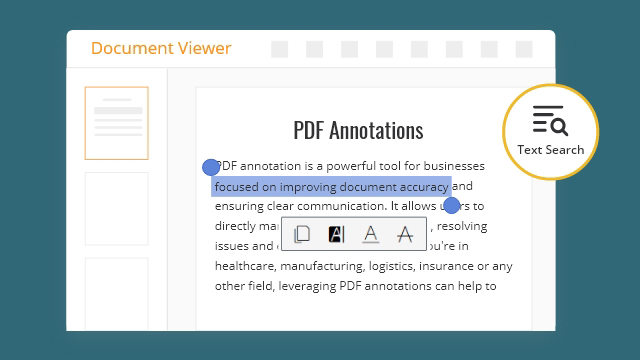
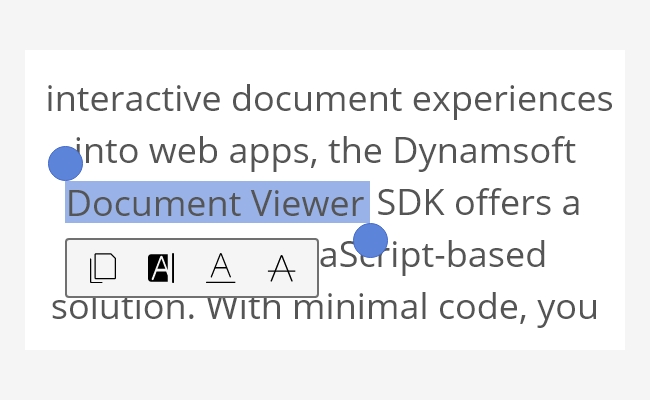
Select & Copy Sections of Text
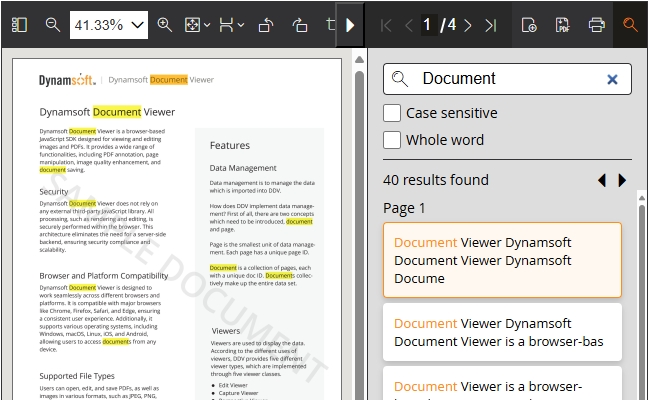
Find Keywords in Long Documents
Essential Features
Security
All processing done securely within the browser.
No reliance on third-party JavaScript libraries.
No need for a server back-end.
Browsers & File Types
Works with Chrome, Firefox, Safari, Edge browsers.
Supports Windows, macOS, Linux, iOS, Android.
Opens, edits, and saves PDFs and images such as JPEG, PNG and TIFF.
UX Customization
Customizable viewers:
Edit Viewer for editing and annotating documents.
Capture and Perspective Viewers to optimize camera capture experience.
Browse Viewer for navigating multi-page documents.
Annotations for Dynamic Web TWAIN
Use Dynamsoft Document Viewer with Dynamic Web TWAIN.
Scan documents as images, add annotations, and export them as marked-up PDFs.
Users don’t need to install anything - works securely in-browser.