




From Slow & Error-Prone to Fast & Flawless Inventory Scanning
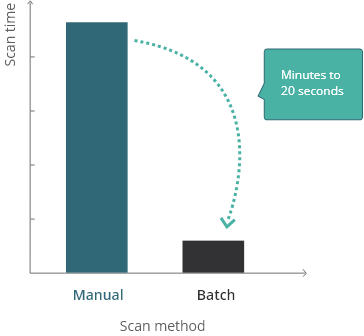
For businesses that need to scan large batches of inventory and have zero tolerance for inaccuracy, our Batch Barcode Scanner consistently achieves close to 100% read rate across over 100 barcodes. Any unrecognized items are highlighted, quickly re-scanned and the results seamlessly integrated into a panoramic image. Our batch solution is 5 times faster than manual scanning, boosting productivity while minimizing errors.
Achieve Near 100% Read Rates
Our customers consistently scan more than 100 items with over 99% read rates.
80% Time Saved
Manually scanning 150 items can take 10 minutes. We’ve cut that down to < 2 minutes.
Verify with a Panoramic Image
View a panoramic image of all scanned items. Flag any issues for immediate attention.
Scan, Count and Find Items Efficiently
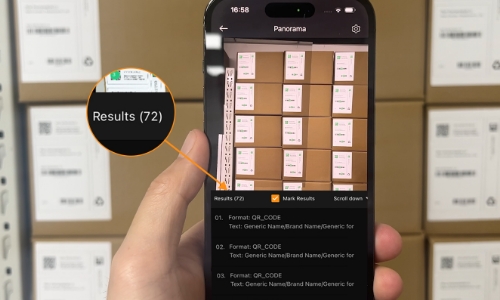
Scan & Count Inventory
- Count items with unique and non-unique barcodes.
- View quantity of each item and itemized list.
- Empower workers to receive goods and count inventory faster.
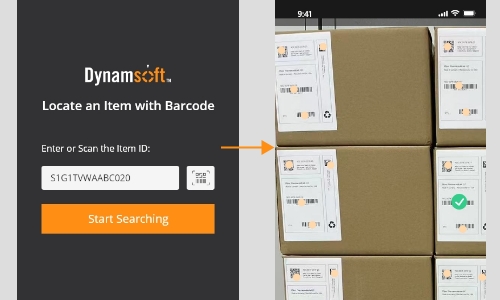
Search & Find Items
- Search for specific item by barcode or ID.
- Highlight found item with visual overlay.
- Enable staff to assemble orders accurately and find items quickly.
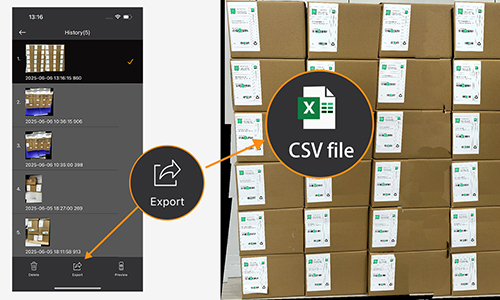
Record Positions for Archive
- Save a panoramic image showing all barcodes read.
- Record the coordinates of each barcode.
- Export positional data to a spreadsheet for record keeping.
Optimizing Pathology Efficiency for Sakura Finetek
With Dynamsoft’s customized SDK, within 20 seconds, we can scan up to 180 2D DataMatrix barcodes printed on tissue cassettes that are placed at a 45° angle to the iPhone lens with better than 99.9% accuracy.
-Michael Yang, Sr. Engineering Project Manager

Precision Batch Scanning for Inventory, Receiving and Tracking
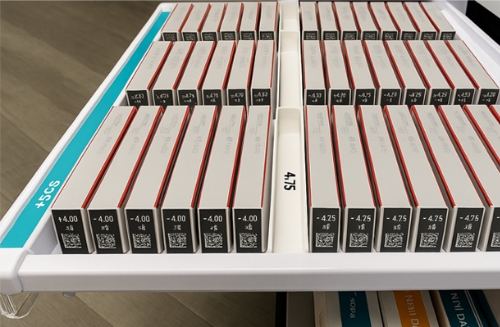 Line by Line
Check Retail Inventory Faster
- Scan small items such as cosmetics, contact lenses with tiny barcodes.
- Scan tightly packed items in drawers or boxes.
- Map each item to its location within the batch.
- Empower workers to find specific items rapidly.
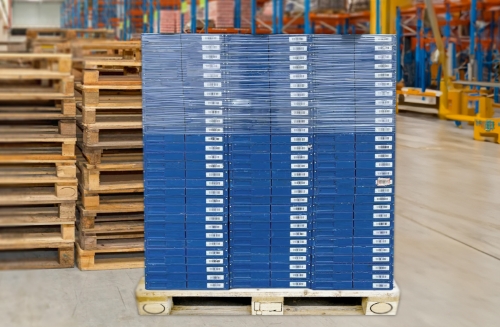 Organized
Scan Warehouse Inventory Efficiently
- Scan stacked pallets or entire shelves.
- View panoramic image of inventory.
- Ensure faster receiving of new inventory.
- Enable faster picking for customer orders.
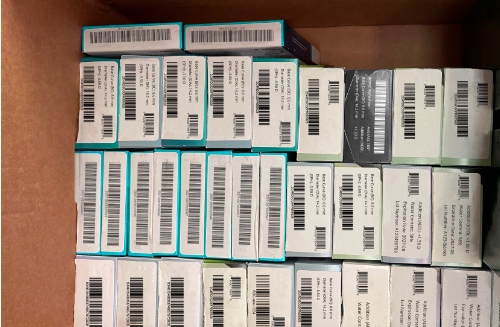 Dense and Disorganized
Ensure Accurate Pharma Traceability
- Capture tiny barcodes consistently.
- View entire batch in a single stitched image.
- Store image for archive & compliance.
- Ensure complete traceability from production to pharmacy shelf.
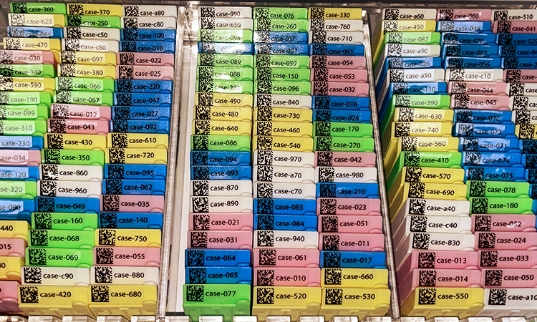 Dense and Organized
Lab Automation
- Process samples in batches instead of handling one-by-one.
- Scan complete racks of vials and cassettes with unmatched accuracy.
- Store panoramic image of entire batch with sample coordinates.
- Track samples throughout lab workflows.
What Sets Our Batch Scan Solution Apart?

Stitch Multiple Frames Together
- Capture multiple frames at different angles and distances to scan all items accurately.
- Stitch frames into one seamless image.
- Save image with barcode positions as .csv file.

Overlap & Cross-Validate
- Scan barcodes multiple times.
- Cross-validate between multiple frames.
- Flag barcodes for further review.

Interactive Scanning
- Guide users to move closer, adjust angle or fix lighting to optimize accuracy.
- Highlight missed barcodes for immediate verification.
- Allow users to manually add, delete or update barcodes on the panoramic image.

Handle Uneven Spacing
- Use pattern inference algorithms to predict barcode positions.
- Handle items arranged in grids or rows with uneven spacing.
- Export barcodes & their positioning data to a CSV file.
FAQ
1. How many barcodes can be scanned in a batch?
Unlimited, since we use overlapping and panoramic stitching techniques.
2. Do barcodes need to be arranged in a grid or rows?
No, barcodes can be arranged in less structured arrangements as long as they are relatively close together.
3. What if I have multiple identical barcodes?
We can scan and count non-unique barcodes because we use the iOS AR camera, which detects duplicates and their spatial positions.
4. Which platforms is Batch Barcode Scanner available for?
iOS, Windows, Linux. Web (beta).
5. Batch Barcode Scanner vs. Dynamsoft Barcode Reader - Which do I need?
Essentially Dynamsoft Barcode Reader reads from single frames and is recommended for a maximum of 10 barcodes per frame. Batch Barcode Scanner reads from multiple frames and is effectively unlimited. Read the blog with a detailed comparison chart.
Request a Demo — Dynamsoft Batch Barcode Scanner
Get a custom demo based on your specific use case.