




Configure Dynamic Web TWAIN Service
Configure Dynamic Web TWAIN Service to enable external access.
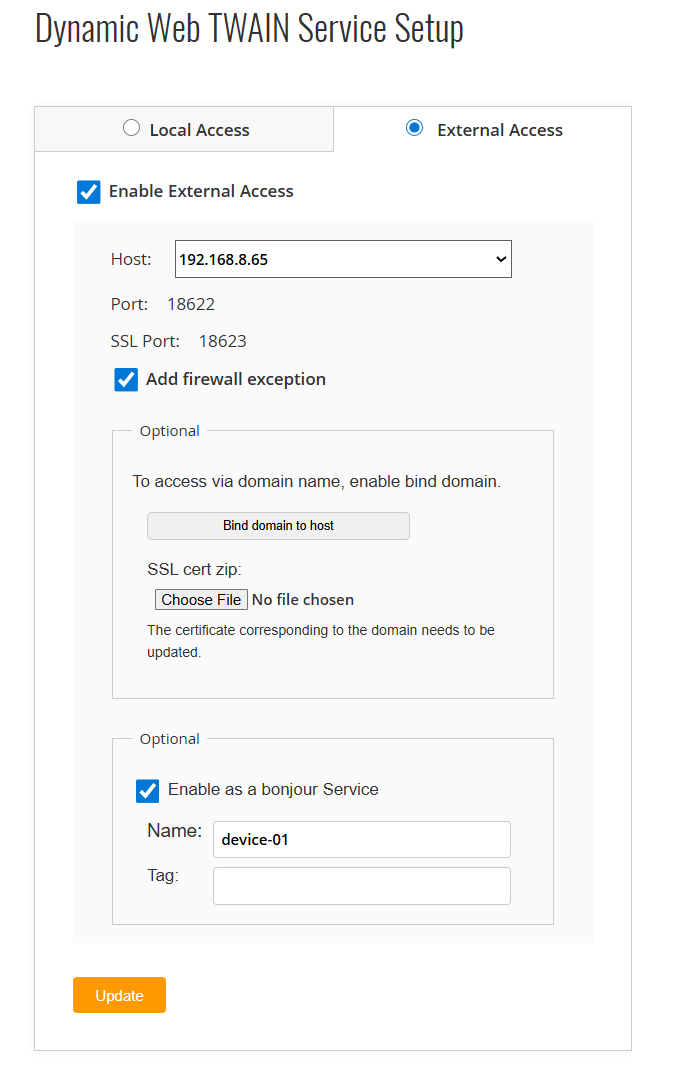
- Enable web setup following this guide.
-
Access http://127.0.0.1:18625 and switch to the external access tab. You will see the above UI.
-
Select a host IP (The ports cannot be modified).
-
“Add firewall exception” is selected by default. It will add rules automatically on Windows. On macOS and Linux, you may need to set the rules up manually.
- Check “Enable as a Bonjour Service”. This will make it discoverable in a network.
- Name. You can set the name to distinguish other Bonjour Services.
- Tag. Optional extra info.
- Click “UPDATE” to restart the service to make the modification effective.
 Yes
Yes No
No