




How to Initialize Customized Templates
Using a template file is one of the quickest ways to improve BarcodeScanner performance. A template file is a JSON file (or JSON string) that contains a set of algorithm parameter settings. Contact us to get a customized template for your scanner.
Preparation
Add a Templates folder under your project’s assets directory at src\main\assets\Templates. Put your JSON file in the Templates folder. Here, we use ReadQRCode.json as an example.
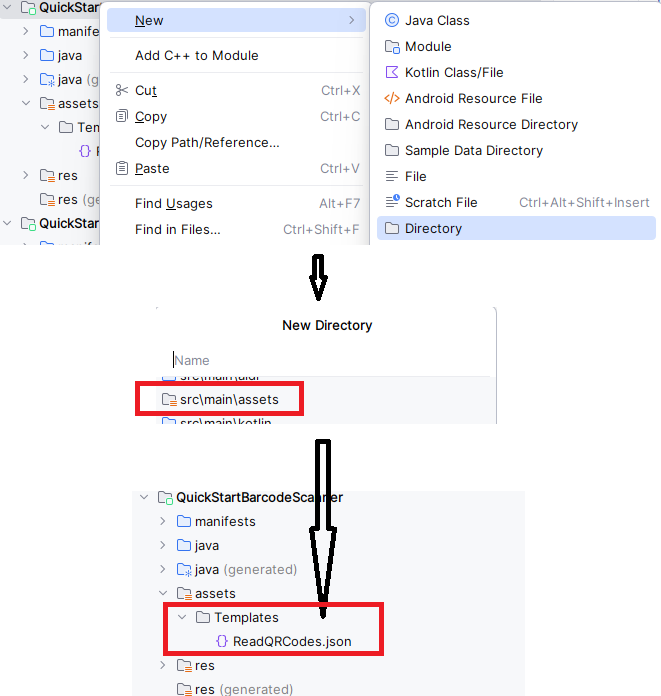
init settings
- Java
- Kotlin
CaptureVisionRouter mRouter = new CaptureVisionRouter();
try {
   mRouter.initSettingsFromFile("ReadQRCodes.json");
} catch (CaptureVisionRouterException e) {
   throw new RuntimeException(e);
}
val mRouter: CaptureVisionRouter? = CaptureVisionRouter() mRouter?.initSettingsFromFile("ReadQRCodes.json")
Related API(s)
 Yes
Yes No
No