




Understanding Barcode Results
DecodedBarcodesResult is the barcode-type result returned by the Dynamsoft Barcode Reader SDK. It represents all barcode-related information captured from a single image or video frame.
It contains:
- All decoded barcodes.
- Metadata about the original image.
- Error information when a failure occurs.
- A rotation transformation matrix if the original image includes rotation info.
mRouter.addResultReceiver(new CapturedResultReceiver() {
    @Override
    public void onDecodedBarcodesReceived(@NonNull DecodedBarcodesResult result) {
        if (result.getItems().length!=0)
        {
            for(BarcodeResultItem item:result.getItems())
            {
                String barcodeText = barcodeResultItem.getText();
                String barcodeFormatString = barcodeResultItem.getFormatString();
            }
        }
    }
});
How to Use
Check Error Messages
Error messages are typically caused by:
- The barcode reading task is not working properly.
- The operation timeout.
mRouter.addResultReceiver(new CapturedResultReceiver() {
    @Override
    public void onDecodedBarcodesReceived(@NonNull DecodedBarcodesResult result) {
        if (result.getErrorCode()!= EnumErrorCode.EC_OK)
        {
            // Handle the error.
        }
    }
});
You might still receive barcode results even when the error message is not empty.
Access decoded barcodes
Each decoded barcode is a BarcodeResultItem from result.getBarcodes. The following is an example:
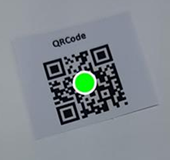
| BarcodeResultItem | |
|---|---|
format |
67108864 |
formatString |
QR_CODE |
text |
www.dynamsoft.com |
bytes |
[119],[119],[119],[46],[100],[121],…… |
location |
Point(196, 1101), Point(518, 1000),…… |
confidence |
86 |
angle |
345 |
moduleSize |
10 |
isDPM |
FALSE |
isMirrored |
FALSE |
details |
rows = 2 columns = 2 errorCorrectionLevel = L version = 2 model = 2 mode = 7 page = -1 totalPage = -1 parityData = 0 dataMaskPattern = 2 codewords = …… |
Common fields to use
text: The decoded string. This is the most common field used for downstream processing.formatString: The barcode symbology (for example,QR_CODE,EAN_13).bytes: Raw payload bytes. By default, barcode text is interpreted using ISO-8859-1. Use this when the payload contains binary data or requires custom decoding.location: Corner points of the barcode in the image, useful for drawing overlays.confidence: A confidence score. Higher values indicate more reliable decoding.details: Symbology-specific details (varies by barcode type).
Access the Original Image
The original image is not returned by default. In onDecodedBarcodesReceived, you receive the original image HashId. Use it to fetch the image when needed.
Code Snippet
mRouter.addResultReceiver(new CapturedResultReceiver() {
    @Override
    public void onDecodedBarcodesReceived(@NonNull DecodedBarcodesResult result) {
        ImageData originalImage = mRouter.getIntermediateResultManager().getOriginalImage(result.getOriginalImageHashId());
    }
});
Use
originalImagewithin the lifecycle of eachonDecodedBarcodesReceivedcallback. Otherwise, it may be released or replaced by a newer image.
Related APIs
Explore Result Details
This page provides a high-level overview of barcode scan results. For detailed usage and advanced scenarios, see:
 Yes
Yes No
No