




How to Initialize Customized Templates
Using a template file is one of the quickest ways to improve BarcodeScanner performance. A template file is a JSON file (or JSON string) that contains a set of algorithm parameter settings. Contact us to get a customized template for your scanner.
Preparation
Add a Templates folder under your project’s assets directory at src\main\assets\Templates. Put your JSON file in the Templates folder. Here, we use ReadQRCode.json as an example.
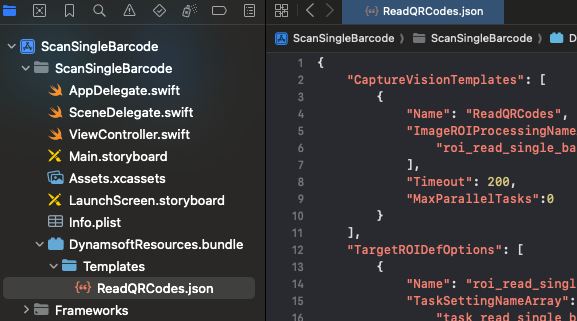
init settings
Initialize with Foundational APIs
- Objective-C
- Swift
NSError *error = nil;
[self.cvr initSettingsFromFile:@"ReadQRCodes.json" error:&error];
do { try cvr.initSettingsFromFile("ReadQRCodes.json") } catch { print("initSettingsFromFile error:\(error.localizedDescription)") }
Initialize with BarcodeScanner APIs
Specify the template file with setTemplateFile.
- Objective-C
- Swift
DSBarcodeScannerConfig *config = [[DSBarcodeScannerConfig alloc] init];
config.templateFile = @"ReadQRCodes.json";
let config = BarcodeScannerConfig() config.templateFile = "ReadQRCodes.json"
Related APIs
 Yes
Yes No
No