


 Blog
Blog
Boost Your PDF Workflow with Dynamsoft Document Viewer SDK Version 2.1
The latest release of Dynamsoft Document Viewer (DDV) SDK Version 2.1 introduced several new features and improvements designed to enhance PDF document viewing and editing. In this blog post, we’ll focus on three highlights of this release: PDF handling enhancements, the new magnifier tool, and the flatten mode for annotations.
1. Enhanced PDF Loading and Saving Performance
Handling large PDF documents can often be a bottleneck in digital workflows. DDV v2.1 addresses this with substantial performance upgrades, allowing the SDK to process documents with over 1,000 pages seamlessly. These improvements not only make the viewer more efficient but also reduce delays when saving edited files back into the PDF format.
This improvement is particularly beneficial for industries managing extensive document archives, such as legal, healthcare, and finance. With faster PDF operations, users can focus more on critical tasks rather than waiting for files to load or save. The table below highlights the exceptional performance of our DDV PDF processing capability for both image-based and text-based PDFs, regardless of page count. Witness significantly faster load and save time that ensures a seamless experience, even with larger documents.
| Document Type | Page Count | File Size (MB) | Load Time (Seconds) | Peak Memory Usage During Load (MB) | Save to PDF Time (Seconds) | Peak Memory Usage During Save (MB) |
|---|---|---|---|---|---|---|
| Image PDF (96 DPI, 2160x3840, Convert Mode: ImageOnly) | 100 | 92.1 | 1.3 | 650 | 1.33 | 780 |
| 500 | 460 | 4.5 | 890 | 12.2 | 1,934 | |
| 1000 | 921 | 9.7 | 960 | 24.07 | 4,000 | |
| Text PDF (A4, Convert Mode: Render) | 100 | 2.61 | 0.41 | 330 | 0.29 | 340 |
| 500 | 13 | 1.19 | 446 | 2.43 | 556 | |
| 1000 | 26.1 | 2.78 | 540 | 4.86 | 590 |
2. Precision Cropping with the New Magnifier
Working on touchscreen devices often presents challenges in precision, especially during cropping or editing. To address this, DDV v2.1 introduces the magnifier tool.
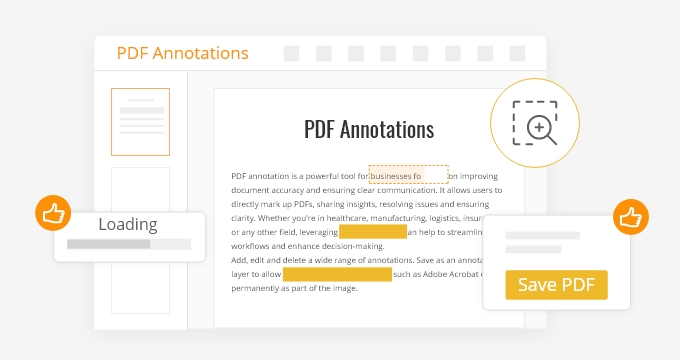
This feature displays a zoomed-in corner view when interacting with the crop or edit boundaries, ensuring users can adjust their edits with pinpoint accuracy—even when their finger obscures the boundary line. This enhancement is perfect for mobile and tablet users, offering a smoother and more intuitive editing experience.
3. Flatten Mode for Individual Annotations
Annotations are a powerful tool for collaboration, but sometimes you need to finalize selected markups so they are no longer editable as separate annotation objects in the viewer. The new flatten mode merges annotations onto the base document layer.
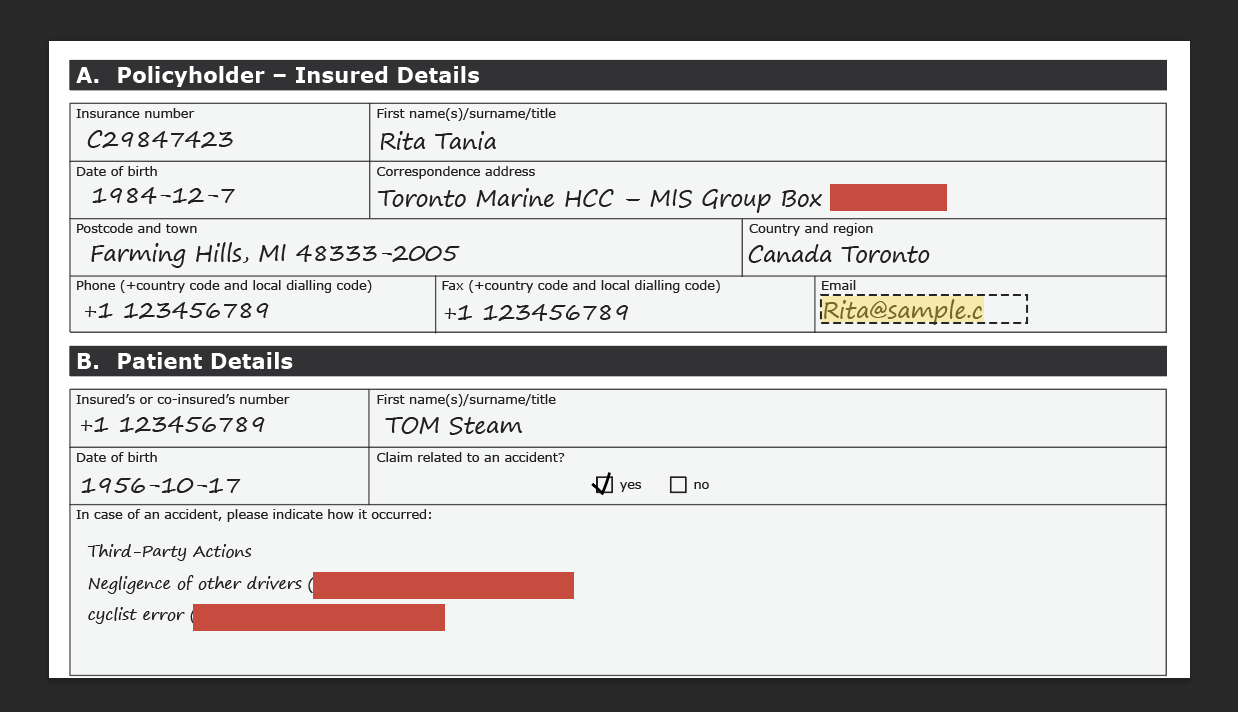
By setting an annotation’s flattened property, you can make that annotation non-editable within the viewer. The flattened state is preserved when saving the document as a PDF, which is useful when you want some markups baked into the page appearance while leaving others editable for continued review. Users can select and flatten individual annotations—an improvement over the previous version, where flattening applied to all annotations at once.
Flattening only controls editability in the viewer workflow. It does not provide cryptographic integrity protection, tamper evidence, or a guarantee that the document cannot be modified outside the viewer.
Below are some practical use cases where selectively flattening individual annotations while leaving others as markups can be useful:
1. Document Review Workflows
-
Flattened Annotations: Applied redaction marks or cover-ups that should stay non-editable within the viewer during later review passes.
-
Markup Annotations: Highlighted or underlined text that remains editable for teams still iterating on the review.
2. Internal Approval Packages
-
Flattened Annotations: Signature images, stamps, or approval notes that should appear fixed and non-editable within the viewer after an internal checkpoint.
-
Markup Annotations: Comments or highlights kept editable for follow-up revisions before the package is finalized elsewhere.
3. Clinical Documentation Drafts
-
Flattened Annotations: Notes a reviewer wants locked against casual edits in the viewer after a draft checkpoint.
-
Markup Annotations: Comments or recommendations left editable for staff who still need to revise the draft.
The new flatten mode for individual annotations adds flexibility to document review workflows. By making selected annotations non-editable within the viewer while keeping others editable, teams can separate fixed visual markups from ongoing collaboration—without treating flatten as a security or integrity control.
Try it yourself
The new update also includes user experience enhancements such as drag and drop image loading, keyboard shortcuts, and more. Visit the Dynamsoft DDV v2.1 Release Notes for a detailed overview of all the new features in version 2.1!
Dynamsoft Document Viewer SDK Version 2.1 brings critical updates to PDF performance, ensures a smoother, more efficient experience for developers and end-users alike.
Try the online demo or download a free trial.