


 Blog
Blog
Batch vs. Single Barcode Scanning: A Smart Manufacturer’s Guide
Barcode capture is an essential function on the factory floor – but there are many bottlenecks in the manufacturing process where barcode capture relies on manual one-by-one scanning. Introducing batch scanning can eliminate these bottlenecks – but it’s not applicable everywhere. This guide explains the difference between the two approaches and helps manufacturers select the best approach based on physical constraints, workflow, speed and traceability needs.
Single-Scan Barcode Capture — Best for Sequential Validation
Single barcode scanning captures one barcode at a time – from a video feed or static images from industrial cameras or PDF files. In manufacturing, a common use case might be during the assembly process. Each component in a device build is scanned to verify that it is correct and to enable full traceability of components for regulatory purposes. Siemens MES (Manufacturing Execution System) software uses Dynamsoft Barcode Reader for exactly this scenario. Read the Siemens story
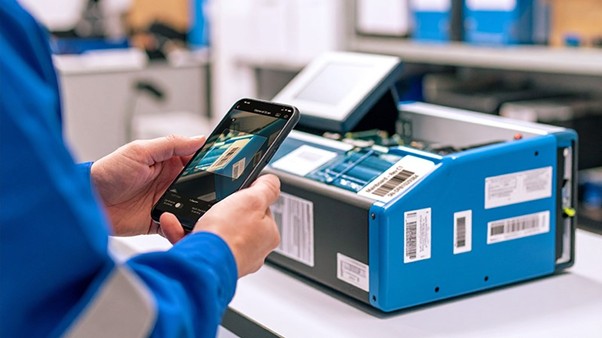
Common use cases include:
- Manual part checks during builds
- Work-in-progress (WIP) scanning components through production stages
- Serial number logging
Benefits:
- Simple to implement
- Wider choice of vendors
- Validation of individual items in a step-by-step validation
Limitations:
- Time-consuming in high-volume contexts
- Worker fatigue
- Prone to user error – missed or duplicate scans
Batch Barcode Scanning — Optimized for High-Volume Capture
Batch barcode scanning means capturing 100+ barcodes and decoding them in a single pass. It uses advanced multi-frame imaging to take capture several frames, each focusing on different portions of the barcode area from different angles or distances. These are stitched together into a seamless panoramic image of all scanned barcodes. By combining multiple frames, it ensures that barcodes are not blurred and skewed – which is common when trying to fit many barcodes into a single frame. Batch barcode scanning also uses intelligent data validation to cross-validate data from overlapping frames to increase confidence – and achieves near perfect accuracy.
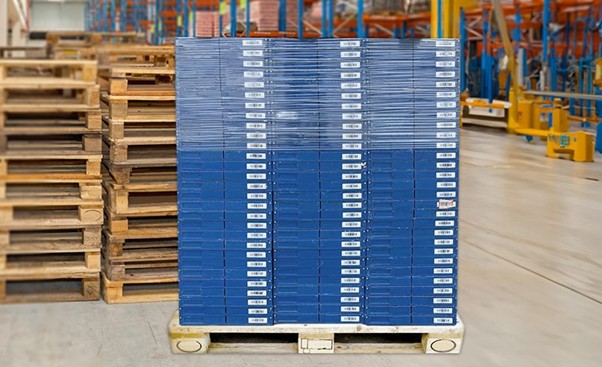
Batch scanning enables the following functions:
- Scan and count multiple items (including duplicates)
- Scan and find a specific item
- Store a panoramic image of all scanned barcodes for audit purposes
Examples:
- Receiving inventory
- Capturing trays of parts
- Scanning bins of components
Benefits:
- Faster throughput- 80% faster than manual scanning
- Reduced errors and worker fatigue
- Efficient for tightly packed items
Limitations:
- Emerging technology - few solutions available
- Items need to be relatively close together
- Items need to be in a single plane
Choosing the Right Tool for the Job
Consider these factors:
- Volume of items: Batch excels at high-throughput environments and can effectively handle an unlimited number of items. Single scan reads from a single frame and is recommended for fewer than 10 barcodes.
- Reading method: Single scan reads single camera frames without overlapping or stitching.
- Duplicate handling: Batch scan uses AR to identify duplicates by tracking the physical location of each barcode.
- Barcode type/placement: Tight spacing or distortion may affect batch results.
- Workflow automation level: Batch works well with robotic or vision-based setups.
- Operator skill and ergonomics: Batch reduces repetitive actions and worker fatigue.
Use Case Comparisons
| Scenario | Recommended | Why |
|---|---|---|
| Device assembly with multiple components | Single | Scan parts at each step to verify |
| Verifying a single product label | Single | Ensures exact match and feedback |
| QA on a tray of components/vials | Batch | High speed and reduced handling |
| Serial number capture for compliance | Single | Sequential verification is often needed |
| Production line scanning with robotic /mounted cameras | Batch | Works well with fixed-position imaging systems |
| Pallet scanning | Batch | Multiple stacked items with visible barcodes |
Best of Both Worlds? Hybrid Approaches
Many manufacturers combine both approaches effectively:
- Batch scan for parts receiving or kit assembling- scan multiple components in a bin, pallet or tray at once. Verify that all components are present before production begins. E.g. assembling a medical device – all parts and serial numbers are capture at once and checked against the BOM (Bill of Materials) before the build starts.
- Single scan for final verification or logging e.g. scanning the serial number of a finished product and logging into a database, triggering a QA check before packaging.
How Dynamsoft Can Help
Dynamsoft Barcode Reader achieves exceptional performance with the most challenging barcodes and can be quickly integrated into MES, ERP or QA applications with just a few lines of code. It is available for multiple devices and programming languages.
Dynamsoft’s Batch Barcode Scanner builds on Dynamsoft Barcode Reader by stitching scanning results from video streams into a single composite image. It achieves near perfect accuracy scans of 100+ items in a single pass and reduces scan time by 80% over manual scanning. It enables precision scanning in high volume scenarios and records the entire scanned area for audit purposes. It is currently available for iOS (JavaScript in beta).