


 Blog
Blog
Why Browser Barcode Scanning Isn’t as Simple as It Looks – and How to Get It Right
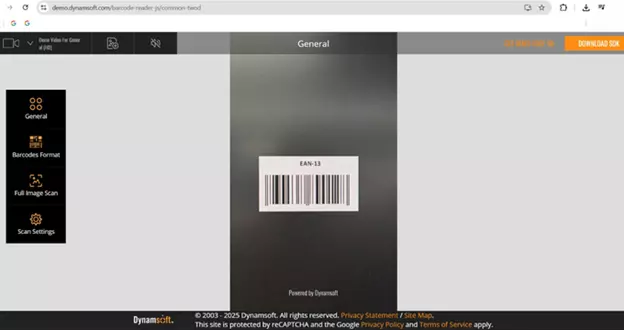
Browser-based barcode scanning promises instant convenience - point, scan, done - all without installing an app or buying dedicated hardware. It sounds like magic: every smartphone camera becomes a data capture device for logistics, inventory, or retail.
But under the hood, it’s anything but simple. Browsers weren’t built for real-time computer vision, and pushing them to decode barcodes quickly and accurately is a surprisingly technical balancing act.
In this guide, we’ll explore the biggest challenges of web-based scanning - from latency and camera control to SDK choices - and share proven best practices for achieving reliable, near-native scanning performance in the browser.
Core Challenges in Browser-Based Scanning
The limitations of web browsers and the varied nature of user devices present three major challenges for barcode scanning performance and reliability.
1. Latency: Why Real-Time Performance Is Hard in the Browser
Barcode decoding is a computationally intensive process. It requires continuously capturing video frames, analyzing them for potential barcode patterns, and then running a complex algorithm to extract and validate the encoded data. In a web environment, this heavy workload often leads to noticeable latency, the delay between pointing the camera at a barcode, and receiving the decoded result.
- Limited Processing Power (Client-Side): Unlike native apps, which can fully utilize the device’s CPU and GPU, browser-based JavaScript environments often have limited processing power. The processing needed for real-time video frame analysis and complex decoding algorithms must compete with the browser’s main thread, which also handles UI updates and other scripts, leading to potential slowdowns, especially on older or low-end devices.
- Real-Time Decoding Demand: For a high-speed workflow, decoding a barcode must happen instantly, aiming for millisecond-level speeds. When video is streamed, the decoding process runs continuously at multiple frames per second. If decoding a frame takes too long, the queue backs up, resulting in unresponsive user experience and a higher risk of missed or delayed scans.
2. Camera Constraints: Working with What the Browser Gives You
The quality and speed of a scan depend heavily on the camera’s ability to deliver a clear, stable, and well-exposed image. Unfortunately, web browsers give developers very limited control over the camera’s low-level settings compared to native mobile development.
| Camera Constraint | Impact on Scanning | Best Practice Mitigation (via SDK) |
|---|---|---|
| Auto-Focus Limitations | Blurry images are the top cause of scan failure; focus often defaults to the background. | Use SDKs that implement Region of Interest (ROI) scanning or software-based de-blurring algorithms. |
| Exposure Control | Poor contrast due to low light or harsh reflections/glare (e.g., plastic wrap). | Choose SDKs with built-in image preprocessing (e.g., histogram equalization) to normalize contrast. |
| Variable Frame Rate (FPS) | Low frame rate on some devices leads to missed codes when the user or barcode is moving. | Prioritize SDKs that can efficiently analyze frames, ensuring the decoder doesn’t become the bottleneck, maximizing FPS. |
3. Choosing the Right SDK: Open-Source vs Commercial
The choice between using a free, open-source JavaScript library and a proprietary (commercial) SDK is a critical decision that directly impacts performance and features.
| Feature | Open-Source Libraries | Proprietary/Commercial-Grade SDKs |
|---|---|---|
| Performance & Speed | Often rely solely on JavaScript; slower and less reliable, especially with damaged or challenging codes. | Use highly optimized C/C++ decoding engines (compiled to WebAssembly) for near-native speed. |
| Reliability | Decode well-printed codes in good light; struggle with glare, blur, or complex symbologies. | High read-rates across poor conditions (blur, damage, low-contrast, complex 1D/2D types). |
| Camera Control | Basic access via standard browser APIs. | Advanced compensation features (e.g., internal frame preprocessing, region of interest scanning). |
| Symbology Support | Limited to common types (QR, Code 128). | Extensive support for hundreds of 1D/2D and proprietary symbologies. |
| Support & Updates | Community-driven; inconsistent updates and bug fixes. | Dedicated technical support and frequent updates for browser/OS compatibility. |
Open-source options provide a quick, free entry point but usually lack the performance and enterprise-grade reliability required for mission-critical applications.
Best Practices for Robust Web Barcode Scanning
To mitigate these challenges, developers should implement a series of best practices focused on optimization, user experience, and strategic library selection.
1. Optimize Performance (Mitigating Latency)
It involves offloading intensive video frame processing to background processes and efficiently managing the video stream to ensure near-instantaneous decoding results.
- Use Web Workers and WebAssembly (WASM): This is the most crucial step. Use a library (like professional SDKs) that offloads the heavy decoding computation from the main browser thread to a Web Worker. Furthermore, using a WebAssembly-compiled decoder significantly boosts performance by executing near-native code in the browser.
- Limit the Scanning Area: Instead of processing the entire video frame, define a smaller Region of Interest (ROI) for scanning. This reduces the number of pixels the decoding algorithm must process, dramatically reducing latency.
- Reduce Input Resolution: If possible, lower the video stream resolution (e.g., to 640x480) for older devices. While high resolution is suitable for reading small codes, lower resolution requires less processing power and improves frame rate.
2. Enhance User Experience (Compensating for Camera Limits)
Enhancing the user experience is paramount to achieving high success rates, particularly by compensating for the browser’s technical inability to fully control the underlying device camera hardware.
- Provide Clear Feedback: Always offer immediate, clear visual and auditory feedback (e.g., a green overlay and a beep) when a barcode is successfully detected. This confirms the scan and minimizes user error.
- Offer an Upload Fallback: For cases where the live stream fails (poor lighting, heavily damaged codes, no camera access), always provide the option for the user to upload an image from their photo library for offline decoding.
- Implement a “Focus” Indicator: While you can’t force the camera to focus, you can add an on-screen target or button to indicate where to position the barcode. For devices that support touch focus via the browser API, use it.
3. Smart Library Selection (Proprietary vs. Open-Source)
Strategic library selection requires careful evaluation of trade-offs between cost and performance, with a primary focus on the reliability and feature set necessary to meet enterprise-level scanning demands.
- Prioritize Read Rate for Business-Critical Apps: For inventory, logistics, or POS systems where every scan failure costs time and money, choose a proprietary SDK with a proven high read-rate. The investment in a commercial solution is often justified by increased worker productivity and reduced manual data entry.
- Evaluate Cross-Browser/OS Compatibility: Select a library that is rigorously tested across the major mobile operating systems (iOS and Android) and popular browsers (Chrome, Safari, Firefox, Edge) to ensure a consistent experience for all users.
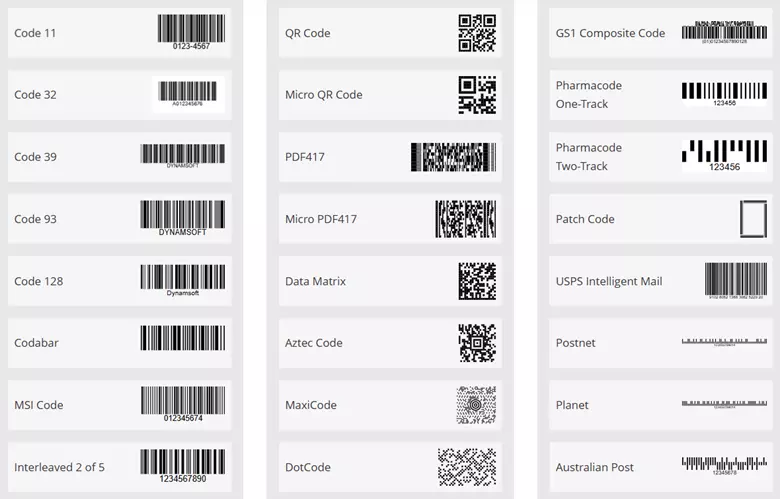
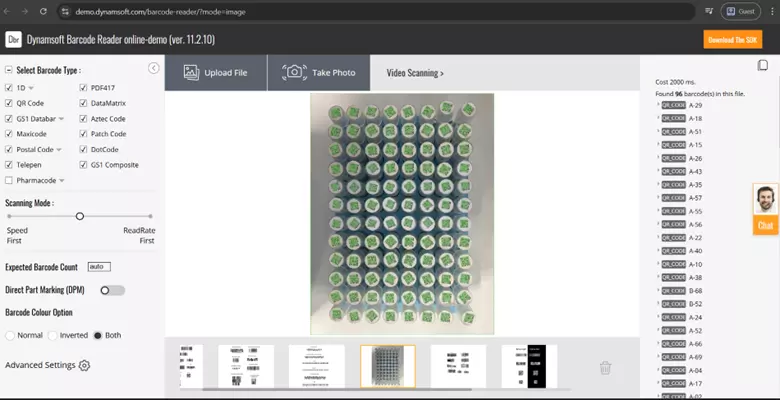
- Check Symbology Support: Verify that the chosen solution supports all necessary barcode types (Code 39, QR, Data Matrix, PDF417, etc.) and offers features like reading multiple codes simultaneously.
The Bottom Line
Building a barcode scanner that runs reliably in a browser is one of those tasks that looks simple, until you try it. Between browser-imposed limitations, device variability, and the demands of real-time decoding, success depends on careful engineering and smart tool choices.
By applying best practices like WebAssembly decoding, region-of-interest scanning, and intelligent camera handling, developers can achieve surprisingly high performance. And for enterprise-grade use cases where speed and reliability are non-negotiable, commercial SDKs such as Dynamsoft Barcode Reader can bridge the gap between browser convenience and native-level performance.
Whether you’re building an internal web app or a customer-facing platform, getting browser-based scanning right can unlock new efficiencies — no downloads, no special hardware, just the power of the web.
| Challenge Addressed | Dynamsoft Barcode Reader SDK Feature | Benefit to End-User |
|---|---|---|
| Latency/Performance | WebAssembly (WASM) Decoding Engine | Provides near-native scanning speeds by executing complex decoding algorithms outside the browser’s main thread. |
| Poor Camera Focus/Blur | Advanced Image Preprocessing Algorithms | Enables high read rates even with blurred, damaged, or low-contrast codes, even when standard browser controls fail. |
| Limited Camera Control | Built-in Camera Enhancer & UI | Automatically manages video streams, selects the best resolution, and offers user-friendly guidance to compensate for generic browser APIs. |
| Open-Source Reliability | Extensive Symbology Support | Guarantees support for virtually all 1D/2D and proprietary codes, ensuring stability for critical business applications. |
Need Assistance? Connect with our Seasoned Technical Experts
Navigating the complexities of web-based barcode scanning requires not only adherence to best practices but also the right tools. If you are struggling with low read rates, high latency, or complex environmental challenges, our team is ready to assist.
Contact our support specialists for tailored guidance on optimizing your implementation and integrating Dynamsoft Barcode Reader SDK to achieve reliable, lightning-fast scanning in any browser environment.