


 Blog
Blog
Cross-Browser Web Scanning: How to Choose a Tool That Works in Chrome, Edge, Firefox, and Safari
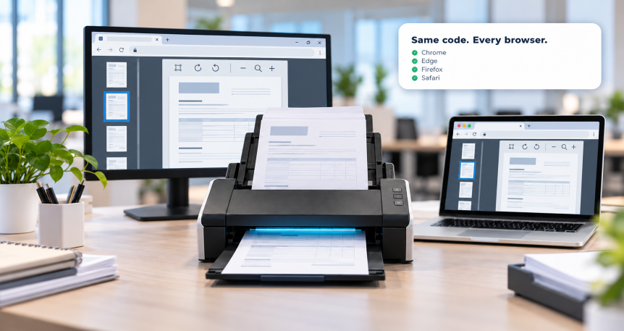
Cross-browser web scanning enables browser-based applications to capture documents from physical scanners in Chrome, Edge, Firefox, and Safari without separate code for each browser. This is achieved by combining a JavaScript SDK embedded in the web page with a lightweight local service on the user’s machine, which communicates with the scanner via its native driver protocol. Because mainstream browsers don’t provide a native API for scanner control, this two-part architecture helps ensure consistent functionality across browsers.
In sectors such as healthcare, banking, insurance, and government, this issue often appears as a support ticket from offices using Safari on Mac or Firefox on restricted desktops.
Key Takeaways
- Cross-browser web scanning requires a local service on the client machine, because browsers provide no native API for controlling document scanners.
- Browser compatibility depends more on the operating system than on the browser, since protocols such as TWAIN, WIA, ICA, and SANE are platform-specific.
- Plugin-based scanning built on NPAPI or ActiveX no longer functions, because every mainstream browser has removed support for those technologies.
- Security evaluation requires focusing on named controls such as encrypted image caching, per-origin restrictions, and configurable HTTPS certificates rather than general assurances.
- Enterprise deployment is a compatibility question in its own right, because the local service must install discreetly across a managed fleet.
Why is cross-browser document scanning still difficult?
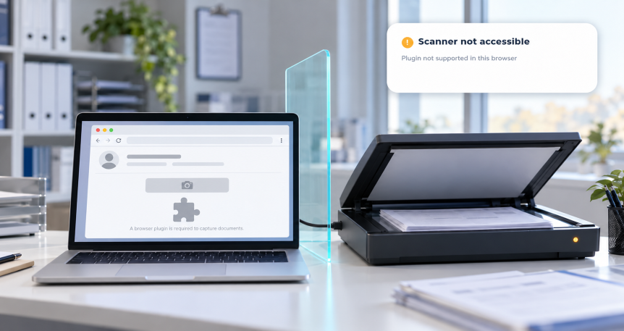
Cross-browser document scanning is still difficult because browsers deliberately block direct hardware access, and scanners communicate through driver protocols that differ by operating system. A web page can read a file the user selects, but it cannot tell a flatbed scanner to run a duplex pass at 300 DPI.
Why do plugin-based scanning approaches no longer work?
Plugin-based scanning approaches no longer work because every mainstream browser has removed support for the NPAPI plugins and ActiveX controls those solutions depended on. Chrome dropped NPAPI in 2015, Firefox followed for general plugins in 2017, and ActiveX was never available outside Internet Explorer, which Microsoft retired in June 2022.
How does modern browser-based scanning work?
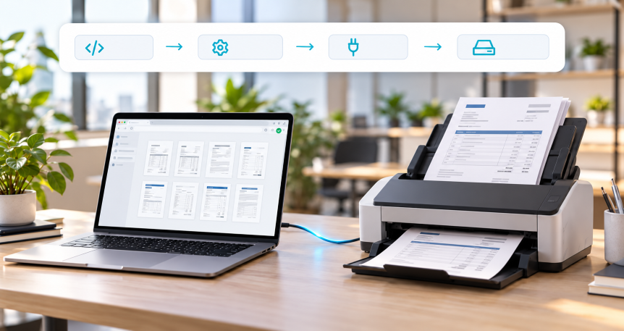
Modern browser-based scanning uses a small background service installed on the client machine, which communicates with the web page over a local HTTPS or WebSocket connection. The JavaScript SDK sends scan commands to the service, which operates the scanner using its native protocol and returns images to the page. Since processing occurs outside the browser, the same JavaScript code works across all supported browsers.
Which browsers and operating systems support web scanning?
Web scanning support depends on both the operating system and browser, as each operating system uses different scanner protocols. The following matrix shows Dynamic Web TWAIN’s supported environments.
| Operating System | Scanner Protocols | Supported Browsers |
|---|---|---|
| Windows 7+ (x86, x86-64, ARM64) | TWAIN 2.3, WIA 2.0, eSCL | Chrome 68+, Microsoft Edge, Firefox 68+, IE 11 |
| macOS 10.15+ (x86-64, ARM64) | TWAIN 1.9, ICA, eSCL | Chrome 68+, Firefox 68+, Safari 7+ |
| Linux: Ubuntu 12.04+, Debian 8+, Fedora 24+, ChromeOS (x64, ARM64, MIPS) | SANE, eSCL | Chrome 68+, Firefox 68+ |
On Windows 7 or later, Dynamic Web TWAIN accesses scanners via TWAIN 2.3, WIA 2.0, or eSCL, and supports Chrome 68+, Microsoft Edge, Firefox 68+, and Internet Explorer 11. On macOS 10.15 or later, it uses TWAIN 1.9, ICA, or eSCL and supports Chrome 68+, Firefox 68+, and Safari 7+. On Linux (Ubuntu 12.04+, Debian 8+, Fedora 24+, and Linux on ChromeOS), it uses SANE or eSCL and supports Chrome 68+ and Firefox 68+. Safari is only relevant for macOS, so Windows-only evaluations will not encounter Safari issues.
How to choose a web scanning tool compatible with all major browsers?
To select a web scanning tool compatible with all major browsers, verify four factors: protocol coverage on each operating system, data flow, deployment method for the local component, and SDK features for developers.
Does the tool cover the right protocol on each operating system?
Protocol coverage is important because TWAIN drivers are most available on Windows, ICA is native to macOS, and SANE is native to Linux. Tools that support only TWAIN will not work consistently outside Windows. Also, verify eSCL support, as it enables driverless scanning from network scanners on all platforms.
Where does the scanned data actually go?
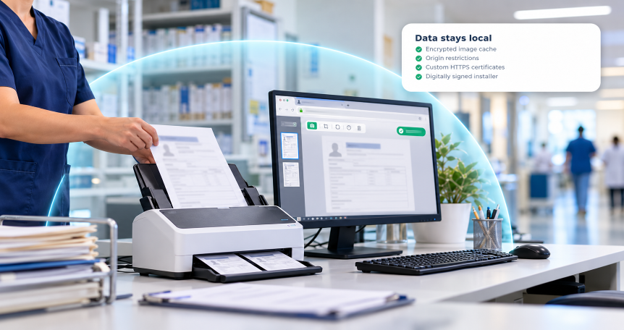
Data residency is critical in regulated industries. Make sure images move from the scanner to the local service and browser page on the same machine, reaching a server only when your application uploads them. Require specific controls: encrypted image caching, automatic deletion of cached data if the component exits unexpectedly, user authorization before accessing local files or hardware, configurable origin restrictions, support for custom HTTPS certificates, and digitally signed installers. Encryption secures images on shared workstations, and origin restrictions prevent unauthorized scanner access.
How will you deploy the local component?
Deployment affects compatibility. Ensure installers are available for all target operating systems, silent installation is documented, and a non-administrator installation option exists for restricted endpoints.
What does the SDK offer developers?
Developer experience impacts integration time. Look for framework samples that match your team’s technology stack. If you still need browser-specific code, the tool doesn’t fully address cross-browser compatibility.
How Dynamic Web TWAIN helps solve cross-browser scanning
Dynamic Web TWAIN is a browser-based document scanning SDK that enables a single JavaScript codebase to capture from scanners in Chrome, Edge, Firefox, and Safari across Windows, macOS, and Linux. It supports TWAIN 2.3 and WIA 2.0 on Windows, TWAIN 1.9 and ICA on macOS, SANE on Linux, and eSCL on all three platforms. This lets organizations, such as hospitals using Edge on Windows and Safari on Macs, use one integration across all environments.
For data handling operations, the capture path remains on the user’s machine. The SDK encrypts scanned and cached image data, and only the Dynamsoft scanning service can access it. It automatically deletes cached data if it exits unexpectedly and requires user authorization before accessing local files or scanners. The service can be configured to accept requests only from specified origins, restrict scanner access to the registered domain, support custom certificates, and the Windows component is digitally signed. It supports both SSL and proxy connections.
For deployment, the service is available as an MSI for Windows, a PKG for macOS, and DEB or RPM packages for Linux, including ARM64 and MIPS builds. We document silent installation for each platform and also provide user installers that don’t require administrator privileges.
For developers, Dynamic Web TWAIN provides samples for Vue.js, Angular, React, and vanilla JavaScript, runs in Citrix and Electron environments, and offers a RESTful API for Node.js, .NET, Python, Java, PHP, and Flutter. Add-ons cover PDF rasterization, barcode recognition, OCR, and webcam capture.
You can try document scanner online demo in whichever browser your users run, or download Dynamic Web TWAIN 30-day free trial to test against your own scanners.
What matters most in cross-browser web scanning?
Cross-browser compatibility in web scanning depends on architecture, not browser support claims. A tool that keeps scanner communication in a local service, covers the right protocol on each operating system, encrypts cached images, and installs quietly across a managed fleet will behave the same in Chrome, Edge, Firefox, and Safari.
The fastest way to validate a solution is to test it in the browsers your users actually run. Explore Dynamic Web TWAIN documentation for full API and platform details, or contact a Dynamsoft solution expert about your deployment environment.
Frequently asked questions
Does web document scanning work in Safari on macOS?
Web document scanning works in Safari 7 and later on macOS 10.15 or later, on both Intel and Apple Silicon hardware. On macOS, Dynamic Web TWAIN reaches scanners through TWAIN 1.9, ICA, or eSCL rather than WIA, which is Windows-only.
Does browser-based scanning require users to install anything?
Browser-based scanning requires a small local service on the client machine, because no browser provides a native API for controlling document scanners. The service installs once per machine rather than per browser, and the web application itself needs no plugin or extension.
What is the difference between TWAIN, WIA, ICA, and SANE?
TWAIN, WIA, ICA, and SANE are four scanner communication standards tied to different platforms. TWAIN, maintained by the TWAIN Working Group, is the cross-platform standard with the richest control over device features. WIA is Microsoft’s Windows imaging interface with a simpler feature set, ICA is Apple’s macOS image capture framework, and SANE is the standard scanner interface on Linux.
Is scanned data sent to a third-party server?
Scanned data is not routed through Dynamsoft servers during capture. Images pass from the scanner to the local service to the browser page on the same machine, reaching a server only when your application uploads them to a destination you control. The SDK encrypts cached image data and destroys it automatically if it exits unexpectedly.
Can the scanning service be deployed discreetly across an enterprise fleet?
The Dynamic Web TWAIN Service can be deployed silently on Windows, macOS, and Linux using standard package commands such as msiexec with the /qn flag, the macOS installer command, and dpkg or rpm. Dynamsoft also publishes user installers requiring no administrator privileges.
Does web scanning work on Linux and ChromeOS?
Web scanning works on Ubuntu 12.04 and later, Debian 8 and later, Fedora 24 and later, and Linux on ChromeOS, in Chrome 68+ and Firefox 68+. On Linux, scanners are accessed through SANE or eSCL, with builds for x64, ARM64, and MIPS.
Does cross-browser web scanning work on mobile browsers?
Cross-browser web scanning from hardware scanners targets desktop browsers, because Dynamic Web TWAIN drives flatbed, ADF, and multifunction devices through a local service on Windows, macOS, and Linux. For phones and tablets, Dynamsoft provides Mobile Document Scanner, a separate JavaScript SDK that captures through the device camera in the mobile browser and automatically detects, crops, and improves the document. Mobile Document Scanner shares a compatible API with Dynamic Web TWAIN, so desktop and mobile capture can live in the same application.