


 Blog
Blog
Traditional Scanners vs. Mobile Scanning SDKs: Why Migrate?
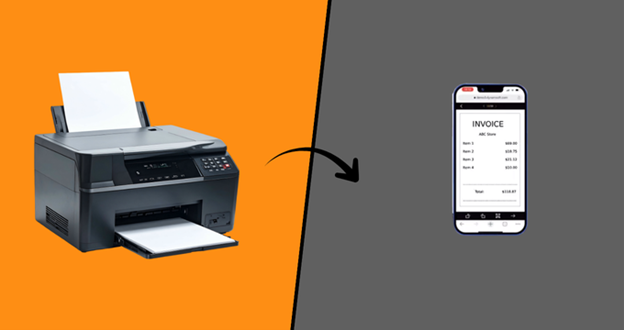
Office scanners have long been the standard for digitizing paper. They are reliable. They are familiar. But today, they are rapidly becoming a bottleneck, a cost center, and a relic of a pre-mobility era.
Digital transformation is about giving your team the tools they need, wherever they are. Your customers, field agents, and remote employees aren’t standing by the office scanner - they’re at a client’s site, in a warehouse, or working from home.
Relying on traditional hardware scanners in this new world isn’t just inefficient; it’s a competitive disadvantage. The future of data capture isn’t more hardware; it’s smarter, more flexible software built on enterprise-grade mobile scanning SDKs. Here’s a breakdown of why migrating to a mobile + SDK platform is no longer optional.
Hardware Dependency vs. Software Flexibility
The core conflict is simple: a traditional scanner is a fixed asset, while a mobile scanning SDK (Software Development Kit) is a flexible tool. This fundamental difference impacts everything that follows, from speed and cost to scalability and quality.
| Comparison | Traditional Scanners (Hardware-Centric) | Mobile + SDK Platform (Software-Centric) |
|---|---|---|
| Core Value | A fixed physical device. | A flexible software tool that supports scalable enterprise mobile scanning. |
| Functionality | Defined at the factory; rarely improves. | Integrated into your apps; evolves with updates. |
| User Hardware | Requires purchasing and maintaining specific scanners. | Leverages hardware you already own (any smartphone), offering a practical hardware scanner alternative. |
| Control | Locked into the vendor’s hardware and drivers. | You control the app, workflow, and user experience. |
From Batch Processing to Real-Time Data

This fundamental difference in flexibility has a direct and massive impact on your operational speed. The most profound bottleneck with hardware scanners isn’t just the device itself; it’s the process it forces you into.
The Old Way: Batch-Oriented, but Process-Delayed
While the physical efficiency of hardware batch scanning is undeniable (it quickly processes hundreds of sheets), this creates a major process bottleneck. Documents pile up, waiting to be scanned. After the batch is scanned, the vital work of sorting, verifying, and fixing errors happens later at a desk. Suppose a form is unreadable (due to poor quality) or missing a signature (due to compliance failure); the error is only discovered hours or days after the physical document is gone. This critical delay in validation forces a complex, time-consuming effort to track down the document or client to start over.
The New Way: Real-Time and On-Device
A mobile app powered by an advanced document capture SDK processes documents in real time. As soon as the user points their phone’s camera, the SDK auto-crops, corrects perspective, and compresses the image in milliseconds.
The user gets instant feedback and a clean image before submitting, so accuracy is built in at the point of capture.
| Workflow Step | Traditional Scanner (Batch) | Mobile + SDK (Real-Time) |
|---|---|---|
| 1. Capture | User walks to a shared device; loads tray. | User captures at the point of origin (anywhere). |
| 2. Processing | On-device processing is minimal (basic scan). | On-device AI performs auto-crop, de-skew, & shadow removal. |
| 3. Validation | Delayed. Happens later at a desk. | Instant. User validates the perfect image on-screen. |
| 4. Error Correction | Requires re-finding the physical doc and re-scanning. | User retakes the photo immediately. |
Business Impact: The traditional process causes days of delay and “stale” data, while the mobile SDK delivers 100% accurate, usable data in seconds as part of a mobile data capture platform.
The Scaling Comparison: Hardware Costs vs. Software Updates
The instant capture and validation capability is powerful for one user, but what about 1,000 or 10,000? This is where hardware and software take different paths. Scaling hardware is a logistical headache. Scaling software is as simple as an update.
| Scaling Factor | Traditional Scanners | Mobile + SDK Platform |
|---|---|---|
| Cost Model | High Capital Expenditures. Buy a new device for each user/office. | Low Operating Expenditures. Flexible licensing per user or mobile data capture platform deployment. |
| Deployment | Physical shipping, setup, driver installation. | Remote distribution via app stores or MDM. |
| Time to Scale | Weeks or months. | Minutes or hours. |
| Consistency | Varies by scanner model, age, and settings. | 100% consistent. All users run the same software logic. |
Perfect Uniformity vs. Real-World AI
Scalability and cost matter, but not if image quality suffers. While some still assume mobile scanning can’t match the pristine, controlled conditions of a flatbed scanner, modern AI has made this assumption outdated.
Today’s AI-powered mobile solutions no longer depend on perfect lighting or precise positioning. They automatically correct shadows, normalize lighting, straighten skewed angles, and isolate documents from cluttered backgrounds, even when pages are wrinkled or poorly captured. Rather than relying on a rigid device that just records what is placed on the glass, AI enhances the image to produce clean, high-quality, business-ready documents in real time. In many cases, it not only matches traditional scanners but surpasses them by fixing issues hardware alone cannot - making them compelling hardware scanner alternatives.
The Lifecycle Trap vs. Continuous Evolution
This AI-driven ability to handle real-world problems shows the biggest difference. When you buy a hardware scanner, its features are set. It only loses value over time.
| Lifecycle Aspect | Traditional Scanner | Mobile + SDK Platform |
|---|---|---|
| Feature Upgrades | None. Requires buying new hardware for new features. | Continuous. Your app is updated remotely with new features. |
| AI & OCR | Frozen in time at the date of manufacture. | Always evolving. SDK updates improve accuracy and add features. |
| Future-Proofing | None. Your workflow is locked to legacy tech. | Built-in. Your solution gets smarter every quarter. |
The Strategic Shift: From Device to Dynamic Workflow
The debate is over. Migrating from hardware scanners to a mobile SDK platform isn’t just about saving money on hardware (though the TCO reduction is significant).
It’s about transforming your entire workflow.
- You gain SPEED by moving data capture and validation to the frontline.
- You gain SCALE by deploying and updating your solution to anyone, anywhere, instantly.
- You gain QUALITY by using AI to normalize real-world documents into clean, consistent data.
- You gain FLEXIBILITY by continuously evolving your solution with the latest AI and OCR features.
Stop investing in hardware that depreciates the moment you plug it in. It’s time to invest in a software platform that evolves with your business.
Ready to break free from the hardware trap?
See how Dynamsoft Data Capture SDKs deliver enterprise mobile scanning, transforming any smartphone into a high-performance document capture tool within a mobile data capture platform.