


 Blog
Blog
Why QR Code Scanning Fails in Real-World Conditions (and How to Fix It)
Edge Case: Scanning QR Codes Embedded in Holographic Labels
With insights from George Hall, Co-Founder & CCO at H010
QR codes were designed to be easy to read. High contrast, flat, black and white - the format has built-in error correction precisely because the real world is messy. But most real-world scanning doesn’t give you clean inputs. Curved surfaces, glare, low contrast, motion blur, damaged labels, metallic finishes. Any of these degrade decode performance in ways that open source libraries handle poorly.
For developers building scanning into consumer-facing applications, where the end user is untrained and often gets one attempt, the gap between lab performance and field performance can be the difference between a product that works and one that doesn’t.
Key Takeaways
- QR codes fail most often due to lighting, reflection, and distortion-not damage
- Open-source libraries are optimized for clean inputs, not real-world conditions
- Performance gaps appear when scanning:
- reflective surfaces
- curved packaging
- low-contrast or dynamic images
- Reliable scanning requires pre-processing, adaptive detection, and optimization for speed**
- In consumer applications, scan time must be under ~2 seconds to avoid drop-off
Why QR Code Scanning Degrades in Real-World Conditions
The QR standard includes meaningful error correction - up to 30% of a code can be lost and it will still decode. But that tolerance assumes the remaining input is clean. When the entire image is compromised, error correction has less to work with and decode rates fall.
The most common causes of real-world failure are reflective and metallic surfaces, which scatter light and drop contrast; curved packaging, which distorts code geometry; damaged or partially obscured labels; inconsistent lighting; and motion blur from handheld devices. Open source libraries tend to degrade gracefully in controlled tests but fail more abruptly in the field, because most were built and benchmarked against clean inputs. Real-world robustness requires deliberate engineering - adaptive thresholding and image pre-processing, enhancement before the decode step that general-purpose libraries don’t prioritize.
A Real-World Edge Case: Scanning QR Codes in Holograms
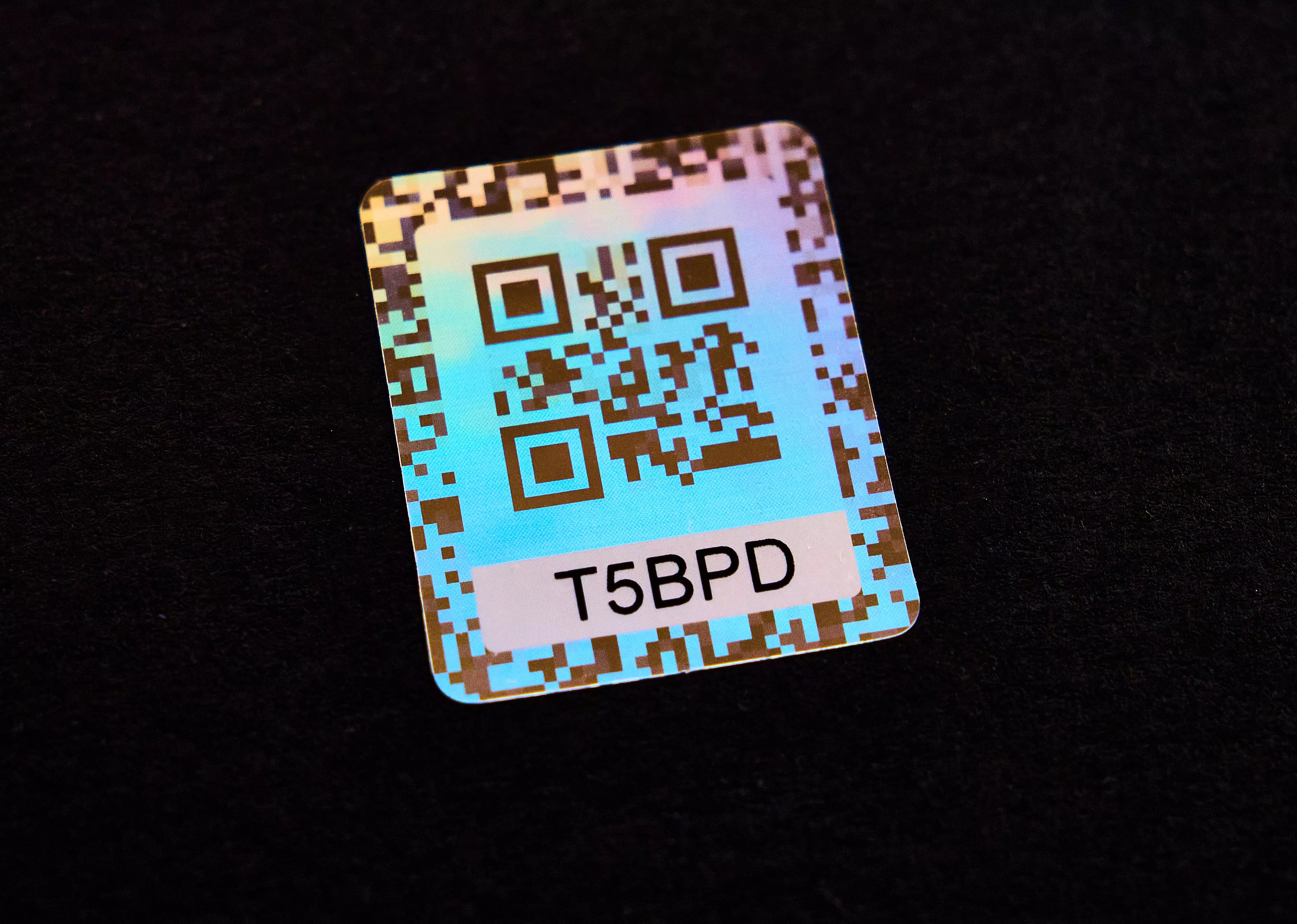
H010 - pronounced “hollow” has developed a patented authentication technology that embeds two QR codes within a single holographic structure. Tilt the label one way and you see one code; tilt it the other and you see a second. Both exist in the same physical space and neither can be screenshotted or separated from the label, making counterfeiting effectively impossible.
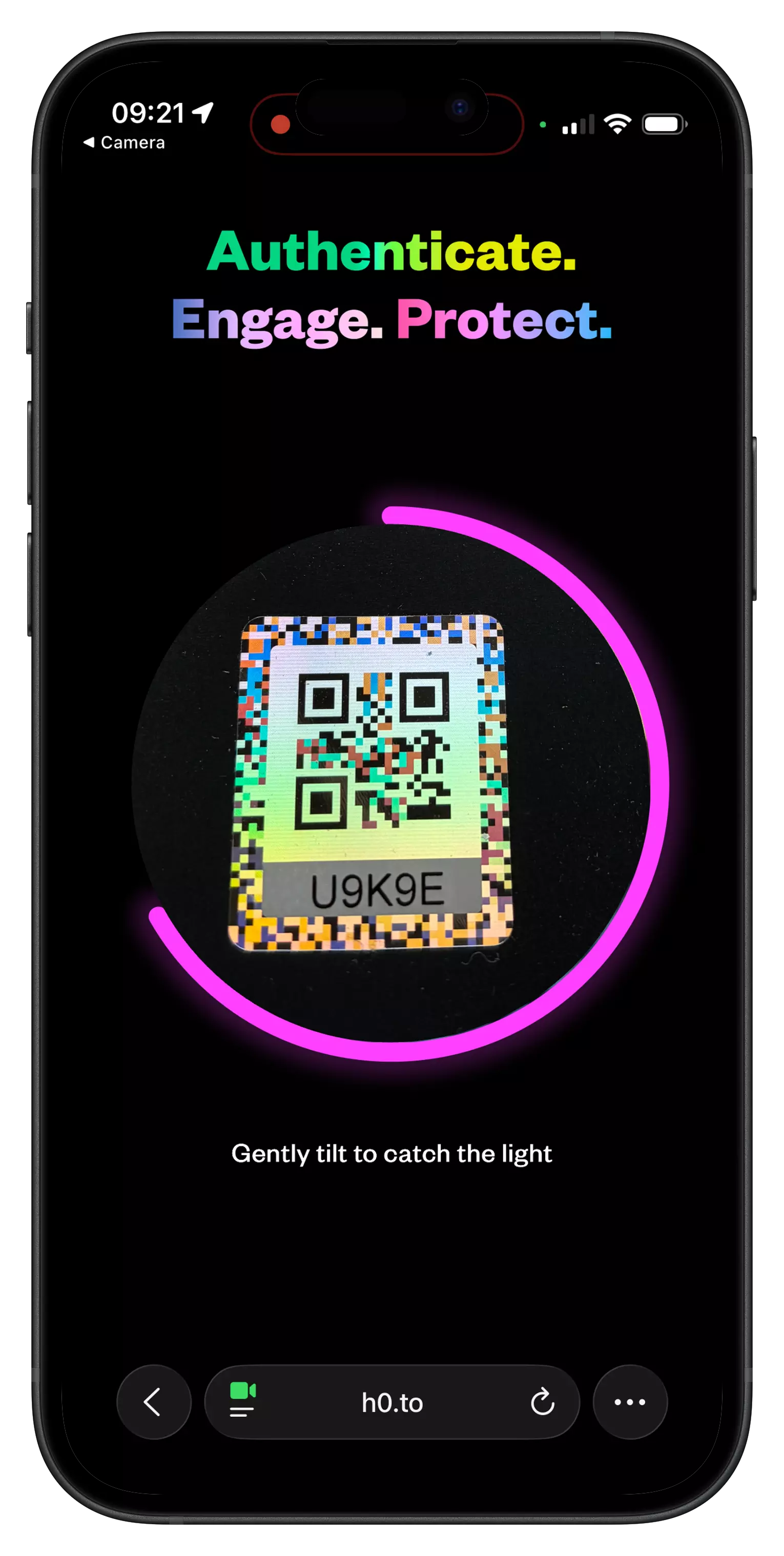
It also produces perhaps the most hostile QR scanning input imaginable. Instead of a clean binary image, the camera sees a shifting, iridescent spectrum - colour gradients, variable contrast, and reflections across the surface, all changing in real time as the user moves the label. “Instead of a nice uniform, black and white QR code, what we’ve got is a polymer that gives reflection, different sizes, and a rainbow effect,” says George Hall, Co-Founder & CCO at H010. “We’re asking a technology built for consistency to read something that’s inherently inconsistent. That’s a fundamental tension.” Every common failure mode is present simultaneously, by design. The label must look this way to work. The scanning challenge can’t be designed out.
Why Building In-House Hit a Ceiling
H010 initially tried to solve the problem themselves - layering custom processing on top of open source libraries, experimenting with thresholding, iterating through test after test. Progress was real but limited. Scan times dropped from around five seconds toward four. But four seconds is still too slow for a consumer authentication flow where the user has no training and no strong motivation to persist.
The deeper problem was structural. Meaningful improvement would have required building a decoder from scratch - a substantial investment in technology that wasn’t H010’s differentiator. Their IP is in the holographic label and the authentication platform. Scanning was infrastructure.
“Just like we might use Gmail for email, we suddenly thought - we could actually just use an out-of-the-box tool,” Hall explains. This is a decision point many teams reach. The question isn’t whether you can improve a scanning implementation, but whether the investment is justified relative to what a purpose-built SDK already delivers.
What Changed - and an Unexpected Consequence
After integrating Dynamsoft Barcode Reader, performance improved by what Hall describes as “orders of magnitude.” Scans that had been failing in real-world conditions began succeeding consistently. In good lighting, decode times dropped below one second which was well inside H010’s two-second target, which itself was set with the consumer experience firmly in mind. As Hall says. “We’ve got a very limited window to get it right, otherwise they would just give up.”
H010 also consolidated their stack, replacing a separate OCR script used to capture a unique alphanumeric ID printed on each label. Both capture steps now run within a single integrated solution, reducing failure points and simplifying the implementation.
The improvement did create one unexpected problem. Scanning had become so fast that H010’s UI couldn’t keep pace and a sub-second scan gives the consumer no time to understand that something meaningful just happened: that two codes were found, a unique ID matched, and the product confirmed genuine. “If it all happens too quickly, it looks like it’s just scanned a normal QR code,” Hall says. “And that’s a nice problem to have.”
The fix is intentional pacing. UI feedback is timed to let the user register what the scan achieved. Decode speed and perceived experience are not the same thing, and it’s worth designing for both.
What This means For Your Implementation
H010’s case is extreme, but the principles apply broadly. A few takeaways worth applying to any real-world scanning implementation:
- Test against actual field conditions, not lab inputs. Performance on clean, well-lit codes tells you little about behaviour in the environments your users will be in. Build a test set from real captured images.
- Understand where scanning sits in your stack. If reliable decode is core to your product’s value, it warrants a proper solution. If it’s infrastructure, the build-vs-buy calculation usually favours a proven SDK.
- Decode speed and UX are separate problems. Faster isn’t always better from a user’s perspective. Design feedback around what the user needs to understand, not just what the decoder can achieve.
About This Article
This article was produced in collaboration with George Hall, Co-Founder & CCO at H010. H010’s holographic label technology presented one of the most unusual scanning challenges the Dynamsoft team has encountered - the kind of real-world problem that doesn’t show up in benchmarks.
H010 is a product authentication and consumer engagement platform using patented holographic label technology. h010.com
Dynamsoft Barcode Reader SDK supports 20+ barcode symbologies and is engineered for demanding real-world scanning environments.