


 Blog
Blog
Optimizes Decoding for Crumpled QR Codes
QR codes are widely used across industries for inventory management, logistics, retail, manufacturing, and contactless services. However, in real-world environments, QR codes are often damaged — crumpled, scratched, torn, or partially obscured.
In this post, we’ll explore how Dynamsoft Barcode Reader leverages advanced algorithms to restore and decode crumpled or distorted QR codes.
Try it with a 30-day free trial.

How Dynamsoft Barcode Reader Restores Distorted QR Codes?
When a code is crumpled or physically deformed:
- The geometry becomes distorted.
- Finder patterns are warped.
- Module shapes may become irregular.
- Lighting and shadows create uneven contrast.
Dynamsoft Barcode Reader SDK integrates multiple image processing technologies to address these challenges.
- De-warping distorted images.
- Enhancing contrast under poor lighting.
- Removing background noise.
- Detecting and correcting perspective distortions.
Let’s see how it works with two QR code examples.
Example 1: Deformed QR Code
In Figure 1.1 below on the left, we see a QR code with clear symbol outlines.
When a scan is initiated, Dynamsoft Barcode Reader scans the entire height and width of an image to attempt to identify whether a barcode is present. The barcode reader extracts and exploits various features from the image, to help partition the code area into modules with a grid. The contour lines are connected. As shown in Figure 1.2 below, an evenly spaced grid is overlaid onto the QR code, which divides the QR code into modules.
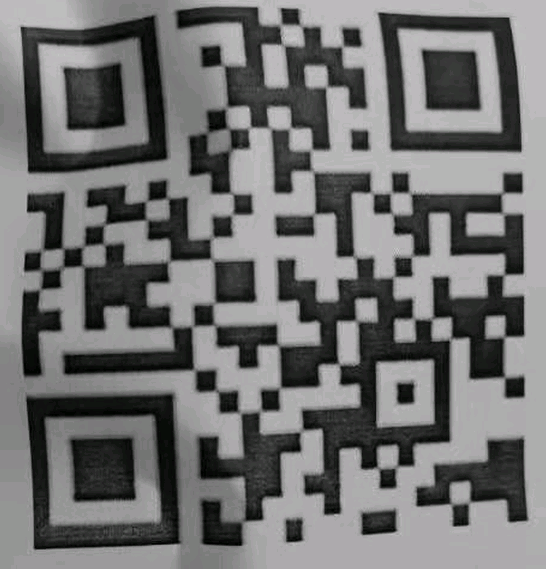
Figure 1.1
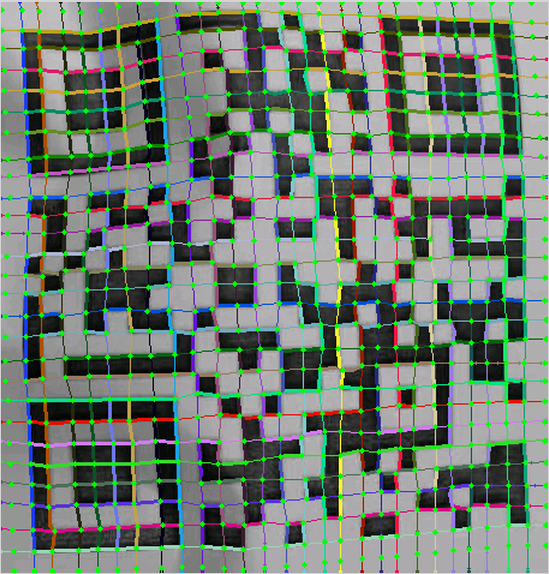
Figure 1.2
QR code features, such as the FinderPattern, TimingPattern, and AlignPattern, are used to reduce errors in the process of contour line connection. Based on the grid, each symbol is perspective-transformed onto the standard map to obtain a corrected QR code, as shown below in Figure 1.3. The barcode reader then begins the decoding process.
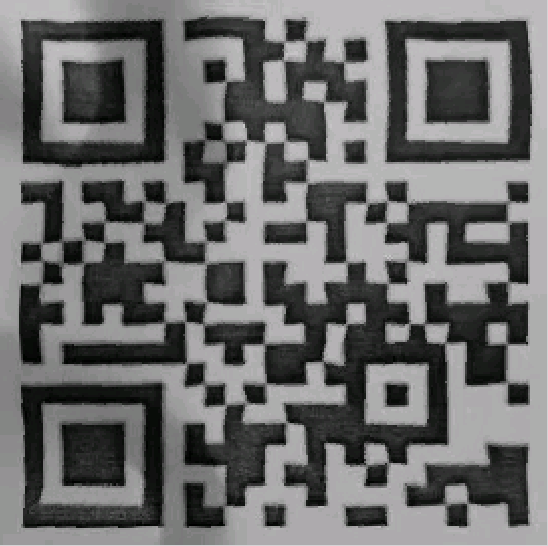
Figure 1.3
Example 2: Blurry and Curvy QR Code
In the below example, the symbol outline is a bit fuzzy, and the edges are sort of curvy. As an example, this could be from a blurry image.
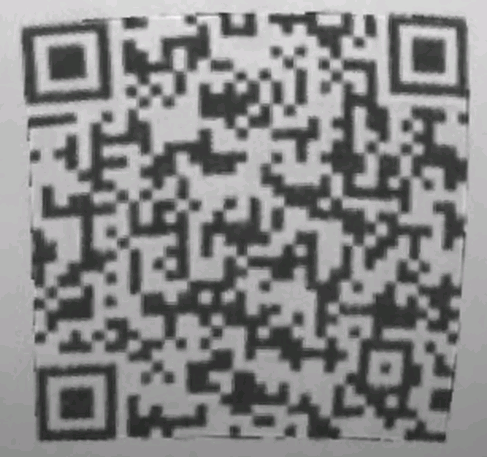
Figure 2.1
So the first step is to fit the four edges with arc curves, as shown in Figure 2.2. Then Dynamsoft Barcode Reader’s perspective-transforms the segmentation block along the curve to get the four-sided straightened QR code, as shown in Figure 2.3.
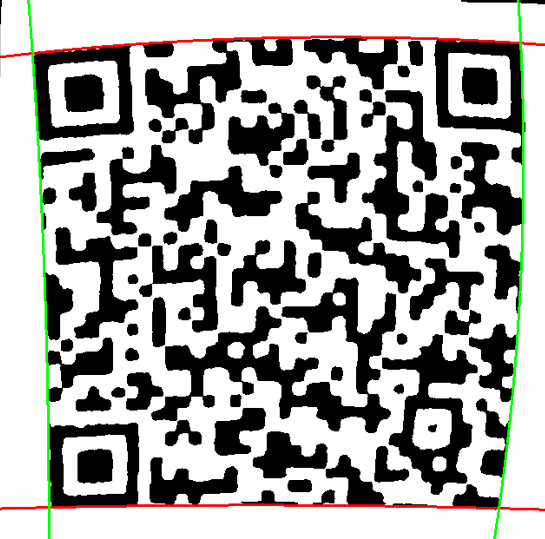
Figure 2.2
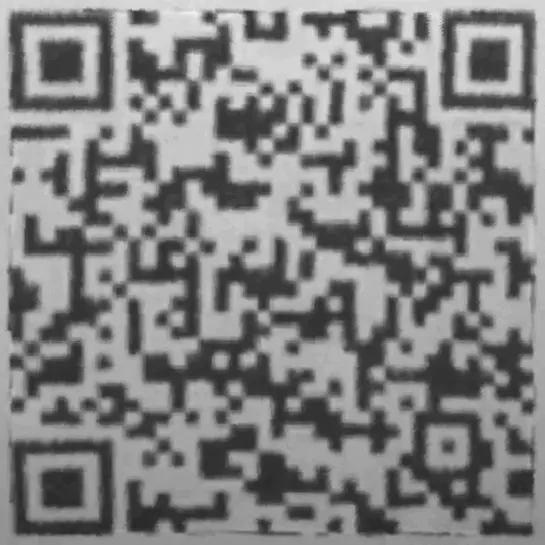
Figure 2.3
For more information, read this post on How to Read Damaged Barcodes.
Licensing
These capabilities are integrated into all editions of Dynamsoft Barcode Reader, and requires no extra licenses. Supported editions include Windows, Linux, iOS, Android, and JavaScript.
Real-World Use Cases
The ability to restore and decode crumpled or torn QR codes is highly valuable across industries:
- Manufacturing: Codes printed on flexible packaging or labels.
- Logistics: Crumpled shipping labels or pallet tags.
- Healthcare: Wristbands or lab samples with folded labels.
- Retail: Worn product tags or coupons.
- Ticketing: Creased event passes or boarding passes.
In all these scenarios, Dynamsoft helps reduce scanning errors and improve operational efficiency.
Getting Started
API documentation and Dev guide
Try Dynamsoft Barcode Reader online demo or download a 30-day free trial.
Download Barcode Testing Sheet and Test Dynamsoft Barcode Reader Now
Contact us at support@dynamsoft.com for more information or help.
This article is Part 5 in a 6-Part Series.
- Part 1 - How to Read Damaged Barcodes: Best Practices for 1D, QR, PDF417 & Data Matrix Scanning
- Part 2 - QR Codes Recognition: High-Density
- Part 3 - Scan Direct Part Marking (DPM) Codes
- Part 4 - Auto-Restores Incomplete QR Codes and Data Matrix
- Part 5 - Optimizes Decoding for Crumpled QR Codes
- Part 6 - Cognex Mobile Barcode SDK Discontinued: Best Alternatives for Enterprise Mobile Apps