


 Blog
Blog
Cognex Mobile Barcode SDK Discontinued: Best Alternatives for Enterprise Mobile Apps
Cognex Mobile Barcode SDK Is Discontinued — What This Means for Your App
Cognex has made the difficult business decision to discontinue the Cognex Mobile Barcode SDK. If your application currently depends on this SDK, you are now on a countdown to end-of-life with no future updates, no security patches, and no support. You need a migration plan.
Cognex is a respected name in industrial machine vision, and this was clearly not an easy decision. For enterprise teams that relied on the mobile SDK, however, the path forward is clear: you need an actively maintained, enterprise-grade replacement.
Dynamsoft Barcode Reader SDK is that replacement. This article walks through the key capabilities Dynamsoft brings to the table, and how to get your app migrated smoothly.
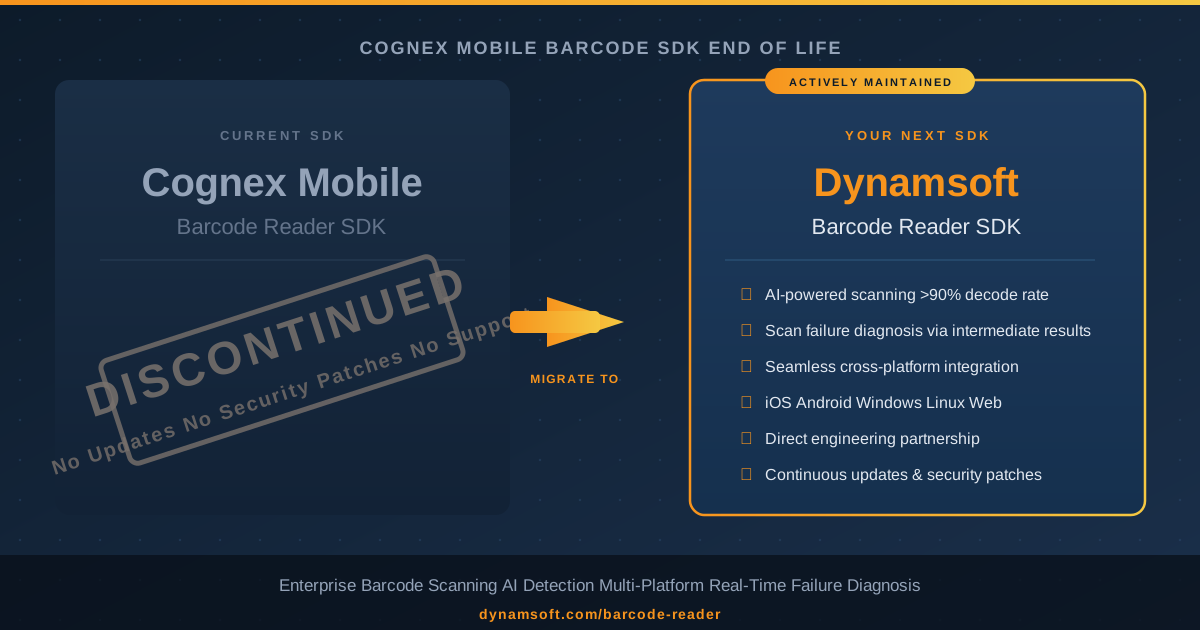
Risks of Staying on an End-of-Life Mobile Barcode SDK
Cognex has officially discontinued its Mobile Barcode SDK. What that means in practice:
No further updates
Bug fixes, performance improvements, and new barcode symbology support stop immediately.
No security patches
Any vulnerabilities discovered in the SDK will remain unpatched indefinitely.
No technical support
Cognex will no longer field SDK support requests from mobile development teams.
Growing integration risk
Every Android OS update, every new device, and every new barcode format widens the gap between a frozen SDK and production reality.
Teams that act quickly can migrate on their own schedule. Teams that wait may face a forced, last-minute migration under pressure.
Why Dynamsoft Barcode Reader SDK Is a Cognex Mobile Migration Path
Dynamsoft Barcode Reader SDK is an actively maintained, enterprise-grade barcode scanning SDK built for modern mobile and cross-platform development. Here is what it delivers out of the box.
Clean Integration Into Existing Android, iOS and Cross-Platform Projects
Dynamsoft Barcode Reader SDK integrates into your existing mobile project without requiring architectural changes. Whether you are building on Android, iOS, or a cross-platform framework, the SDK fits naturally into your current project structure — no wrappers, no unexpected base class requirements, no inherited technical debt.
AI-Powered Long-Distance Scanning
Dynamsoft’s AI engine is built for the scanning conditions enterprise teams actually face — retail shelves, logistics bays, field audits — where barcodes are small and distances are not ideal.
- Barcode presence detection first: A neural model identifies candidate barcode regions before attempting any decode, eliminating wasted processing on blank areas of the frame.
- Independent item tracking: Each product bounding box is tracked separately, so adjacent labels are scanned in sequence rather than at random.
- Distance-optimized preprocessing: Dedicated image enhancement tuned for 35–45 cm capture delivers decode rates well above 90 % — even for small labels at real-world shelf and logistics distances.
The practical outcome: your field team scans faster, misses fewer items, and works with confidence at real shelf distances.
Failure Diagnosis via Intermediate Results
Every barcode SDK tells you when a scan succeeds. Dynamsoft also tells you precisely why it failed — and that distinction makes a measurable difference for field operators.
How it works: Dynamsoft Barcode Reader exposes intermediate results from the decoding pipeline. Even when a final decode cannot be completed, the SDK has already performed barcode localization — it knows where the barcode is in the frame and what condition it is in. Dynamsoft leverages these intermediate localization results to classify the failure reason before any final result is returned. This is a deep integration with the decode pipeline that Dynamsoft’s architecture was specifically designed to support.
The result is a five-tier failure diagnosis system surfaced directly to the application:
| Error State | How Dynamsoft Detects It | What the Operator Sees |
|---|---|---|
| Barcode Not Found | No localization candidate found in frame | Reposition the camera |
| Blurry | Barcode located via intermediate results — decode blocked by focus quality | Hold steady or move closer |
| Partial | Barcode located but bounding region is incomplete | Centre the label in frame |
| Damaged | Barcode located but label integrity check fails | Try a different angle or flag for re-labelling |
| Device Shaking | System motion sensor triggered during active localization | Stabilize the device before scanning |
The diagnosis priority is deterministic: if a barcode is located but cannot be decoded, the intermediate result is inspected for blur, damage, or partial visibility before falling back to a motion or not-found state. This means operators always receive the most specific error available — never a vague catch-all.
Every timeout threshold is independently configurable per error category, so teams can tune exactly how long the SDK waits before escalating each failure type to suit their specific scanning environment.
A Development Partner That Engages Directly
Dynamsoft engineers engage directly with enterprise customers when real-world challenges arise. Platform compatibility improvements, AI scanning advances, and the intermediate-result error feedback system described in this article all came out of direct engineering collaboration with customers. This responsiveness is built into the product roadmap and the support model.
Unified Cross-Platform SDK and API
Dynamsoft Barcode Reader covers the full enterprise stack with a single unified API:
- Android (native, MAUI, React Native, Flutter)
- iOS (native, MAUI, React Native, Flutter)
- Windows and Linux (desktop and server)
- Web / JavaScript
One SDK means one integration pattern, one documentation set, and one support relationship — regardless of how many platforms your product runs on.
Step-by-Step Migration Plan from Cognex to Dynamsoft
With Cognex Mobile discontinued, migration is no longer optional — it is a timeline question. For a production mobile app, the path from Cognex to Dynamsoft typically takes two to four weeks. The sooner you start, the more runway you have before EOL risk materializes in production.
Phase 1 — Evaluate (Week 1)
- Download the 30-day free trial — fully functional, no credit card required
- Reproduce your existing Cognex test scenarios: same barcode types, label sizes, and scan distances
- Confirm the SDK integrates cleanly into your target platform and project structure
Phase 2 — Integrate (Week 2)
- Remove Cognex SDK dependencies from your build configuration
- Add Dynamsoft Barcode Reader via the package manager for your platform
- Replace Cognex camera initialization with Dynamsoft’s camera module
- Wire up the barcode result callback using the Dynamsoft listener pattern
Phase 3 — Optimize (Week 3)
- Configure scanning templates for your specific barcode symbologies
- Enable AI detection mode to improve long-distance and multi-barcode performance
- Configure per-category error timeouts and map each error state to a user-facing message in your UI
Phase 4 — Deploy (Week 4)
- Run regression testing and UAT with your field team
- Deploy to production with confidence
- Engage the Dynamsoft engineering team for any edge cases identified post-launch
FAQ: Migrating from Cognex Mobile Barcode SDK
Q: Cognex Mobile Barcode SDK has been discontinued — how urgent is migration?
Very. From the moment of discontinuation, your app is running on an unmaintained SDK. Every new Android OS release, new device model, and new security requirement widens the exposure. Most enterprise teams target a migration window of 60–90 days from an EOL announcement to avoid production stability risk.
Q: Does Dynamsoft Barcode Reader support the same barcode symbologies as Cognex Mobile?
Yes. Dynamsoft supports over 20 symbologies including Code 128, Code 39, QR Code, Data Matrix, PDF417, EAN/UPC, Aztec, DotCode, and more. Every symbology your Cognex Mobile integration currently reads is covered.
Q: Does the migration require changes to our existing project architecture?
Typically no. Dynamsoft Barcode Reader SDK is designed to integrate into standard project structures across Android, iOS, and cross-platform frameworks without requiring you to restructure your architecture or introduce wrapper layers.
Q: How does Dynamsoft’s AI scanning perform at shelf distance?
Dynamsoft’s AI presence-detection engine delivers decode rates above 90 % at 35–45 cm with 3 cm labels — the benchmark distance for retail shelf-audit and logistics scenarios.
Q: Can the error feedback system be customized for our specific workflow?
Yes. The five error categories (Not Found, Blurry, Partial, Damaged, Device Shaking) each carry independently configurable timeout thresholds, powered by Dynamsoft’s intermediate results API. Teams can tune the system to match their scanning environment precisely.
Q: Is there a free trial?
Yes — a 30-day fully functional trial license is available with no credit card required. Start your evaluation before your Cognex EOL window closes.
Conclusion
Cognex has discontinued its Mobile Barcode SDK. For teams that depended on it, this opens a window to move to a more capable, actively maintained solution — on your own terms, before EOL pressure forces the decision.
Dynamsoft Barcode Reader SDK is ready to receive that migration:
- Cross-platform, clean integration: Fits into standard Android, iOS, and cross-platform project structures without architectural compromises
- AI-powered scanning: Neural barcode-presence detection delivering > 90 % decode rates at real-world shelf distances
- Decoded failure diagnosis: Intermediate results API that tells operators why a scan failed, not just that it did
- Active development: Continuous updates, security patches, new symbology support, and direct engineering engagement
- True cross-platform: One SDK, one API, every platform your enterprise runs on
Start your free evaluation today and migrate at your own pace.
Migrate from Cognex to Dynamsoft — Start Today
Migrating from a discontinued Cognex Mobile SDK? Email support@dynamsoft.com or open a live chat — our solutions engineers offer dedicated Cognex migration support and typically respond within one business day.