


How to Read 1D/2D Barcodes from Multi-Page PDFs in Node.js
You can decode 1D and 2D barcodes from a multi-page PDF in Node.js with the dynamsoft-capture-vision-for-node package: one CaptureVisionRouter.captureMultiPagesAsync() call returns one result per page, and each result’s originalImageTag.pageNumber tells you which page every barcode came from. This saves you from manually rasterizing PDF pages or iterating page by page — the SDK handles the whole document in a single worker-thread call and runs on Windows, Linux, and macOS.
This article is Part 4 in a 5-Part Series.
- Part 1 - How to Recognize MRZ from Passport and ID Card with Node.js
- Part 2 - Building a Barcode and QR Code Detection Module for Node-RED with JavaScript
- Part 3 - How to Build a Node.js Barcode Reader for Command-Line and Web Applications
- Part 4 - How to Read 1D/2D Barcodes from Multi-Page PDFs in Node.js
- Part 5 - How to Build a Passport Scanner Desktop App with Electron and MRZ Recognition
What you’ll build: A CLI barcode reader for multi-page PDFs built with Dynamsoft Capture Vision. npm install + node index.js barcodes.pdf prints every decoded barcode — format, text, confidence, and location — grouped by page, and the bundled test PDF (barcodes.pdf) contains 17 barcodes across 12 formats for immediate verification. The sample also supports exporting all results to a JSON file and swapping preset templates for speed- or read-rate-first decoding.
Key Takeaways
CaptureVisionRouter.captureMultiPagesAsync(pdfPath, EnumPresetTemplate.PT_READ_BARCODES)decodes every page of a PDF and returns oneCapturedResultper page — no page splitting,FileFetcher, or result listener is required.- Each page result’s
originalImageTagexposespageNumberandtotalPages;barcodeResultItemslists the decoded barcodes for that page withformatString,text,confidence,angle, and a four-pointlocation. - The bundled
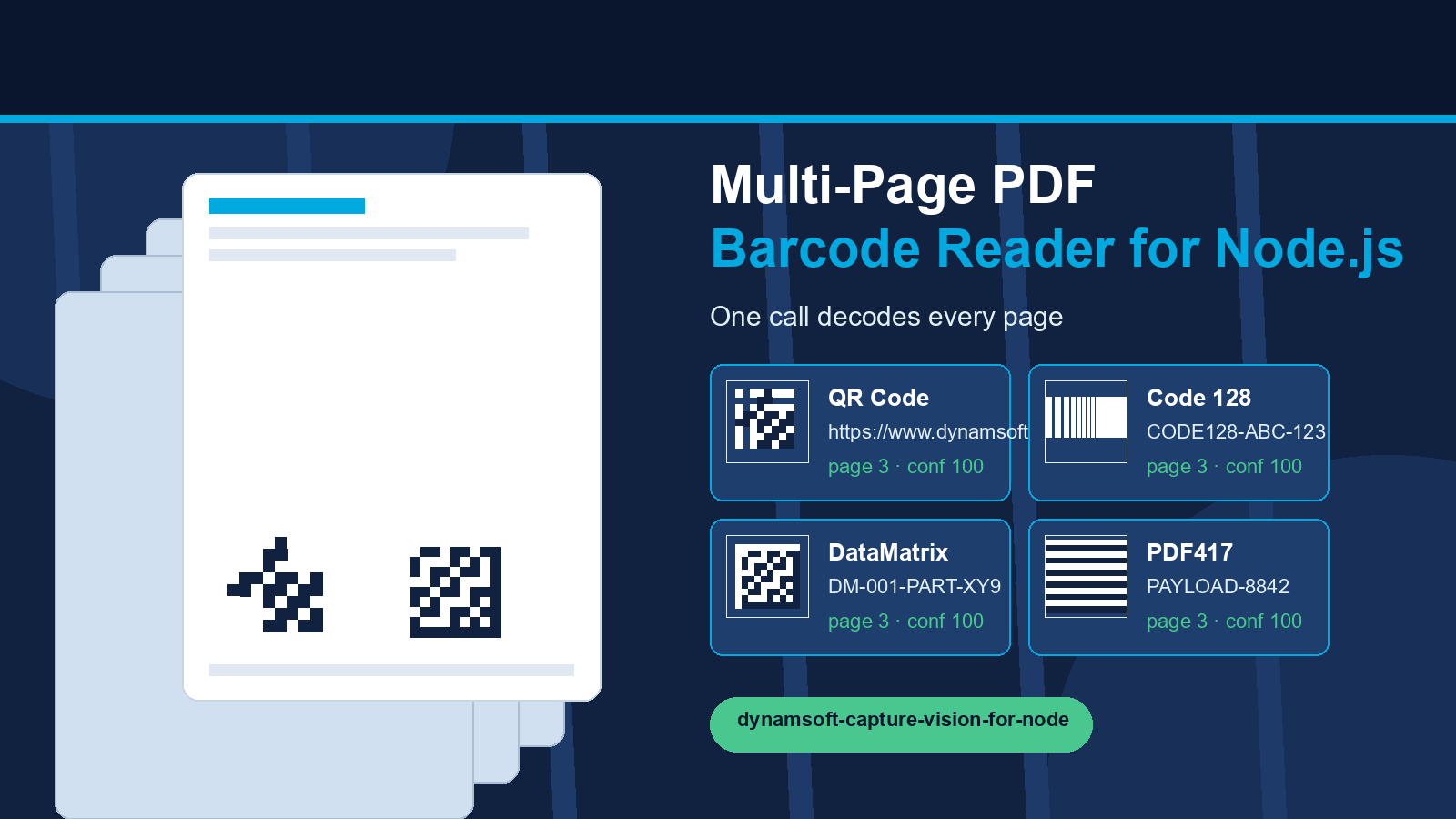
barcodes.pdftest file contains 5 pages with 17 barcodes across 12 formats (QR Code, Code 128, EAN-13, DataMatrix, PDF417, UPC-A, UPC-E, EAN-8, Code 39, Code 93, ITF, and Codabar). - The reader is a single
index.jsfile with no native build step:dynamsoft-capture-vision-for-nodeships precompiled binaries for Windows (x86/x64), Linux (x64/arm64), and macOS (x64/arm64), sonpm installis all you need. CaptureVisionRouter.terminateIdleWorkers()must be called at the end so the SDK’s worker pool does not keep the Node.js process alive.
Common Developer Questions
How do you read barcodes from a multi-page PDF in Node.js?
Install dynamsoft-capture-vision-for-node, call LicenseManager.initLicense() with a Dynamsoft Capture Vision license, then call CaptureVisionRouter.captureMultiPagesAsync(pdfPath, EnumPresetTemplate.PT_READ_BARCODES). The Promise resolves to an array with one CapturedResult per page; each result contains barcodeResultItems for the decoded barcodes on that page.
Does Dynamsoft Capture Vision report which page a barcode came from?
Yes. Each per-page CapturedResult includes an originalImageTag with a pageNumber (1-based in this sample) and totalPages. You can pair a decoded barcode with its page number, as the sample does when printing # Page N before the barcodes of each page.
Do I need to split a PDF into images before decoding?
No. The Dynamsoft Capture Vision SDK parses the PDF internally and decodes barcode candidates from each page’s rasterized content. captureMultiPagesAsync() iterates over every page automatically, so no third-party PDF rasterization or page-splitting step is required.
Which barcode formats does the Node.js PDF sample support?
The default PT_READ_BARCODES template covers 1D barcodes (Code 39, Code 93, Code 128, Codabar, ITF, EAN-8, EAN-13, UPC-A, UPC-E, Industrial 2 of 5, GS1 DataBar, Postal Codes) and 2D barcodes (QR Code, Micro QR, DataMatrix, PDF417, Micro PDF417, Aztec, MaxiCode, DotCode, Patch Code, GS1 Composite). The bundled barcodes.pdf test file demonstrates 12 of these formats.
Node.js Multi-Page PDF Barcode Reader Demo Video
Prerequisites
- Node.js: Install the current LTS release from the Node.js website.
- Dynamsoft Capture Vision SDK: The
dynamsoft-capture-vision-for-nodenpm package and its model package are used for barcode decoding. Get a 30-day free trial license and update theLicenseManager.initLicense("LICENSE-KEY")line inindex.jswith your own key (or set theDCV_LICENSEenvironment variable). - A multi-page PDF file: Use the bundled
barcodes.pdfshipping with the sample (5 pages, 17 barcodes), or any PDF you want to test.
Step 1: Create the Project and Install Dependencies
Create a new Node.js project and install the Dynamsoft Capture Vision SDK:
npm init -y
npm install dynamsoft-capture-vision-for-node@3.6.4003 dynamsoft-capture-vision-for-node-model@3.6.4000 -E
Two packages are installed — the SDK at 3.6.4003 and its model package at 3.6.4000:
dynamsoft-capture-vision-for-node— the Capture Vision Router SDK that performs barcode decoding.dynamsoft-capture-vision-for-node-model— the AI model package used by the read-rate-first preset template.
No native build step is involved: the packages ship precompiled binaries for Windows (x86/x64), Linux (x64/arm64), and macOS (x64/arm64) and load them at runtime through N-API.
Step 2: Write the Multi-Page PDF Barcode Reader
Create an index.js file with the following code:
const path = require('node:path');
const fs = require('node:fs');
const { LicenseManager, CaptureVisionRouter, EnumPresetTemplate } = require('dynamsoft-capture-vision-for-node');

// Get a 30-day free trial license:
// https://www.dynamsoft.com/customer/license/trialLicense/?product=dcv&package=cross-platform
const LICENSE_KEY = process.env.DCV_LICENSE || 'YOUR-LICENSE-KEY';

function printUsage() {
  console.log('Usage: node index.js <pdf-file> [--template <template-name>] [--json <output.json>]');
  console.log('');
  console.log('Arguments:');
  console.log('  <pdf-file>          Path to a single- or multi-page PDF file.');
  console.log('');
  console.log('Options:');
  console.log('  --template <name>   Preset template to use. Defaults to PT_READ_BARCODES.');
  console.log('                      Examples: PT_READ_BARCODES_SPEED_FIRST,');
  console.log('                                PT_READ_BARCODES_READ_RATE_FIRST,');
  console.log('                                PT_READ_SINGLE_BARCODE');
  console.log('  --json <file>       Also write the decoded barcodes to a JSON file.');
}

function printPageResult(pageIndex, result) {
  console.log(`\n# Page ${pageIndex + 1}`);
  if (result.errorCode !== 0) {
    console.log(`  Error: ${result.errorCode} ${result.errorString}`);
    return;
  }
  const items = result.barcodeResultItems || [];
  if (items.length === 0) {
    console.log('  No barcode found.');
    return;
  }
  console.log(`  Decoded ${items.length} barcode(s):`);
  for (const item of items) {
    console.log('  ' + '-'.repeat(44));
    console.log(`  Format     : ${item.formatString}`);
    console.log(`  Text       : ${item.text}`);
    console.log(`  Confidence : ${item.confidence}`);
    const points = item.location.points.map(p => `(${p.x}, ${p.y})`).join(' ');
    console.log(`  Location   : ${points}`);
  }
}

(async () => {
  const args = process.argv.slice(2);
  if (args.length === 0 || args.includes('-h') || args.includes('--help')) {
    printUsage();
    process.exit(args.length === 0 ? 1 : 0);
  }

  const pdfPath = path.resolve(args[0]);
  const templateFlagIndex = args.indexOf('--template');
  const templateName = templateFlagIndex !== -1 && args[templateFlagIndex + 1]
    ? EnumPresetTemplate[args[templateFlagIndex + 1]] || args[templateFlagIndex + 1]
    : EnumPresetTemplate.PT_READ_BARCODES;

  const jsonFlagIndex = args.indexOf('--json');
  const jsonPath = jsonFlagIndex !== -1 && args[jsonFlagIndex + 1] ? path.resolve(args[jsonFlagIndex + 1]) : null;

  if (!fs.existsSync(pdfPath)) {
    console.error(`File not found: ${pdfPath}`);
    process.exit(1);
  }

  try {
    LicenseManager.initLicense(LICENSE_KEY);
  } catch (err) {
    console.error(`License initialization failed: ${err.message || err}`);
    console.error('Request a trial license: https://www.dynamsoft.com/customer/license/trialLicense/?product=dcv&package=cross-platform');
    process.exit(1);
  }

  const startTime = Date.now();
  try {
    // Decode every page of the PDF: each page yields one CapturedResult.
    const results = await CaptureVisionRouter.captureMultiPagesAsync(pdfPath, templateName);

    const allBarcodes = [];
    results.forEach((result, pageIndex) => {
      printPageResult(pageIndex, result);
      const items = result.barcodeResultItems || [];
      for (const item of items) {
        allBarcodes.push({
          page: pageIndex + 1,
          format: item.formatString,
          text: item.text,
          confidence: item.confidence,
          angle: item.angle,
          location: item.location.points.map(p => ({ x: p.x, y: p.y })),
        });
      }
    });

    console.log(`\nTotal barcodes decoded: ${allBarcodes.length}`);
    console.log(`Elapsed time: ${Date.now() - startTime} ms`);

    if (jsonPath) {
      fs.writeFileSync(jsonPath, JSON.stringify(allBarcodes, null, 2));
      console.log(`Results written to: ${jsonPath}`);
    }
  } catch (err) {
    console.error(`Decoding failed: ${err.message || err}`);
    process.exitCode = 1;
  } finally {
    // Terminate workers so the process can exit.
    await CaptureVisionRouter.terminateIdleWorkers();
  }
})();
The two APIs that do all the work are:
- LicenseManager.initLicense() activates the Capture Vision license for the current machine.
- CaptureVisionRouter.captureMultiPagesAsync() decodes every page of a PDF (or multi-page TIFF) in a worker thread and returns a
CapturedResult[]— one entry per page.
Step 3: Run the Reader on a Multi-Page PDF
Run the script against the bundled barcodes.pdf test file:
node index.js barcodes.pdf
Real output on this test file (5 pages, 17 barcodes, trimmed for brevity):
# Page 1
  Decoded 1 barcode(s):
  Format     : QR_CODE
  Text       : www.dynamsoft.com
  Confidence : 85
  Location   : (2166, 36) (2340, 36) (2342, 212) (2166, 210)

# Page 5
  Decoded 13 barcode(s):
  Format     : CODE_128
  Text       : CODE128
  Confidence : 100
  Location   : (1498, 550) (2094, 552) (2094, 752) (1498, 750)
  Format     : PDF417
  Text       : www.dynamsoft.com
  Confidence : 84
  Location   : (452, 2698) (1360, 2698) (1360, 2978) (452, 2978)
  ...

Total barcodes decoded: 17
Elapsed time: 614 ms
Each page prints its header (# Page N), the decoded barcode format, text, confidence, and the four corner points of the barcode location. You can verify the page grouping independently: pages 1–4 each contain one QR Code, while page 5 contains the 13 remaining barcodes.
Export all results to a JSON file when you need the output for further processing:
node index.js barcodes.pdf --json result.json
The generated result.json is an array of objects (page, format, text, confidence, angle, location), one per decoded barcode.
Step 4: Read with Different Preset Templates
Pass the --template flag to use a different preset template:
# Speed-optimized reading
node index.js barcodes.pdf --template PT_READ_BARCODES_SPEED_FIRST

# Read-rate-optimized reading (uses the AI model package)
node index.js barcodes.pdf --template PT_READ_BARCODES_READ_RATE_FIRST

# Single barcode per page
node index.js barcodes.pdf --template PT_READ_SINGLE_BARCODE
| Template | Purpose |
|---|---|
PT_READ_BARCODES (default) |
Balanced barcode reading |
PT_READ_BARCODES_SPEED_FIRST |
Speed-optimized reading, suitable for high volume |
PT_READ_BARCODES_READ_RATE_FIRST |
Read-rate-optimized reading; uses the AI model package |
PT_READ_SINGLE_BARCODE |
Detects a single barcode per page |
Common Issues & Edge Cases
- The process hangs after printing results: The Capture Vision SDK spawns a worker pool that keeps the Node.js event loop alive. Call
await CaptureVisionRouter.terminateIdleWorkers()in afinallyblock (as the sample does) so the process can exit. EC_LICENSE_INVALIDorEC_LICENSE_KEY_NOT_MATCHon startup: The SDK validates the license against theLicenseManager.initLicense()value. Replace the placeholder inindex.jsor set theDCV_LICENSEenvironment variable, and make sure the license is a Dynamsoft Capture Vision trial or commercial key.- No barcodes detected on a scanned PDF: Low-resolution or heavily compressed PDFs produce barcodes too small to decode. Try the
PT_READ_BARCODES_READ_RATE_FIRSTtemplate, which applies additional deblur and localization effort (and requires thedynamsoft-capture-vision-for-node-modelpackage). - Slow decoding on very large PDFs: Each page is rasterized internally before localization. Use
PT_READ_BARCODES_SPEED_FIRSTfor speed, or split the job per page: callcaptureMultiPagesAsynconly on the page ranges you need, or useCaptureVisionRouter.captureAsyncwith a single-page extraction. - Multi-page TIFF support:
captureMultiPagesAsync()also iterates over multi-page TIFF files, so the same code path handles.tif/.tiffdocuments.
Source Code
Get the complete sample project source code on GitHub: nodejs-barcode — see the examples/official/pdf directory for this multi-page PDF barcode reader, the bundled barcodes.pdf test file, and the full README. The sibling examples/official/command-line directory contains the single-image command-line reader built on the same SDK.