


 Blog
Blog
Image Processing 101 Chapter 1.2: Understanding Color Models and Their Uses
What Is a Color Model in Image Processing?
Color models are fundamental to digital image processing because they define how colors are represented and interpreted in images. Digital color models, also known as image processing color spaces, provide structured color representation techniques that enable accurate analysis and manipulation of visual data. Understanding differences such as the RGB vs HSV color model comparison helps developers choose the right approach for tasks like color correction, segmentation, and computer vision applications.
Key Takeaways:
- A color model is a mathematical way to represent colors numerically for digital image processing.
- The RGB model is an additive light-based system used by displays, while HSV aligns closer to human color perception.
- The YUV model separates luma (brightness) from chrominance for efficient video/image compression and luminance processing.
- CMYK is a subtractive model widely used in printing workflows, contrasting with RGB’s additive approach.
- Choosing the right color model affects tasks like color correction, segmentation, and computer vision accuracy.
Core Color Models Explained
RGB (Red, Green, Blue) Color Model
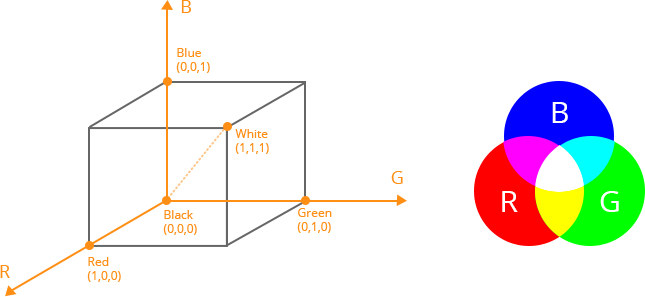
RGB color model stores individual values for red, green, and blue. It is an additive model. With a color space based on the RGB color model, the three primaries are added together to create colors from completely white to completely black.
The RGB color space is associated with the device. Thus, different scanners get different color image data when scanning the same image; different monitors have different color display results when rendering the same image.
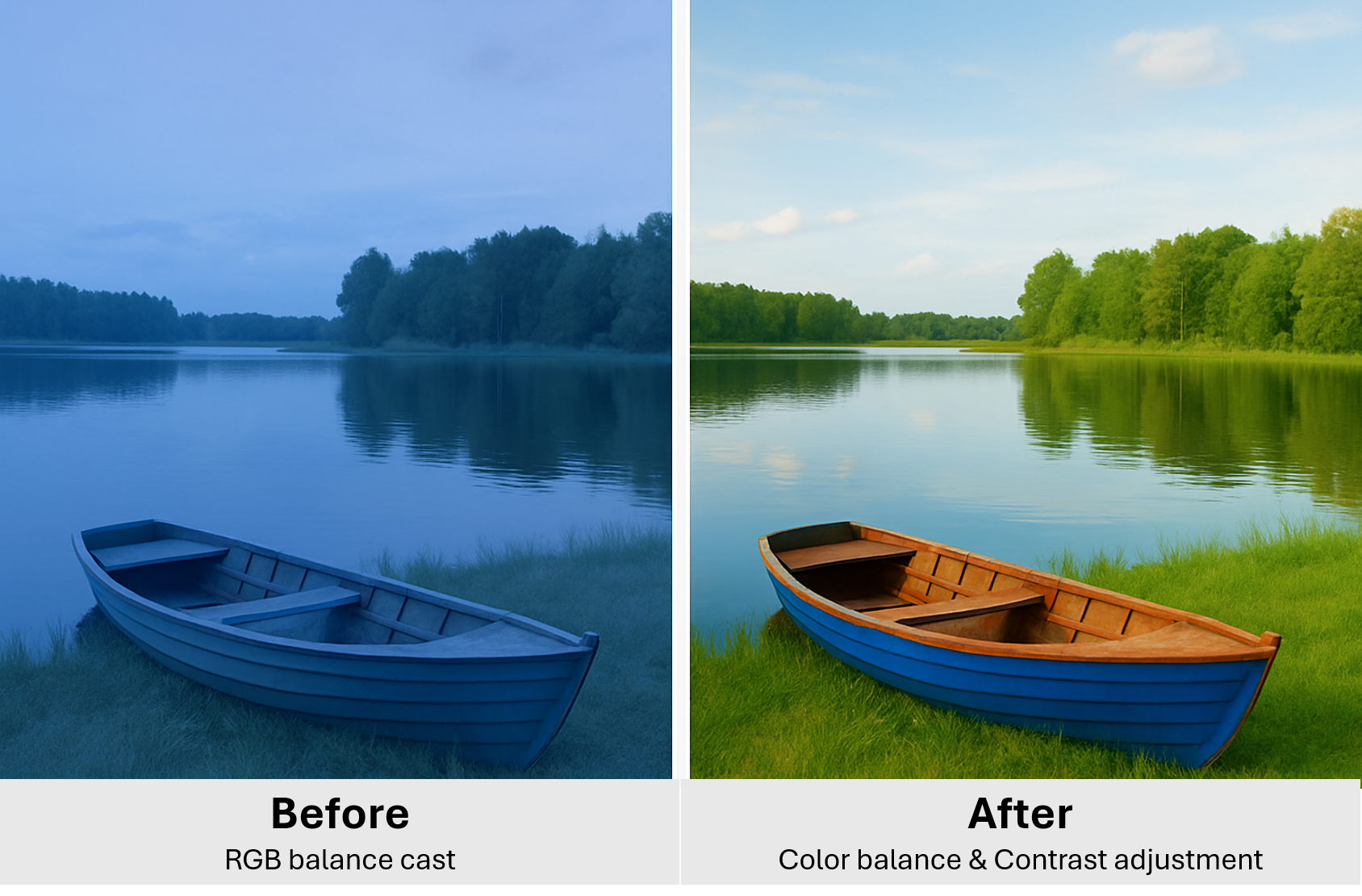
Color Correction and Enhancement Using RGB Model - Basic Color Balance and Contrast Adjustment in RGB
Here is a photo taken in the shade with a strong blue tint. To balance the color, we increased red and green channels slightly to balance out the blue and Contrast adjusted by using channel curves.
HSV /HSB (Hue, Saturation, Value/Brightness) Color Model
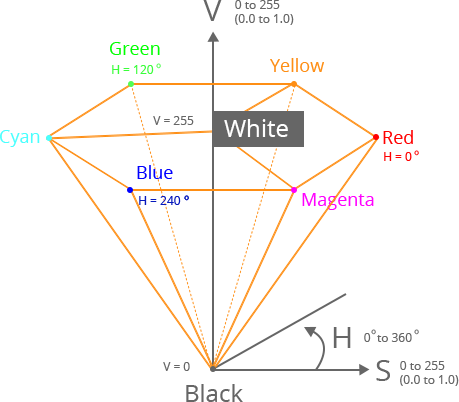
HSV (hue, saturation, value), also known as HSB (hue, saturation, brightness), is often used by artists because it is often more natural to think about a color in terms of hue and saturation than in terms of additive or subtractive color components.
The system is closer to people’s experience and perception of color than RGB. For example, in painting terms, hue, saturation, and values are expressed in terms of color, shading, and toning.
The HSV space is often visualized as a hexagonal cone or cylinder where Hue changes around the circle, Saturation increases from center outward and Value increases from bottom to top. It allows for intuitive color selection which is useful in segmentation, tracking, and filtering where color needs to be isolated from brightness.
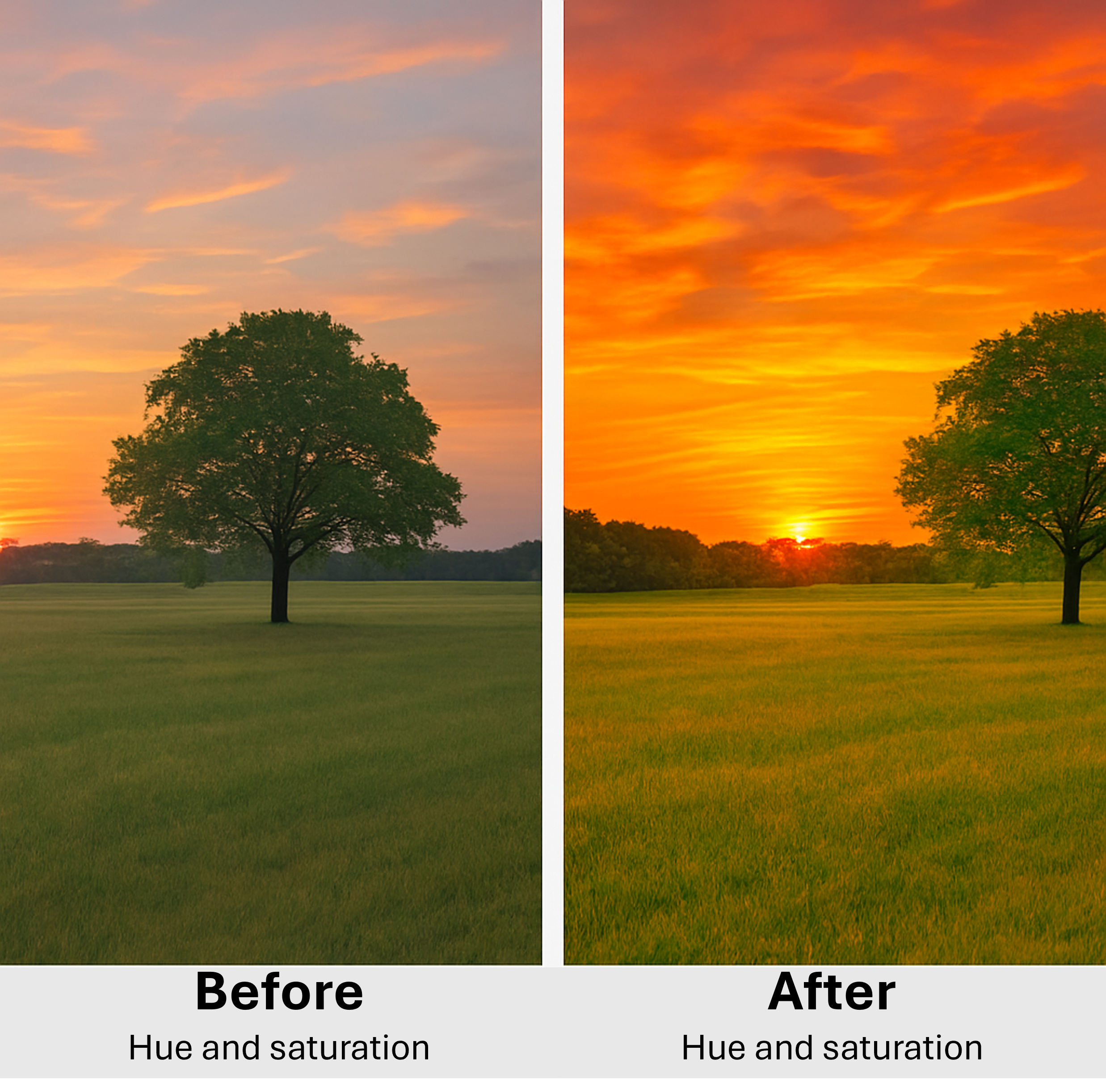
Color Correction and Enhancement Using HSV Model - Changing Hue and Saturation in An Image
In this example, we are making HSV-based enhancements in a Sunset color. The first photo shows a landscape with dull green grass and faded sky. To enhance the image, we shifted Hue slightly to make the sky more orange and boosted Saturation for grass to appear more vivid and increased Value for overall brightness.
YUV/Y’UV – Luma-Chroma Separation Color Model
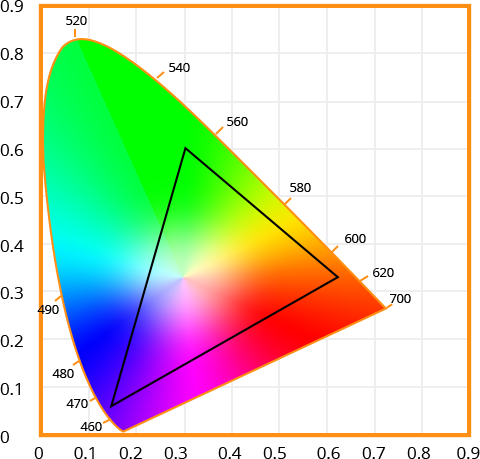
The Y′UV model defines a color space in terms of one luma component (Y’) and two chrominance (UV) components. The Y’ channel carries grayscale brightness information and is computed using a weighted sum of RGB values (Y’=0.299R +0.587G+0.114B). The U and V components encode color differences – U represents the blue projection, and V the red projection relative to the luma. This separation is particularly effective for video applications because the human eye is more sensitive to brightness than color. By storing color data at a lower resolution, it becomes possible to compress images and videos significantly without visibly degrading quality.
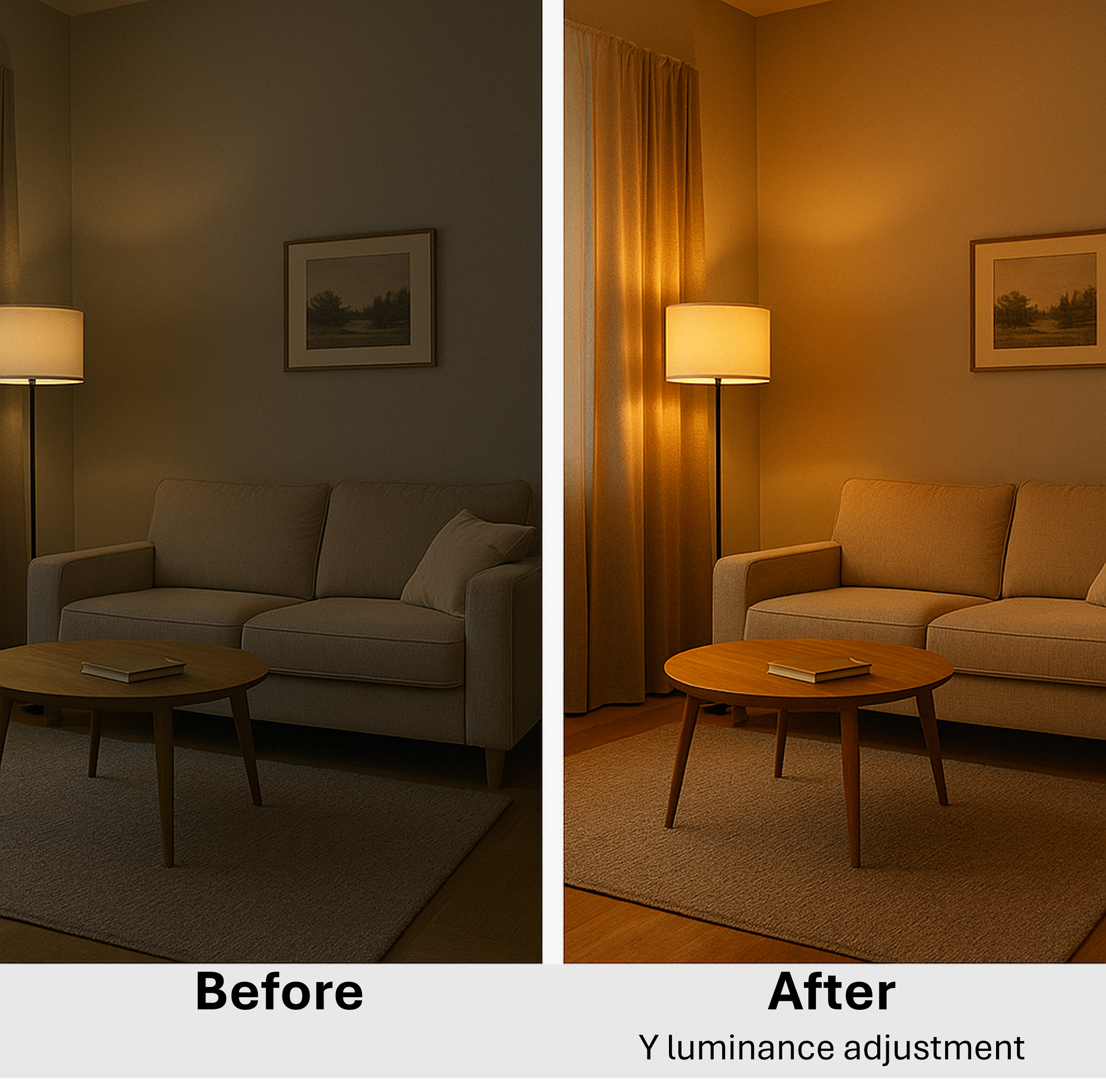
Color Correction and Enhancement Using YUV Model - Contrast Adjustment Without Affecting Color
This use-case shows how luminance correction improves visibility without making colors look unnatural. The original image was shot indoors with low-light, and it looks dull and flat. To make the enhancement, Y(Luma) contrast was stretched, Cb/Cr (color components) we kept unchanged to preserve the colors.
Application in Object Recognition and Segmentation
Color models play a pivotal role in object recognition and image segmentation. Models like HSV and YUV are preferred over RGB for such tasks due to their better separation of luminance and chromatic data.
In object detection, HSV is widely used because it enables robust color thresholding under varying lighting conditions – by isolating the hue, objects of the same color can be detected even if their brightness differs. For example, red traffic signs can be isolated by selecting a hue range near 0o regardless of the lighting.
YUV on the other hand, allows for efficient edge detection and object tracking by using the Y (luma) channel alone. This simplifies computations without compromising object outlines.
The Lab color model is also used in segmentation, especially when perceptual accuracy is important. Its separation of lightness from color components and perceptual uniformity make it effective for clustering-based segmentation methods. The ‘a’ and ‘b’ channels encode color in a way that aligns with human vision, helping algorithms detect subtle color differences more reliably. Lab models are often used in preprocessing for machine learning pipelines where consistent color-based features improve model performance.
Why Color Models Matter in Digital Image Processing
Color models are fundamental to how we represent, manipulate, and analyze images in both simple and advanced image processing workflows. Each model serves a unique purpose. Understanding when and why to use a specific model allows developers and researchers to build more accurate, efficient, and visually coherent image processing pipelines. Whether you’re enhancing image quality, performing color correction, or training neural network to detect objects, choosing the right color model can make a significant difference in outcome and performance.
To learn more about imaging fundamentals, read the first article in the Image Processing 101 Series: What is an Image. Subscribe to our newsletter and learn more about Image Processing.
Reference: Wikipedia
This article is Part 2 in a 7-Part Series.
- Part 1 - Image Processing 101 Chapter 1.1: What is an Image?
- Part 2 - Image Processing 101 Chapter 1.2: Understanding Color Models and Their Uses
- Part 3 - Color Space Conversion & Binarization for Image Processing
- Part 4 - Image Processing 101 Chapter 2.1: A Complete Guide to Enhancing Visual Quality
- Part 5 - Point Operations in Image Processing: A Beginner's Guide
- Part 6 - Image Smoothing & Sharpening in Image Processing using Spatial Filters
- Part 7 - Morphological Operations