


How to Build a Lightweight Flutter Camera Plugin for Desktop, Mobile, and Web
The official Flutter camera plugin ships Android, iOS, and web implementations. Windows, Linux, and macOS have never been part of that list, so a barcode scanner that has to run on all six Flutter targets cannot be built on the official plugin alone. flutter_lite_camera closes the gap with one Dart API backed by five native capture pipelines and one browser implementation: every platform renders the preview as a native texture, and captureFrame() returns a single RGB888 frame on demand when an image processing SDK needs pixels.
The plugin is published as flutter_lite_camera 0.2.3 and supports Windows, Linux, macOS, iOS, Android, and web. If you only want the scanning result, flutter pub add flutter_lite_camera plus the usage snippet from the README is enough. The rest of this tutorial builds the plugin and explains what each backend has to do differently.
This article is Part 6 in a 6-Part Series.
- Part 1 - How to Read Barcodes from a Linux Camera in C++ Without OpenCV
- Part 2 - C++ Windows Webcam Barcode Scanner Tutorial: Windows Media Foundation API and Dynamsoft SDK
- Part 3 - How to Build a macOS Camera Barcode Scanner in C++ Using AVFoundation
- Part 4 - How to Read Multiple Barcodes from a Camera Using Python and Dynamsoft Barcode Reader
- Part 5 - How to Build a Node.js Camera SDK and Barcode Scanner
- Part 6 - How to Build a Lightweight Flutter Camera Plugin for Desktop, Mobile, and Web
Flutter Multi-Barcode Scanner Demo
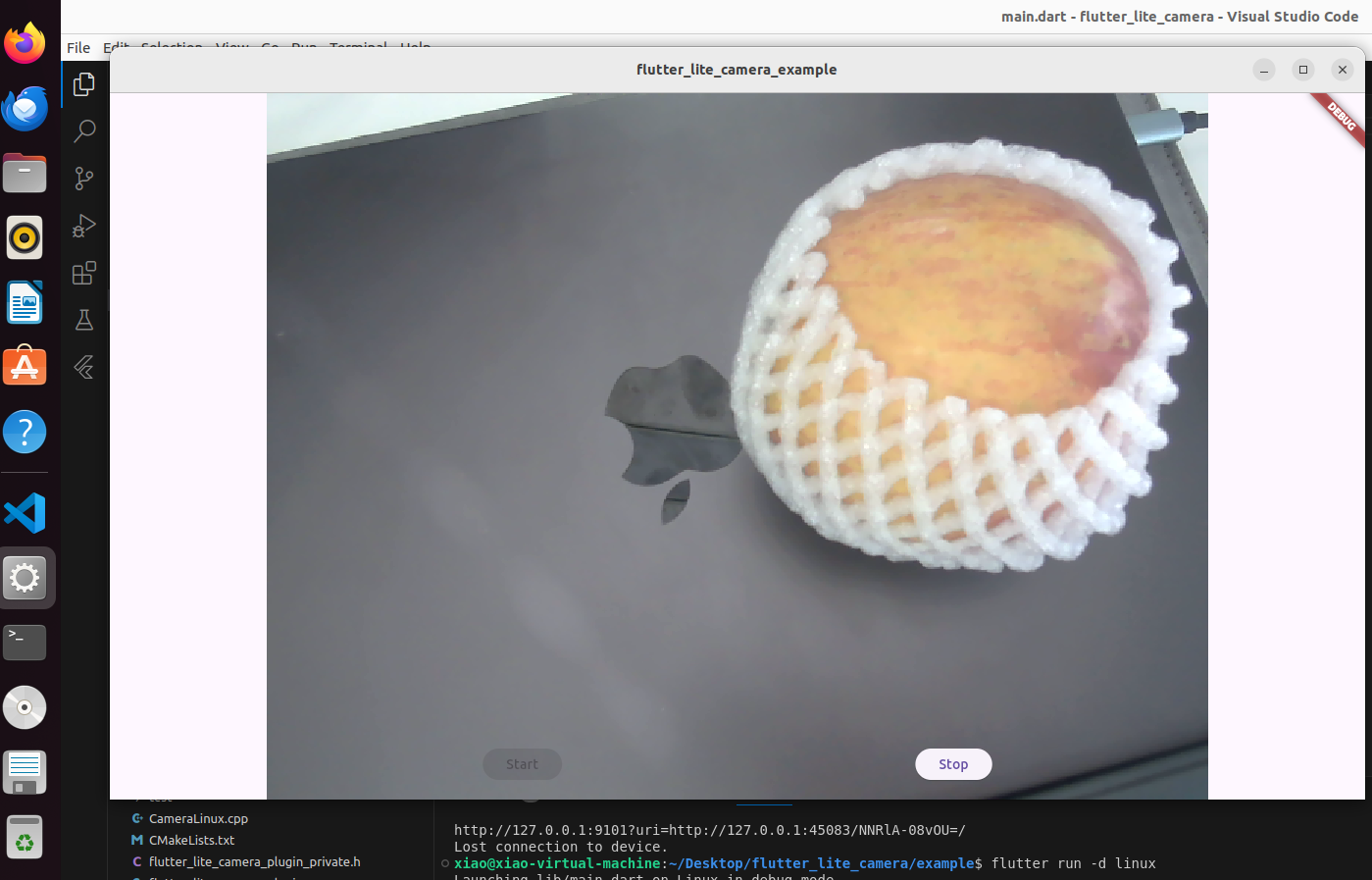
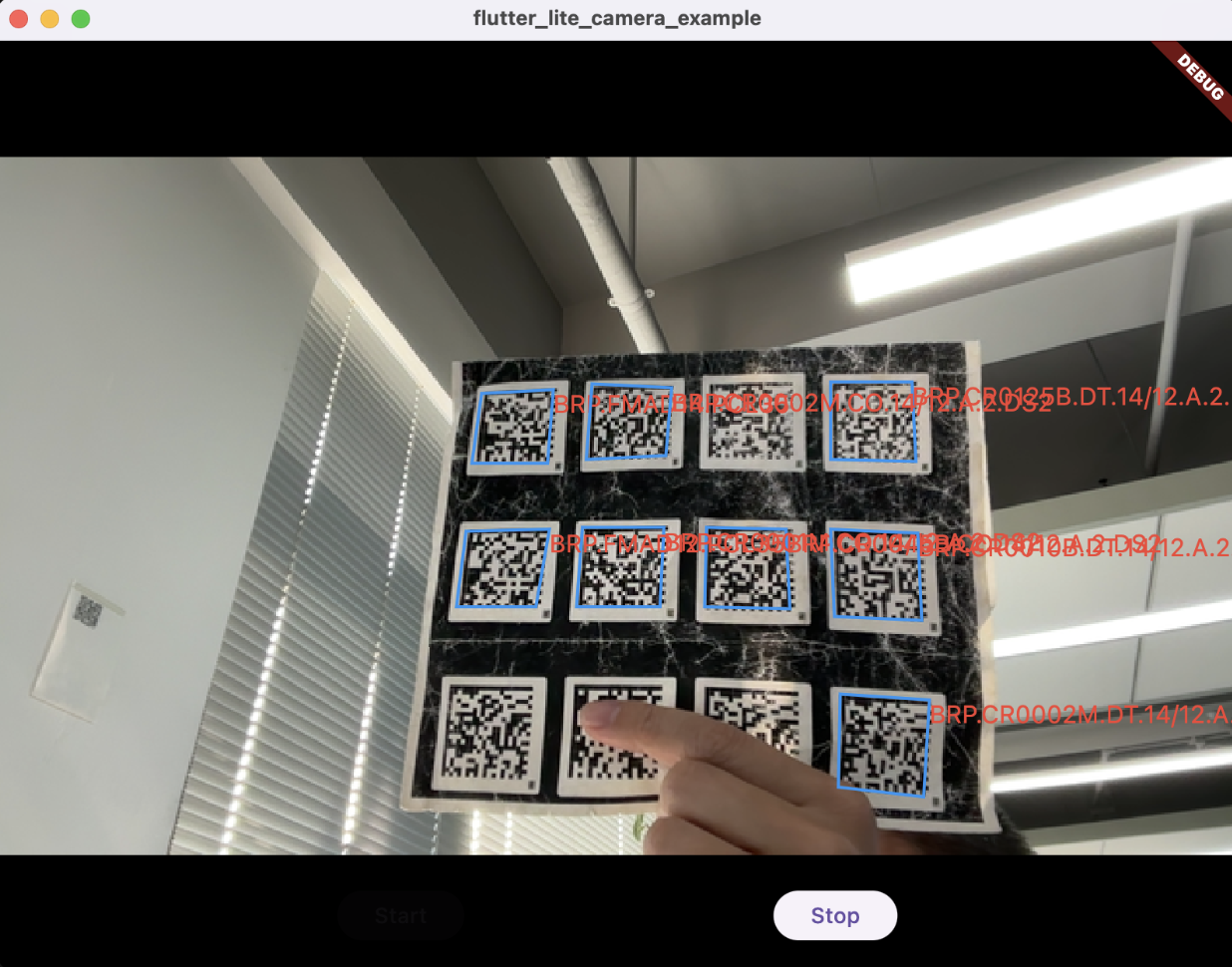
The recording above is the desktop build: the preview is a Flutter texture, and the Start/Stop buttons drive the native capture loop. The same lib/main.dart runs on Android, iOS, and the web without changes — only the preview widget differs, and buildPreview() selects it per platform.
Open the Flutter Camera Barcode Scanner demo to run this example in a browser: no install, camera permission only, and the hosted page activates without a license key.
Key Takeaways
- One Dart API —
getDeviceList,open,startPreview,buildPreview,captureFrame,setResolution,getRotation,release— works on all six Flutter targets. The officialcameraplugin covers Android, iOS, and web only. - The preview never crosses the platform channel: Windows and Linux push RGBA into a
FlutterTexture, Apple platforms hand a BGRACVPixelBuffertoFlutterTexture, Android uses an engineSurfaceTexture, and the web embeds thegetUserMediavideo element in a platform view. captureFrame()returns one RGB888 buffer together with the realwidthandheight. While a preview is running it reads a native frame cache, so decoding does not stall the video stream.- Resolution is negotiated, not dictated:
setResolution()and theResolutionPresetenum pick the closest mode the device supports, andgetWidth()/getHeight()report what was actually selected. - Rotation is handled in Dart:
getRotation()returns 0, 90, 180, or 270 to apply to the preview widget and to decoded coordinates. iOS phones typically report 90 in portrait, Android and desktop report 0. - Color handling is platform-specific: Apple backends read the pixel format the pipeline delivered, and Android exposes a
byteOrderparameter because some HALs swap the chroma planes.
Prerequisites
- Flutter 3.27 (Dart 3.6) or newer. Flutter 3.44 or newer is required when the host app enables Swift Package Manager for the iOS or macOS implementation.
- Windows: Visual Studio 2022 with the Desktop development with C++ workload.
- Linux: GTK 3 development headers plus the V4L2 kernel headers.
v4l2loopbackis handy for testing without a physical camera. - macOS / iOS: Xcode with a deployment target of macOS 10.11 or iOS 13.0.
- Android: minSdk 24, Camera2 API.
- A Dynamsoft Barcode Reader license for the decoding half of the demo: Get a 30-day free trial license.
One Plugin, Six Platforms
| Platform | Language | Preview path | captureFrame() source |
Permission handling |
|---|---|---|---|---|
| Windows | C++ (Media Foundation) | Native texture, RGBA pixel buffer | RGB frame cache, direct read when idle | — |
| Linux | C++ (V4L2) | Native texture, FlPixelBufferTexture |
RGB frame cache, direct read when idle | — |
| macOS | Swift (AVFoundation) | Native texture, BGRA CVPixelBuffer |
Latest pixel buffer | Entitlements + TCC prompt |
| iOS | Swift (AVFoundation) | Native texture, BGRA CVPixelBuffer |
Latest pixel buffer | Info.plist + requestAccess |
| Android | Kotlin (Camera2) | Engine SurfaceTexture |
Latest YUV_420_888 frame, converted and rotated |
Manifest + runtime request |
| Web | Dart (getUserMedia) |
Video element in a platform view | Canvas snapshot | Browser prompt (HTTPS) |
Two rules shape the whole design. First, display and processing are separate paths: the preview is a GPU-side texture that Flutter composites, and captureFrame() is an on-demand pull that copies pixels into Dart. Second, the plugin never guesses a resolution: the default target is 640x480, each platform negotiates the closest supported mode, and the actual size is always readable.
Scaffolding a Cross-Platform Flutter Plugin
Run the following command to create a plugin project with platform folders for all six targets:
flutter create --org com.example --template=plugin \
  --platforms=android,ios,linux,macos,windows,web flutter_lite_camera
The generated tree splits along language lines. Windows and Linux get C++ folders, macOS and iOS get Swift folders, Android gets Kotlin, and web is Dart-only — the browser implementation lives in lib/flutter_lite_camera_web.dart and is registered through flutter_web_plugins, so there is no web/ directory in a plugin.
The platform block in pubspec.yaml is what makes the plugin federated:
flutter:
  plugin:
    platforms:
      android:
        package: com.example.flutter_lite_camera
        pluginClass: FlutterLiteCameraPlugin
      ios:
        pluginClass: FlutterLiteCameraPlugin
      linux:
        pluginClass: FlutterLiteCameraPlugin
      macos:
        pluginClass: FlutterLiteCameraPlugin
      web:
        pluginClass: FlutterLiteCameraWeb
        fileName: flutter_lite_camera_web.dart
      windows:
        pluginClass: FlutterLiteCameraPluginCApi
Desktop code comes from the C++ litecam project: Camera.h is a small cross-platform capture class with Open, SetResolution, CaptureFrame, Release, and a StartCaptureLoop(callback) that forwards every frame as RGBA. Windows implements it with Media Foundation, Linux with V4L2. The two mobile platforms and the browser are written from scratch.
Designing a Camera API That Maps to Every Platform
The desktop-only version of this plugin needed six methods. Adding mobile and web support, plus runtime resolution control, brought the public surface to twelve:
| Method | Description |
|---|---|
getDeviceList() |
Returns the available camera names. On Android the string includes the lens facing; on iOS/macOS the localized device name. |
open(int index) |
Opens the camera at that index. Returns false for permission denial, a busy device, or an invalid index. |
startPreview() |
Starts the native preview and returns a texture id. |
buildPreview(textureId) |
Returns the preview widget: a Texture on native platforms, an HtmlElementView on the web. |
stopPreview() |
Stops the preview stream and releases the texture. |
captureFrame({int byteOrder = 2}) |
Captures one RGB888 frame plus its width and height. |
setResolution(int width, int height) |
Requests a capture size; the platform negotiates the closest supported mode. |
setResolutionPreset(ResolutionPreset preset) |
The same, using low, medium, high, veryHigh, ultraHigh, or max. |
getWidth() |
The actual negotiated width, in display orientation. |
getHeight() |
The actual negotiated height, in display orientation. |
getRotation() |
Clockwise degrees (0/90/180/270) to apply to the preview and to result coordinates. |
release() |
Releases the camera and every associated resource. |
The facade stays deliberately thin — every call is one line of delegation to the platform interface:
class FlutterLiteCamera {
  Future<List<String>> getDeviceList() {
    return FlutterLiteCameraPlatform.instance.getDeviceList();
  }

  Future<bool> open(int index) {
    return FlutterLiteCameraPlatform.instance.open(index);
  }

  Future<int> startPreview() {
    return FlutterLiteCameraPlatform.instance.startPreview();
  }

  Widget buildPreview(int textureId) {
    return FlutterLiteCameraPlatform.instance.buildPreview(textureId);
  }

  Future<void> stopPreview() {
    return FlutterLiteCameraPlatform.instance.stopPreview();
  }

  Future<Map<String, dynamic>> captureFrame({int byteOrder = 2}) {
    return FlutterLiteCameraPlatform.instance.captureFrame(byteOrder: byteOrder);
  }

  Future<bool> setResolution(int width, int height) {
    return FlutterLiteCameraPlatform.instance.setResolution(width, height);
  }

  Future<bool> setResolutionPreset(ResolutionPreset preset) {
    return FlutterLiteCameraPlatform.instance.setResolutionPreset(preset);
  }

  Future<int> getWidth() {
    return FlutterLiteCameraPlatform.instance.getWidth();
  }

  Future<int> getHeight() {
    return FlutterLiteCameraPlatform.instance.getHeight();
  }

  Future<int> getRotation() {
    return FlutterLiteCameraPlatform.instance.getRotation();
  }

  Future<void> release() {
    return FlutterLiteCameraPlatform.instance.release();
  }
}
Resolution targets are an enum, so callers do not have to remember pixel pairs:
enum ResolutionPreset {
  low(320, 240),
  medium(640, 480),
  high(1280, 720),
  veryHigh(1920, 1080),
  ultraHigh(3840, 2160),
  max(7680, 4320);

  const ResolutionPreset(this.width, this.height);

  final int width;
  final int height;
}
Three design decisions are worth calling out because they leak into every backend:
buildPreview()instead of a rawTexture. Native platforms returnTexture(textureId: id), but the browser has no texture registry — it hosts the<video>element in a platform view. Returning a widget keeps that difference inside the plugin.getRotation()instead of rotating pixels. Rotating a 1080p RGBA buffer every frame on the CPU is wasteful. The plugin reports the angle and Dart rotates the widget, which the compositor does for free.byteOrderonly on Android. Android’sYUV_420_888layout is not consistent across HALs, so the conversion exposes the channel arrangement: 0=RGB, 1=RBG, 2=GRB, 3=GBR, 4=BRG, 5=BGR. The default, 2, is the value verified against on-device reference colors.
Rendering the Preview Without Crossing the Platform Channel
All five native backends implement the same contract: the capture thread writes into a buffer the engine samples, and a “frame available” notification tells Flutter to re-composite. The mechanism differs per platform, so each section below shows only the part that is unique.
Windows
-
Copy
Camera.handCameraWindows.cppfrom thelitecamproject into thewindowsfolder. -
Add the source files and link the Media Foundation libraries in
CMakeLists.txt:add_library(${PLUGIN_NAME} SHARED "include/flutter_lite_camera/flutter_lite_camera_plugin_c_api.h" "flutter_lite_camera_plugin_c_api.cpp" "CameraWindows.cpp" "texture_handler.cpp" "texture_handler.h" ${PLUGIN_SOURCES} ) target_link_libraries(${PLUGIN_NAME} PRIVATE flutter flutter_wrapper_plugin) target_link_libraries(${PLUGIN_NAME} PRIVATE ole32 uuid mfplat mf mfreadwrite mfuuid) -
Wrap a
flutter::PixelBufferTexturein aTextureHandler. The capture thread pushes RGBA withUpdateBuffer(), and the raster thread pulls through the pixel-buffer callback. The buffer mutex is handed to Flutter through the release callback, so the source buffer stays valid until the rasterizer is done with it:class TextureHandler { public: explicit TextureHandler(flutter::TextureRegistrar *texture_registrar) : texture_registrar_(texture_registrar) {} ~TextureHandler(); int64_t RegisterTexture(); void UnregisterTexture(); bool TextureRegistered() const { return texture_id_ >= 0; } int64_t texture_id() const { return texture_id_; } // Called from the camera capture thread with RGBA8888 data. void UpdateBuffer(const unsigned char *rgbaData, int width, int height); private: flutter::TextureRegistrar *texture_registrar_; int64_t texture_id_ = -1; std::unique_ptr<flutter::TextureVariant> texture_; std::unique_ptr<FlutterDesktopPixelBuffer> flutter_desktop_pixel_buffer_; std::mutex buffer_mutex_; std::vector<unsigned char> source_buffer_; // RGBA8888 uint32_t frame_width_ = 0; uint32_t frame_height_ = 0; }; -
Handle
startPreviewby registering the texture and starting the capture loop. Desktop backends report0for rotation, because the camera is already exposed in window orientation:else if (method_call.method_name().compare("startPreview") == 0) { if (camera->IsStreaming() && texture_handler_ && texture_handler_->TextureRegistered()) { result->Success(flutter::EncodableValue(texture_handler_->texture_id())); return; } texture_handler_ = std::make_unique<TextureHandler>(texture_registrar_); int64_t texture_id = texture_handler_->RegisterTexture(); if (texture_id < 0) { texture_handler_ = nullptr; result->Error("TextureError", "Failed to register texture"); return; } TextureHandler *handler = texture_handler_.get(); bool started = camera->StartCaptureLoop( [handler](const unsigned char *rgbaData, int width, int height) { handler->UpdateBuffer(rgbaData, width, height); }); if (!started) { texture_handler_ = nullptr; result->Error("CameraError", "Failed to start preview. Is the camera open?"); return; } result->Success(flutter::EncodableValue(texture_id)); } else if (method_call.method_name().compare("getWidth") == 0) { int width = camera->frameWidth; result->Success(flutter::EncodableValue(width)); } else if (method_call.method_name().compare("getRotation") == 0) { // Desktop cameras are exposed in landscape window orientation; no // rotation is needed. result->Success(flutter::EncodableValue(0)); }
Linux
-
Copy
Camera.handCameraLinux.cppinto thelinuxfolder and add acamera_texture.cc/camera_texture.hpair for the pixel-buffer texture. -
Register the sources and link GTK:
list(APPEND PLUGIN_SOURCES "flutter_lite_camera_plugin.cc" "camera_texture.cc" "camera_texture.h" ) add_library(${PLUGIN_NAME} SHARED "CameraLinux.cpp" ${PLUGIN_SOURCES} ) target_link_libraries(${PLUGIN_NAME} PRIVATE flutter) target_link_libraries(${PLUGIN_NAME} PRIVATE PkgConfig::GTK) -
The texture is a
FlPixelBufferTexturewith a double buffer, so the capture thread can overwrite the latest frame while Flutter is still reading the previous one:struct CameraTextureBuffer { std::mutex mutex; std::vector<uint8_t> latest; // Written by the capture thread, RGBA8888 std::vector<uint8_t> present; // Handed to Flutter in copy_pixels uint32_t width = 0; uint32_t height = 0; bool has_frame = false; }; // Thread-safe; called from the camera capture thread. void camera_texture_update_frame(CameraTexture *texture, const uint8_t *rgba, uint32_t width, uint32_t height); -
fl_texture_registrar_mark_texture_frame_availablemust run on the main thread, but frames arrive on the capture thread, so the callback hops throughg_idle_add. The atomic flag coalesces bursts — at 60 fps there is no point queuing sixty idle callbacks per second:static gboolean mark_frame_available_cb(gpointer user_data) { FlutterLiteCameraPlugin *self = FLUTTER_LITE_CAMERA_PLUGIN(user_data); if (self->texture_registrar != nullptr && self->texture != nullptr) { fl_texture_registrar_mark_texture_frame_available(self->texture_registrar, FL_TEXTURE(self->texture)); } g_atomic_int_set(&self->mark_pending, 0); return G_SOURCE_REMOVE; } bool started = self->camera->StartCaptureLoop( [plugin](const unsigned char *rgbaData, int width, int height) { camera_texture_update_frame(plugin->texture, rgbaData, static_cast<uint32_t>(width), static_cast<uint32_t>(height)); if (g_atomic_int_compare_and_exchange(&plugin->mark_pending, 0, 1)) { g_idle_add(mark_frame_available_cb, plugin); } }); -
Stop in the right order. Join the capture thread first, then unregister the texture, otherwise a frame callback can fire against a disposed
GObject:static void stop_preview(FlutterLiteCameraPlugin *self) { // Join the capture thread first so no frame callback can run while the // texture is being torn down. self->camera->StopCaptureLoop(); if (self->texture_registrar != nullptr && self->texture != nullptr) { fl_texture_registrar_unregister_texture(self->texture_registrar, FL_TEXTURE(self->texture)); self->texture_id = -1; } g_clear_object(&self->texture); }
macOS and iOS
Both Apple platforms run the same AVFoundation pipeline. macOS is the simpler of the two, so the excerpts below come from it, and the iOS differences follow at the end of this section.
-
Configure the session, pick the closest format to the requested resolution, and request BGRA output:
// Inside open(cameraIndex:), which runs in a do/catch block. let input = try AVCaptureDeviceInput(device: self.captureDevice!) self.captureSession = AVCaptureSession() self.captureSession?.beginConfiguration() if self.captureSession?.canAddInput(input) == true { self.captureSession?.addInput(input) } else { print("Cannot add input to session.") return false } // Pick the format closest to the requested resolution if let format = self.captureDevice?.formats.min(by: { let d0 = CMVideoFormatDescriptionGetDimensions($0.formatDescription) let d1 = CMVideoFormatDescriptionGetDimensions($1.formatDescription) return abs(Int(d0.width) - self.frameWidth) + abs(Int(d0.height) - self.frameHeight) < abs(Int(d1.width) - self.frameWidth) + abs(Int(d1.height) - self.frameHeight) }) { try self.captureDevice?.lockForConfiguration() self.captureDevice?.activeFormat = format self.captureDevice?.unlockForConfiguration() } self.videoOutput = AVCaptureVideoDataOutput() self.videoOutput?.videoSettings = [ kCVPixelBufferPixelFormatTypeKey as String: kCVPixelFormatType_32BGRA ] self.videoOutput?.alwaysDiscardsLateVideoFrames = true self.captureSession?.addOutput(self.videoOutput!) self.videoOutput?.setSampleBufferDelegate( self, queue: DispatchQueue.global(qos: .userInteractive)) self.captureSession?.commitConfiguration() self.captureSession?.startRunning() -
The texture is a
FlutterTexturethat retains the latestCVPixelBuffer. Because the buffer is already BGRA — a format Flutter samples natively — the preview path performs no conversion at all:class CameraTexture: NSObject, FlutterTexture { private var pixelBuffer: CVPixelBuffer? private let lock = NSLock() /// Called on the Flutter raster thread. The returned buffer must be /// retained; Flutter releases it when done. func copyPixelBuffer() -> Unmanaged<CVPixelBuffer>? { lock.lock() defer { lock.unlock() } guard let buffer = pixelBuffer else { return nil } return Unmanaged.passRetained(buffer) } /// Called on the camera capture queue. func update(_ buffer: CVPixelBuffer) { lock.lock() pixelBuffer = buffer lock.unlock() } } -
Both
CameraManagerimplementations expose a rotation angle, but only the iOS plugin forwards it — macOS reports 0, since external displays and built-in laptop cameras do not rotate. The sensor is physically landscape, so a phone held in portrait needs 90 degrees:func rotationDegrees() -> Int { let sensor = sensorOrientationDegrees() let device = deviceOrientationDegrees() return (sensor - device + 360) % 360 } -
Add the frameworks to the podspec.
AVFoundationcaptures,CoreMediacarries the sample buffers,CoreVideoowns the pixel buffers:s.frameworks = ['AVFoundation', 'CoreMedia', 'CoreVideo'] -
On iOS, three things differ from macOS. The plugin uses
registrar.messenger()andregistrar.textures()as methods rather than properties.open()requests permission first and always answers on the main queue. AndstartRunning()blocks until the first frame arrives, so it must not run on the main thread:func open(cameraIndex: Int, completion: @escaping (Bool) -> Void) { switch AVCaptureDevice.authorizationStatus(for: .video) { case .authorized: doOpen(cameraIndex: cameraIndex, completion: completion) case .notDetermined: AVCaptureDevice.requestAccess(for: .video) { granted in DispatchQueue.main.async { if granted { self.doOpen(cameraIndex: cameraIndex, completion: completion) } else { completion(false) } } } default: DispatchQueue.main.async { completion(false) } } } // startRunning blocks until the first frame arrives, so it must never run // on the main thread on iOS. DispatchQueue.global(qos: .userInitiated).async { session.startRunning() DispatchQueue.main.async { completion(true) } }
Android
Camera2 needs two outputs in one session: the engine’s SurfaceTexture for the preview, and a YUV_420_888 ImageReader that keeps the latest frame for captureFrame(). Both live in the same repeating request, so pulling a frame never interrupts the preview.
-
Create the
SurfaceTexturefrom Flutter’s texture registry and attach it to the camera thatopen()already started:"startPreview" -> { synchronized(this) { val registry = textureRegistry if (registry == null) { result.error("TEXTURE_ERROR", "Texture registry unavailable", null) return } val entry = registry.createSurfaceTexture() if (!manager.startPreview(entry.surfaceTexture())) { entry.release() result.error( "CAMERA_ERROR", "Failed to start preview. Is the camera open?", null, ) return } surfaceTextureEntry = entry result.success(entry.id()) } } -
Build the session around the available surfaces. A
Surfacewrapper is kept per texture and released when the texture changes, so repeated resolution switches do not leak oneSurfaceper call:private fun buildSession(device: CameraDevice, onConfigured: (Boolean) -> Unit) { val texture = previewSurfaceTexture if (texture !== bgPreviewTexture) { try { bgPreviewSurface?.release() } catch (ignored: Exception) {} bgPreviewSurface = texture?.let { Surface(it) } bgPreviewTexture = texture } val outputs = mutableListOf<Surface>() bgPreviewSurface?.let { outputs.add(it) } imageReader?.surface?.let { outputs.add(it) } device.createCaptureSession(outputs, object : CameraCaptureSession.StateCallback() { override fun onConfigured(session: CameraCaptureSession) { captureSession = session val request = device.createCaptureRequest(CameraDevice.TEMPLATE_PREVIEW) for (surface in outputs) request.addTarget(surface) request.set(CaptureRequest.CONTROL_MODE, CameraMetadata.CONTROL_MODE_AUTO) session.setRepeatingRequest(request.build(), null, backgroundHandler) onConfigured(true) } override fun onConfigureFailed(session: CameraCaptureSession) { onConfigured(false) } }, backgroundHandler) } -
Convert the cached YUV frame with BT.601 full-range integer math, honoring row and pixel strides so planar and semi-planar layouts both work. The rotation is applied while writing, which is why the returned frame matches the on-screen preview:
// The HAL's plane order is not reliable, so the chroma roles are // exchanged and the pixels are written in GRB order — a combination // verified against on-device reference colors. val uData = v val vData = u val rotation = previewRotationDegrees() val outW = if (rotation % 180 == 90) h else w val outH = if (rotation % 180 == 90) w else h val rgb = ByteArray(w * h * 3) for (row in 0 until h) { val chromaRow = row / 2 val uRow = chromaRow * uRowStride val vRow = chromaRow * vRowStride var yCol = row * yRs for (col in 0 until w) { val chromaCol = col / 2 val cn = minOf(uRow + chromaCol * uPixelStride, uData.size - 1) val cb = minOf(vRow + chromaCol * vPixelStride, vData.size - 1) val yv = y[yCol++].toInt() and 0xFF val cv = (vData[cb].toInt() and 0xFF) - 128 val cu = (uData[cn].toInt() and 0xFF) - 128 // BT.601 full-range YUV -> RGB, fixed point (<<16 scale): // R = Y + 1.402*V, G = Y - 0.344*U - 0.714*V, B = Y + 1.772*U. var r = yv + ((cv * 91881) shr 16) var g = yv - ((cu * 22554 + cv * 46802) shr 16) var b = yv + ((cu * 116130) shr 16) if (r < 0) r = 0 else if (r > 255) r = 255 if (g < 0) g = 0 else if (g > 255) g = 255 if (b < 0) b = 0 else if (b > 255) b = 255 // Write to the rotated destination position so the frame matches // the on-screen preview orientation. val dst = when (rotation) { 90 -> (col * outW + (h - 1 - row)) * 3 180 -> ((h - 1 - row) * outW + (w - 1 - col)) * 3 270 -> ((w - 1 - col) * outW + row) * 3 else -> (row * outW + col) * 3 } rgb[dst] = g.toByte() rgb[dst + 1] = r.toByte() rgb[dst + 2] = b.toByte() } } -
Declare the permission in the host app. The plugin requests it at runtime from
open(), and a denial is reported as a plainfalse— the same contract as every other platform:<uses-permission android:name="android.permission.CAMERA"/>
Web
The browser has neither a texture registry nor a native capture API, so the web implementation swaps both halves: the preview is an HtmlElementView hosting the <video> element, and captureFrame() draws that element into an offscreen canvas.
final deviceId = _videoDevices[index].deviceId;
final constraints = dom.MediaStreamConstraints(
  video: dom.MediaTrackConstraints(deviceId: deviceId.toJS),
  audio: false.toJS,
);

_stream = await dom.window.navigator.mediaDevices.getUserMedia(constraints).toDart;

_videoElement = dom.HTMLVideoElement()
  ..autoplay = true
  ..muted = true
  ..setAttribute('playsinline', '')
  ..srcObject = _stream;
startPreview() registers a view factory and returns an id that buildPreview() maps back to the view type. Because autoplay can be rejected before a user gesture, play() is retried when the preview starts:
// Inside startPreview(): wrap the video element so the platform view fills
// its slot, and remember the view type for buildPreview().
final viewType = 'flutter_lite_camera_$id';
_viewTypes[id] = viewType;

final wrapper = dom.HTMLDivElement()
  ..style.width = '100%'
  ..style.height = '100%'
  ..style.overflow = 'hidden'
  ..append(element);
ui_web.platformViewRegistry.registerViewFactory(viewType, (_) => wrapper);
return id;
Capturing a frame is a canvas read followed by dropping the alpha channel:
final canvas = dom.HTMLCanvasElement()
  ..width = width
  ..height = height;
final context = canvas.context2D;
context.drawImage(element, 0, 0, width.toDouble(), height.toDouble());

final rgba = context.getImageData(0, 0, width, height).data.toDart;

final rgb = Uint8List(width * height * 3);
for (var src = 0, dst = 0; dst < rgb.length; src += 4, dst += 3) {
  rgb[dst] = rgba[src];
  rgb[dst + 1] = rgba[src + 1];
  rgb[dst + 2] = rgba[src + 2];
}
Resolution switching maps to applyConstraints, which the browser treats as an ideal — the same closest-match negotiation the native backends implement:
await tracks.first.applyConstraints(
    dom.MediaTrackConstraints(width: width.toJS, height: height.toJS)).toDart;
Step 1: Open the Camera and Read the Negotiated Size
Never hard-code 640x480 in the app. open() negotiates a starting mode, getWidth()/getHeight() report what the device actually gave you, and every captureFrame() repeats the size with the pixels:
final FlutterLiteCamera _camera = FlutterLiteCamera();
int _textureId = -1;
int _width = 0;
int _height = 0;
int _rotation = 0;
bool _isCameraOpened = false;

Future<void> _startCamera() async {
  try {
    List<String> devices = await _camera.getDeviceList();
    if (devices.isEmpty) {
      debugPrint('No camera devices found.');
      return;
    }
    if (!await _camera.open(0)) {
      // false = permission denied or the device is busy.
      debugPrint('Failed to open the camera.');
      return;
    }

    int textureId = await _camera.startPreview();
    int rotation = await _camera.getRotation();
    int width = await _camera.getWidth();
    int height = await _camera.getHeight();

    setState(() {
      _isCameraOpened = true;
      _textureId = textureId;
      _rotation = rotation;
      if (width > 0 && height > 0) {
        _width = width;
        _height = height;
      }
    });
  } catch (e) {
    debugPrint('Error initializing camera: $e');
  }
}
Step 2: Keep the Preview Upright and Correctly Cropped
Two independent problems meet in the preview widget. The texture may need rotating, and the frame aspect ratio rarely matches the window. RotatedBox handles the first at composite time, and the LayoutBuilder handles the second by letterboxing instead of stretching:
@override
Widget build(BuildContext context) {
  return Scaffold(
    body: Stack(
      children: [
        if (_textureId >= 0)
          LayoutBuilder(
            builder: (context, constraints) {
              final frameWidth = _width > 0 ? _width : 4;
              final frameHeight = _height > 0 ? _height : 3;
              final rotated = _rotation % 180 == 90;
              // A 90/270 degree rotation turns the displayed frame portrait,
              // so the aspect ratio flips.
              final imageAspectRatio = rotated
                  ? frameHeight / frameWidth
                  : frameWidth / frameHeight;
              final screenAspectRatio =
                  constraints.maxWidth / constraints.maxHeight;

              double drawWidth, drawHeight;
              if (imageAspectRatio > screenAspectRatio) {
                drawWidth = constraints.maxWidth;
                drawHeight = constraints.maxWidth / imageAspectRatio;
              } else {
                drawHeight = constraints.maxHeight;
                drawWidth = constraints.maxHeight * imageAspectRatio;
              }

              return Center(
                child: SizedBox(
                  width: drawWidth,
                  height: drawHeight,
                  child: Stack(
                    children: [
                      // Rotate only the widget — never the native pixels.
                      RotatedBox(
                        quarterTurns: (_rotation ~/ 90) % 4,
                        child: _camera.buildPreview(_textureId),
                      ),
                      // Overlay goes here (Step 5).
                    ],
                  ),
                ),
              );
            },
          )
        else
          const Center(child: Text('Camera not initialized')),
      ],
    ),
  );
}
Step 3: Switch Resolution at Runtime
Changing the resolution mid-stream rebuilds the capture session on the native side, so the sequence matters: request the size, then read the size back, then update your aspect ratio state. The device may quietly choose something else:
Future<void> _applyResolution(ResolutionPreset preset) async {
  setState(() => _preset = preset);
  bool ok = await _camera.setResolutionPreset(preset);
  if (!ok) {
    debugPrint('setResolutionPreset($preset) failed.');
    return;
  }
  int width = await _camera.getWidth();
  int height = await _camera.getHeight();
  if (width > 0 && height > 0) {
    setState(() {
      _width = width;
      _height = height;
    });
  }
}
A preset picker in the UI is then a dropdown over ResolutionPreset.values. On an older laptop, ultraHigh and max will silently land on 1280x720 or 1920x1080 — which is exactly why getWidth() exists.
Step 4: Decode Barcodes from Captured Frames
Add the barcode SDK and initialize it once:
flutter pub add flutter_barcode_sdk
FlutterBarcodeSdk? _barcodeReader;

Future<void> initBarcodeSDK() async {
  _barcodeReader = FlutterBarcodeSdk();
  await _barcodeReader!.setLicense(licenseKey);
  await _barcodeReader!.init();
}
The decode loop pulls a frame, decodes it, and schedules itself again. Because captureFrame() reads a cache instead of pausing the stream, the preview keeps running at full frame rate while this loop works:
Future<void> _decodeFrames() async {
  if (!_isCameraOpened || !_shouldDecode) return;

  if (!isDecoding && _barcodeReader != null) {
    isDecoding = true;
    try {
      Map<String, dynamic> frame = await _camera.captureFrame();
      if (frame.containsKey('data')) {
        _width = frame['width'];
        _height = frame['height'];
        Uint8List rgbBuffer = frame['data'];

        final ret = await _barcodeReader!.decodeImageBuffer(
          rgbBuffer,
          _width,
          _height,
          _width * 3,
          ImagePixelFormat.IPF_RGB_888.index,
          ImageRotation.rotation0.value,
        );

        setState(() => results = ret);
      }
    } catch (e) {
      // No frame available yet.
    }
    isDecoding = false;
  }

  if (_shouldDecode) {
    Future.delayed(const Duration(milliseconds: 30), _decodeFrames);
  }
}
Note the isDecoding guard. A decode call can outlast the 30 ms interval, and without the flag the loop would queue work faster than it can complete.
Step 5: Draw Results Over the Rotated Preview
Barcode coordinates arrive in frame space. When the preview is rotated, those coordinates must be rotated with it, and the scale factors differ per axis after a 90-degree turn:
class ResultPainter extends CustomPainter {
  final List<BarcodeResult> results;
  final int srcWidth;
  final int srcHeight;
  final double drawWidth;
  final double drawHeight;
  final int rotation;

  ResultPainter(
    this.results, {
    required this.srcWidth,
    required this.srcHeight,
    required this.drawWidth,
    required this.drawHeight,
    required this.rotation,
  });

  Offset _transform(double x, double y) {
    final q = (rotation ~/ 90) % 4;
    switch (q) {
      case 1: // 90 degrees clockwise
        final nx = srcHeight - y;
        final ny = x;
        return Offset(nx * drawWidth / srcHeight, ny * drawHeight / srcWidth);
      case 2: // 180 degrees
        final nx = srcWidth - x;
        final ny = srcHeight - y;
        return Offset(nx * drawWidth / srcWidth, ny * drawHeight / srcHeight);
      case 3: // 270 degrees clockwise
        final nx = y;
        final ny = srcWidth - x;
        return Offset(nx * drawWidth / srcHeight, ny * drawHeight / srcWidth);
      default:
        return Offset(x * drawWidth / srcWidth, y * drawHeight / srcHeight);
    }
  }

  @override
  void paint(Canvas canvas, Size size) {
    if (results.isEmpty) return;
    final boxPaint = Paint()
      ..color = Colors.blue
      ..style = PaintingStyle.stroke
      ..strokeWidth = 2;

    for (var result in results) {
      final a = _transform(result.x1.toDouble(), result.y1.toDouble());
      final b = _transform(result.x2.toDouble(), result.y2.toDouble());
      final c = _transform(result.x3.toDouble(), result.y3.toDouble());
      final d = _transform(result.x4.toDouble(), result.y4.toDouble());

      canvas.drawPath(
        Path()
          ..moveTo(a.dx, a.dy)
          ..lineTo(b.dx, b.dy)
          ..lineTo(c.dx, c.dy)
          ..lineTo(d.dx, d.dy)
          ..close(),
        boxPaint,
      );

      final textPainter = TextPainter(
        text: TextSpan(
          text: result.text,
          style: const TextStyle(color: Colors.red, fontSize: 16),
        ),
        textDirection: TextDirection.ltr,
      )..layout();
      textPainter.paint(canvas, a);
    }
  }

  @override
  bool shouldRepaint(covariant CustomPainter oldDelegate) => true;
}
Common Issues & Edge Cases
- Green or purple tint on macOS. Virtual and third-party cameras sometimes ignore the requested BGRA video setting. Since 0.2.2 the Apple backends read
CVPixelBufferGetPixelFormatTypeand unpack32BGRA,32RGBA, or32ARGBaccordingly instead of assuming BGRA. - Blue objects render pink on Android. Two bugs stack here: the chroma planes must be read with their roles exchanged, and the output must be written in GRB order. That is why the default
byteOrderis 2. If one device still looks wrong, try another order before touching the math. - Overlay boxes drift after a resolution change. The overlay divides by
_width/_height; both must be refreshed fromgetWidth()/getHeight()after everysetResolution()call, because the device may have chosen a different mode. - iOS preview appears sideways.
getRotation()returns 90 on a phone in portrait. Apply it withRotatedBoxand to the result coordinates — do not rotate the pixel buffer. - Android overlay is offset by 90 degrees. The opposite problem: Android frames arrive already rotated to match the preview, so
getRotation()is typically 0 and applying it again would double-rotate. open()returnsfalse. On macOS the entitlements key is missing; on iOS the user denied camera access; on Android the manifest declaration is missing or another app holds the device; on an emulator the AVD has no camera configured.- Blank preview on the web.
getUserMediarequires HTTPS orlocalhost, and autoplay needs a user gesture.startPreview()retriesplay()for exactly this reason. setResolution()returnsfalse. No camera is open. Open the device first, then set the size.
Common Developer Questions
Which platforms does the official Flutter camera plugin support?
The official camera plugin ships Android, iOS, and web implementations. Windows, Linux, and macOS require a community package or a custom plugin, which is why flutter_lite_camera implements all six targets with a single Dart API.
Why does captureFrame() exist when the preview is already a texture?
The texture lives on the GPU and is consumed by Flutter’s compositor; an image processing SDK needs CPU-addressable bytes. captureFrame() copies one frame into an RGB888 buffer on demand, while the preview keeps running from the native cache.
How do I get correct colors from Android frames?
Call captureFrame(byteOrder: n) where n is 0=RGB, 1=RBG, 2=GRB, 3=GBR, 4=BRG, 5=BGR. The default, 2, is verified against on-device reference colors and covers most devices; a few HALs lay out their chroma planes differently and need another value.
Does setResolution() fail when the exact size is unsupported?
No. Every backend selects the closest supported mode and reports the result through getWidth()/getHeight() and each captureFrame() payload. It returns false only when no camera is open.
Can I scan barcodes without starting the preview?
Yes. With a preview running, captureFrame() returns the latest cached frame. Without one, the Windows and Linux backends perform a blocking on-demand read from the device, and the Apple and Android backends serve the buffer their capture session already keeps. The difference is latency, not capability.
Source Code
Get the complete sample project on GitHub: flutter_lite_camera. The package is also on pub.dev, and the hosted demo is the same example compiled to the web.