


How to Build a macOS Framework Wrapping C++ in Objective-C++ for Swift Barcode Scanning
Dynamsoft currently provides only a C++ Barcode SDK for macOS. Previously, we built a macOS barcode scanner by combining Swift, Objective-C and C++. Since modern macOS app development primarily relies on Swift, creating a macOS framework that wraps the C++ Barcode SDK with Objective-C++ can streamline the process of calling C++ APIs from Swift. In this article, we will extract the Objective-C++ and C++ code from the macOS barcode scanner project and move them into a dedicated macOS framework project. The original SwiftUI project will then use this macOS framework to handle barcode detection.
What you’ll build: A reusable macOS framework that wraps the Dynamsoft C++ Barcode SDK in Objective-C++, letting you call barcode-detection APIs directly from Swift or SwiftUI with no C++ boilerplate in your app code.
Key Takeaways
- You can bridge any C++ SDK to Swift on macOS by packaging it as a framework using Objective-C++ (
.mm) files as the language boundary. - The Dynamsoft C++ Barcode SDK decodes QR codes, Code 128, DataMatrix, PDF417, and 20+ other formats via a single
CCaptureVisionRouter::Capture()call. - Wrapping the SDK in a dedicated Xcode framework project decouples your Swift app from C++ compilation, enabling clean CocoaPods distribution.
- This Objective-C++ wrapper pattern applies to any macOS app that needs high-throughput barcode scanning from a live camera stream or static image files.
Common Developer Questions
How do I wrap a C++ SDK in a macOS framework so I can call it from Swift?
Create a macOS framework target in Xcode, expose an Objective-C public header, and implement the real SDK calls in .mm files so Objective-C++ can talk to the C++ library. Swift can then import that framework and call the wrapper class without seeing any C++ types.
How do I build an Objective-C++ macOS framework that bridges C++ and SwiftUI?
Keep the SwiftUI app focused on camera and UI state, while the framework owns the wrapper methods such as license initialization, buffer decoding, and file decoding. The bridge point is an Objective-C class interface that returns Swift-friendly objects like arrays and strings.
How do I publish a macOS framework containing a C++ library to CocoaPods?
Package the framework with its headers, source files, and bundled .dylib dependencies, then describe those artifacts in a podspec. Once the podspec points at the framework sources and vendored binaries correctly, the wrapper can be distributed through CocoaPods like any other Swift-facing dependency.
This article is Part 6 in a 6-Part Series.
- Part 1 - How to Build an iOS QR Code and Barcode Scanner with SwiftUI on Apple Silicon
- Part 2 - Build an iOS Passport and ID MRZ Scanner with SwiftUI and Dynamsoft Capture Vision
- Part 3 - Build a macOS Barcode Scanner with SwiftUI and a C++ Barcode SDK
- Part 4 - Build a SwiftUI Barcode Scanner for iOS and macOS with Dynamsoft Capture Vision
- Part 5 - Build a Cross-Platform SwiftUI Document Scanner for macOS and iOS
- Part 6 - How to Build a macOS Framework Wrapping C++ in Objective-C++ for Swift Barcode Scanning
macOS SwiftUI Barcode Scanner Demo Video
Prerequisites
- Obtain a license key for the Dynamsoft Barcode Reader SDK.
- Download the Dynamsoft Barcode Reader C++ SDK.
Step 1: Create a macOS Framework Project Wrapping C++ in Objective-C++
-
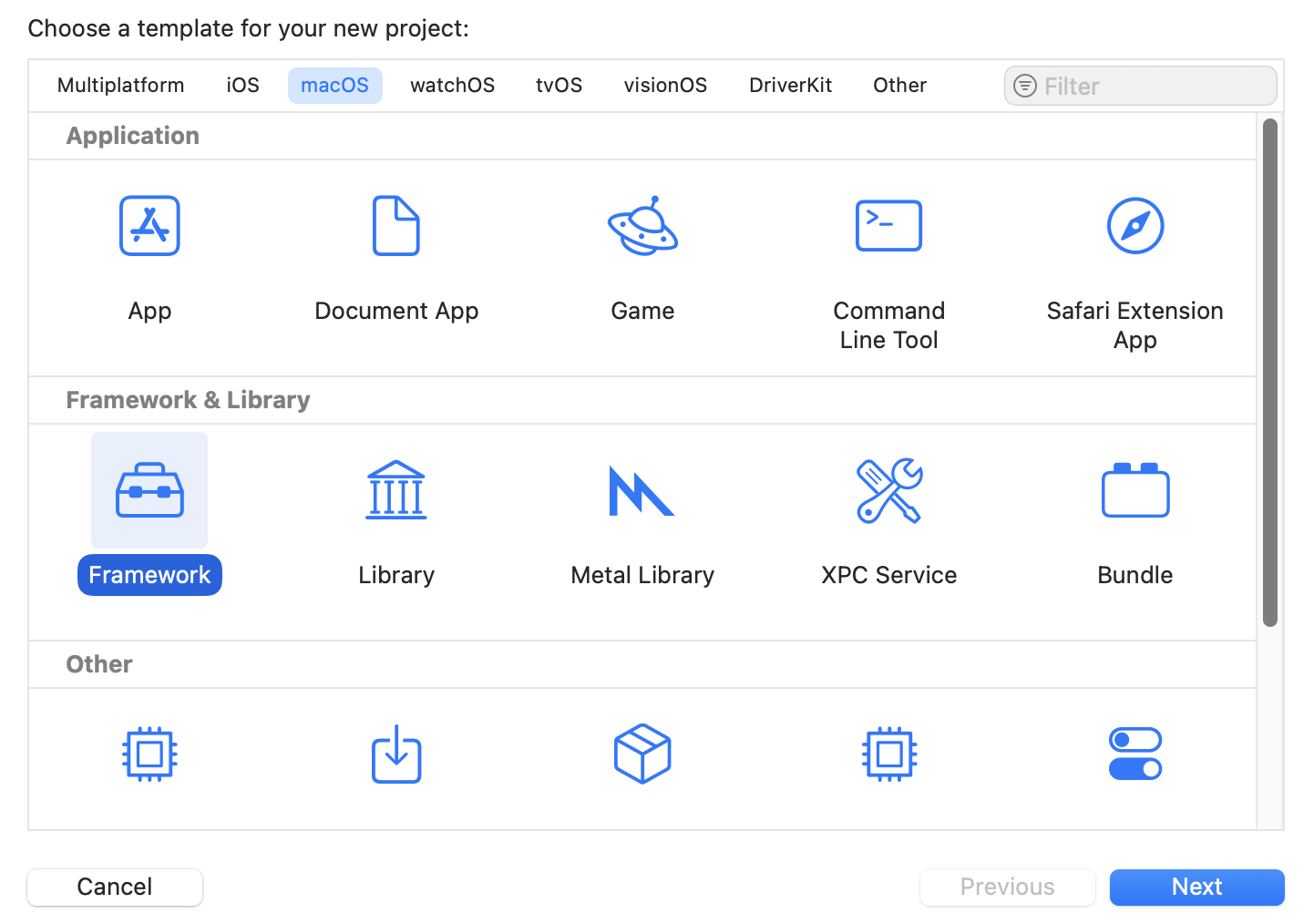
Scaffold a new macOS framework project in Xcode:
-
Drag the header and library files from the Dynamsoft Barcode Reader C++ SDK into the project:
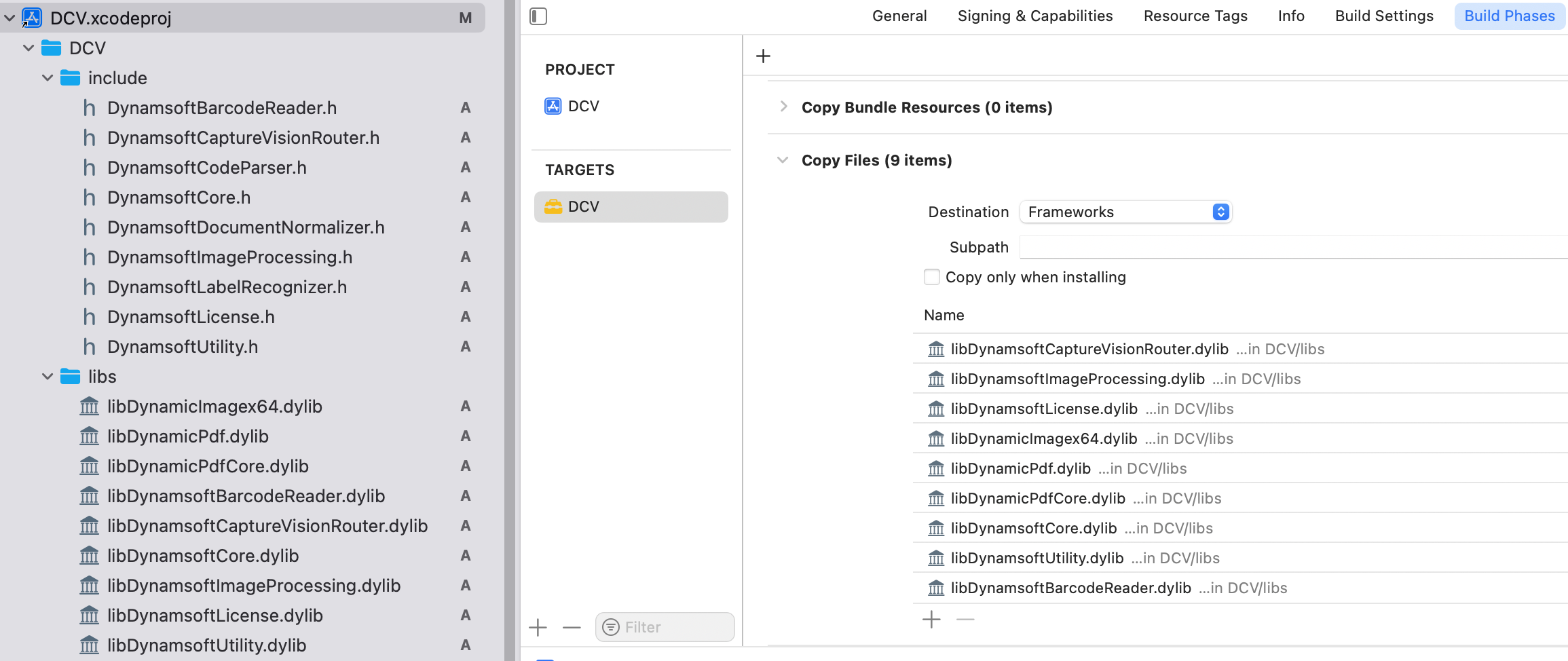
Next, navigate to
Build Phases>Copy Filesand add all the.dylibfiles to theFrameworkssection. -
In the public header file (
DCV.h), define the required enum types and expose essential Objective-C++ APIs:#ifndef DCV_H #define DCV_H #import <Foundation/Foundation.h> FOUNDATION_EXPORT double DCVVersionNumber; FOUNDATION_EXPORT const unsigned char DCVVersionString[]; typedef NS_ENUM(NSInteger, PixelFormat) { ... }; typedef NS_ENUM(unsigned long long, BarcodeType) { ... }; @interface CaptureVisionWrapper : NSObject + (int)initializeLicense:(NSString *)licenseKey; - (NSArray *)decodeBufferWithData:(void *)baseAddress width:(int)width height:(int)height stride:(int)stride pixelFormat:(PixelFormat)pixelFormat; - (NSArray *)decodeFileWithPath:(NSString *)filePath; - (NSString *)getSettings; - (int)setSettings:(NSString *)jsonString; - (int)setBarcodeFormats:(unsigned long long)formats; @end #endif -
Create a
dcv.mmfile to implement the APIs by calling the underlying C++ SDK methods:#import <CoreVideo/CoreVideo.h> #import <Foundation/Foundation.h> #import "DCV.h" #ifdef __cplusplus #include "DynamsoftCaptureVisionRouter.h" #include "DynamsoftUtility.h" #include "template.h" using namespace dynamsoft::license; using namespace dynamsoft::cvr; using namespace dynamsoft::dbr; using namespace dynamsoft::utility; using namespace dynamsoft::basic_structures; #endif @implementation CaptureVisionWrapper { CCaptureVisionRouter *cvr; } + (int)initializeLicense:(NSString *)licenseKey { char errorMsgBuffer[512] = {0}; const char *licenseCString = [licenseKey UTF8String]; int ret = CLicenseManager::InitLicense(licenseCString, errorMsgBuffer, sizeof(errorMsgBuffer)); if (ret != 0) { NSString *errorMessage = [NSString stringWithUTF8String:errorMsgBuffer]; NSLog(@"License initialization failed: %@", errorMessage); } else { NSLog(@"License initialized successfully"); } return ret; } - (instancetype)init { self = [super init]; if (self) { try { cvr = new CCaptureVisionRouter(); // Initialize the C++ object char errorMsgBuffer[512] = {0}; int ret = cvr->InitSettings(jsonString.c_str(), errorMsgBuffer, sizeof(errorMsgBuffer)); if (ret != 0) { NSString *errorMessage = [NSString stringWithUTF8String:errorMsgBuffer]; NSLog(@"Init setting failed: %@", errorMessage); } } catch (const std::exception &ex) { NSLog(@"Exception during initialization: %s", ex.what()); } catch (...) { NSLog(@"Unknown exception during initialization"); } } return self; } - (NSArray *)decodeBufferWithData:(void *)baseAddress width:(int)width height:(int)height stride:(int)stride pixelFormat:(PixelFormat)pixelFormat { if (!baseAddress) { NSLog(@"Error: baseAddress is null"); return nil; } NSArray *results = nil; try { CImageData *imageStruct = new CImageData( stride * height, (unsigned char *)baseAddress, width, height, stride, static_cast<ImagePixelFormat>(pixelFormat)); CCapturedResult *result = cvr->Capture(imageStruct, ""); results = [self wrapResults:result]; delete imageStruct; } catch (const std::exception &ex) { NSLog(@"Exception during captureImageWithData: %s", ex.what()); } catch (...) { NSLog(@"Unknown exception during captureImageWithData"); } return results; } - (NSArray *)decodeFileWithPath:(NSString *)filePath { if (!filePath) { NSLog(@"Error: filePath is null"); return nil; } NSArray *results = nil; try { const char *fileCString = [filePath UTF8String]; CCapturedResult *result = cvr->Capture(fileCString, ""); results = [self wrapResults:result]; } catch (const std::exception &ex) { NSLog(@"Exception during captureImageWithFilePath: %s", ex.what()); } catch (...) { NSLog(@"Unknown exception during captureImageWithFilePath"); } return results; } - (NSArray *)wrapResults:(CCapturedResult *)result { if (!result) { NSLog(@"Error: result is null"); return nil; } NSMutableArray *barcodeArray = [NSMutableArray array]; try { CDecodedBarcodesResult *barcodeResult = result->GetDecodedBarcodesResult(); if (!barcodeResult || barcodeResult->GetItemsCount() == 0) { return nil; } int barcodeResultItemCount = barcodeResult->GetItemsCount(); for (int j = 0; j < barcodeResultItemCount; j++) { const CBarcodeResultItem *barcodeResultItem = barcodeResult->GetItem(j); const char *format = barcodeResultItem->GetFormatString(); const char *text = barcodeResultItem->GetText(); int angle = barcodeResultItem->GetAngle(); CPoint *points = barcodeResultItem->GetLocation().points; unsigned char *raw = barcodeResultItem->GetBytes(); NSDictionary *barcodeData = @{ @"format" : format ? [NSString stringWithUTF8String:format] : @"", @"text" : text ? [NSString stringWithUTF8String:text] : @"", @"angle" : @(angle), @"barcodeBytes" : [NSData dataWithBytes:raw length:barcodeResultItem->GetBytesLength()], @"points" : @[ @{@"x" : @(points[0][0]), @"y" : @(points[0][1])}, @{@"x" : @(points[1][0]), @"y" : @(points[1][1])}, @{@"x" : @(points[2][0]), @"y" : @(points[2][1])}, @{@"x" : @(points[3][0]), @"y" : @(points[3][1])} ] }; [barcodeArray addObject:barcodeData]; } barcodeResult->Release(); result->Release(); } catch (const std::exception &ex) { NSLog(@"Exception during wrapResults: %s", ex.what()); } catch (...) { NSLog(@"Unknown exception during wrapResults"); } return [barcodeArray copy]; } - (void)dealloc { if (cvr) { delete cvr; cvr = nullptr; } } - (NSString *)getSettings { char *tpl = cvr->OutputSettings(""); NSString *settings = [NSString stringWithUTF8String:tpl]; dynamsoft::cvr::CCaptureVisionRouter::FreeString(tpl); return settings; } - (int)setSettings:(NSString *)json { char *tpl = (char *)[json UTF8String]; char errorMessage[256]; int ret = cvr->InitSettings(tpl, errorMessage, 256); if (ret != 0) { NSLog(@"Set settings failed: %s", errorMessage); } return ret; } - (int)setBarcodeFormats:(unsigned long long)formats { SimplifiedCaptureVisionSettings pSettings = {}; cvr->GetSimplifiedSettings("", &pSettings); pSettings.barcodeSettings.barcodeFormatIds = formats; char szErrorMsgBuffer[256]; int ret = cvr->UpdateSettings("", &pSettings, szErrorMsgBuffer, 256); if (ret != 0) { NSLog(@"Set barcode formats failed: %s", szErrorMsgBuffer); } return ret; } @end -
Edit the scheme to use the
Releasebuild configuration for the framework: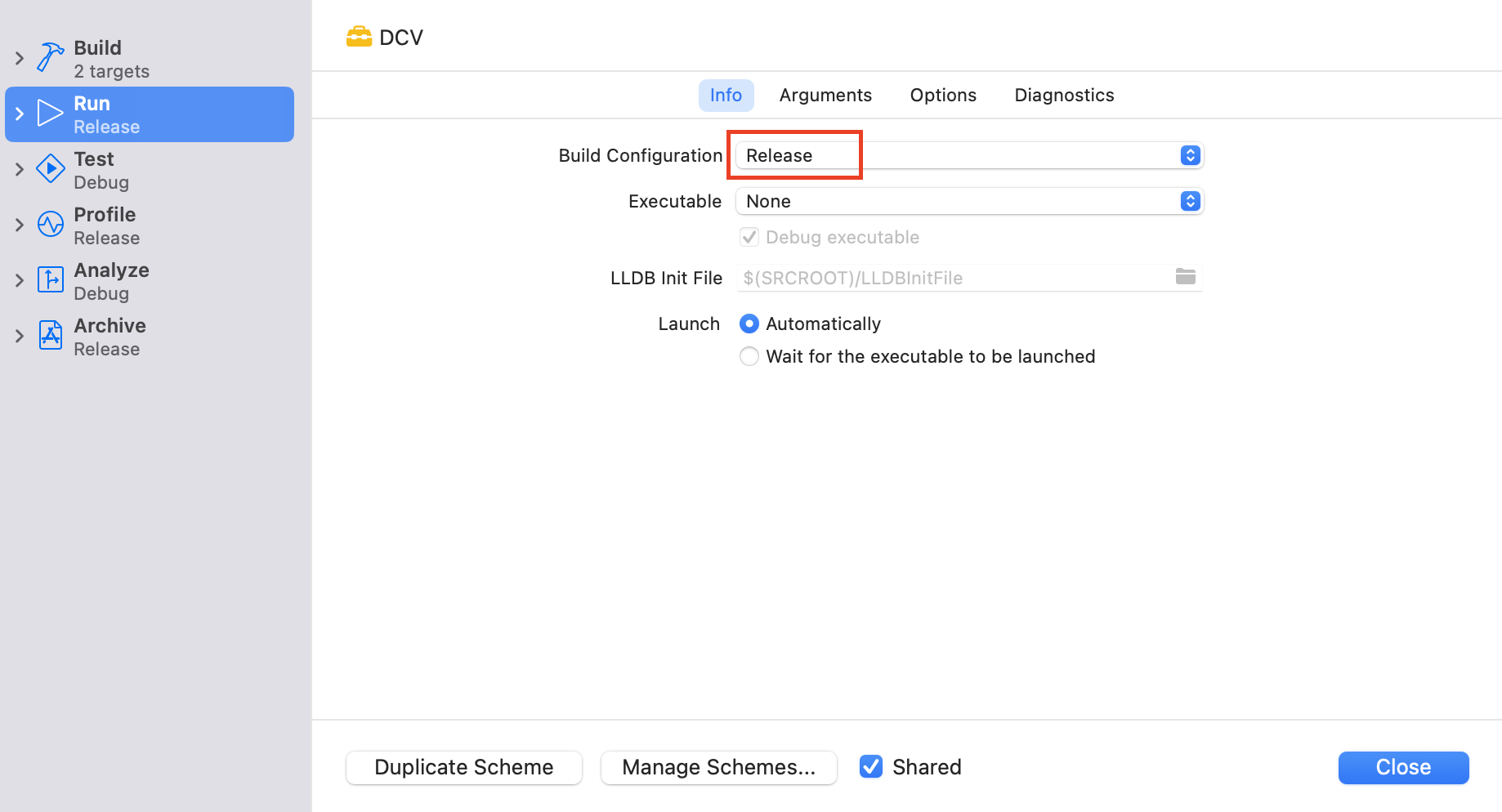
-
Build the framework project, then locate the generated
DCV.frameworkby navigating toProduct>Show Build Folder in Finder: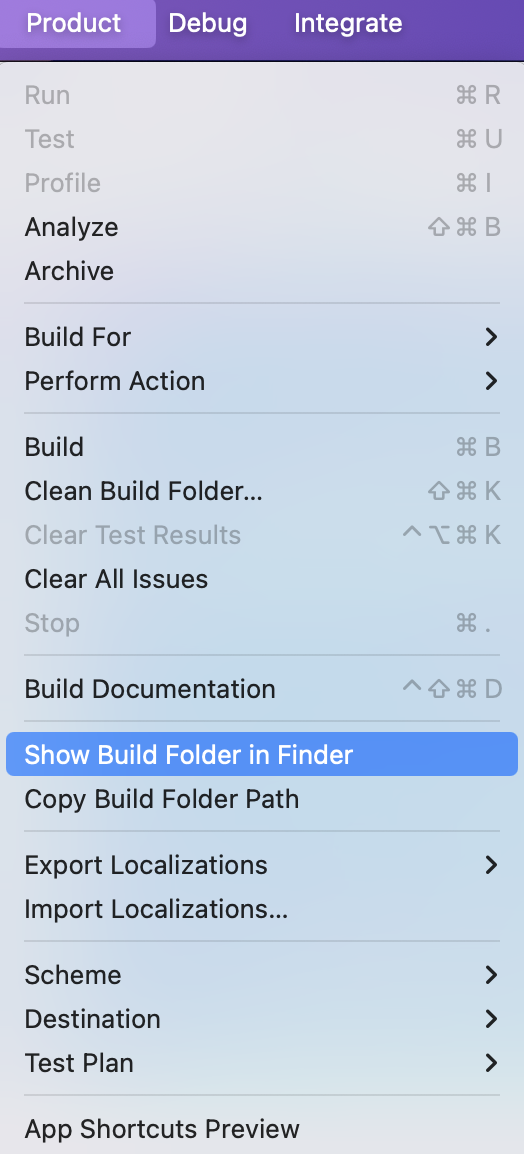
Step 2: Integrate the DCV Framework into a SwiftUI Project
-
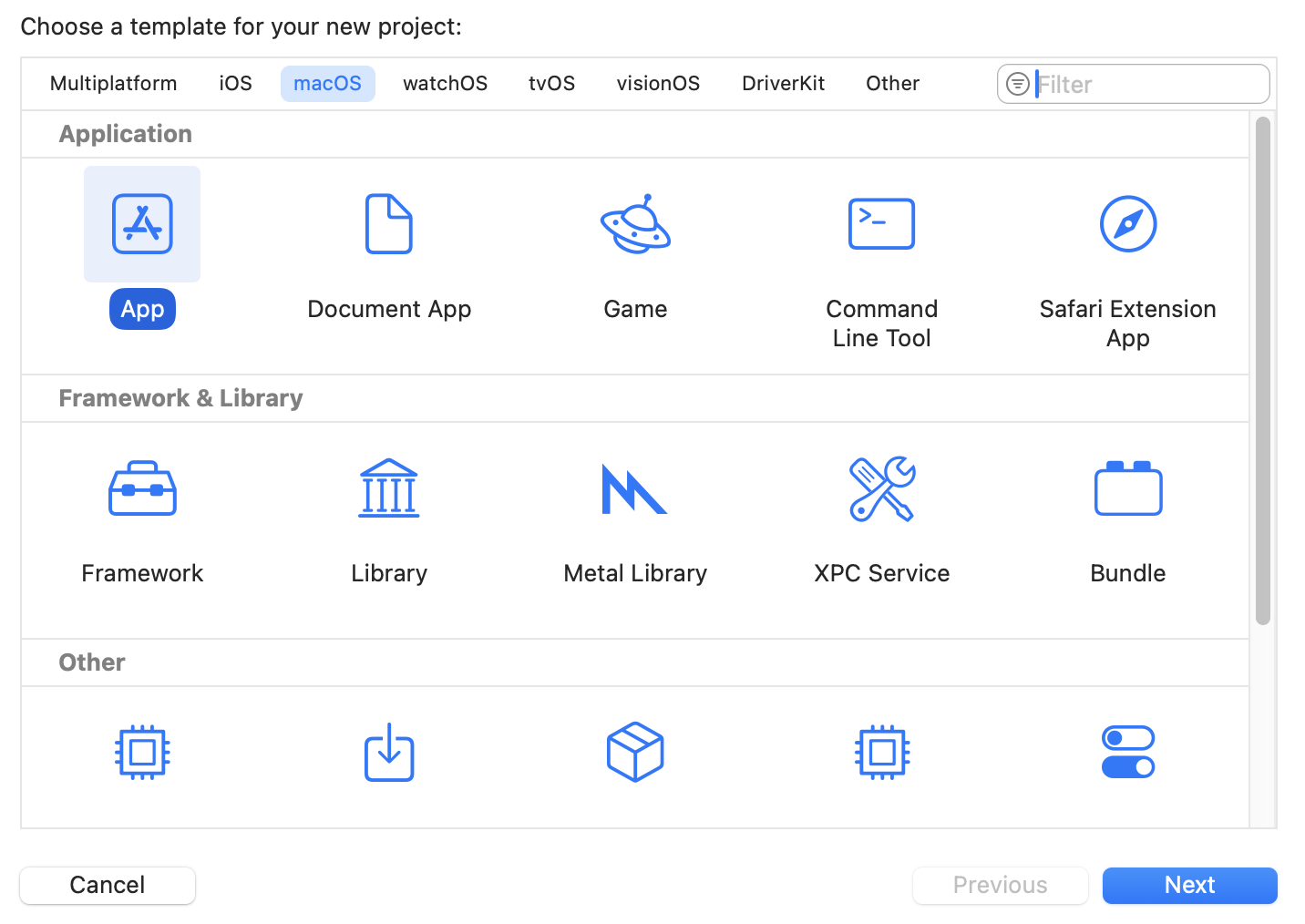
Start a new macOS SwiftUI project in Xcode:
- Copy
ImageViewer.swift,ContentView.swift,CaptureVisionApp.swift,CameraViewController.swift,CameraView.swiftandCameraView.swiftfrom the original SwiftUI project to the new project. -
Disable the
App Sandboxcapability in the entitlements file.<key>com.apple.security.app-sandbox</key> <false/> -
Add
DCV.frameworkto the project by selectingFile>Add Files. Ensure theEmbed & Signoption is selected in theFrameworks, Libraries, and Embedded Content section.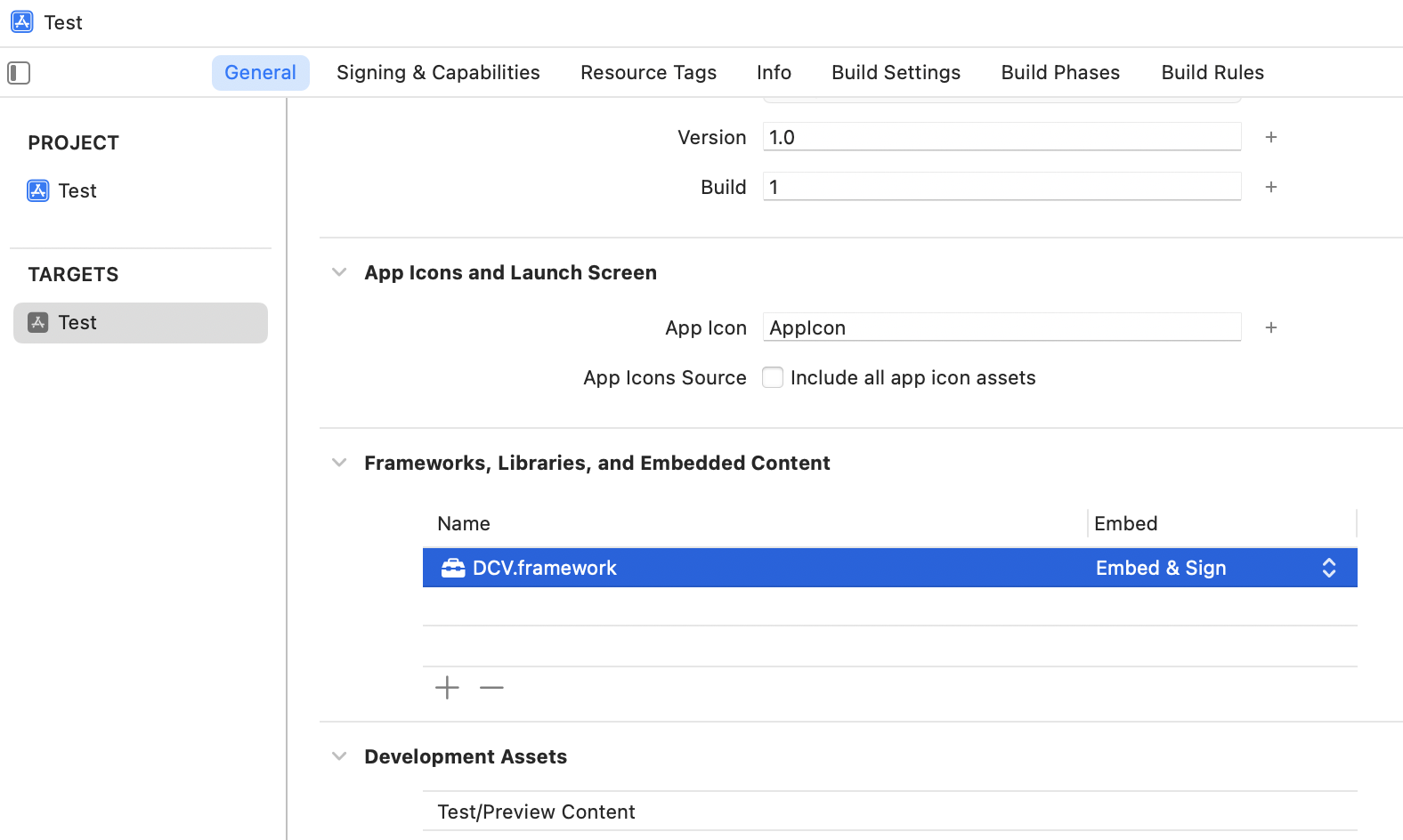
-
In
CameraViewController.swift, modify the code logic to utilize the framework:import DCV override func viewDidLoad() { super.viewDidLoad() // Initialize the license here // Get a trial license key from: https://www.dynamsoft.com/customer/license/trialLicense/?product=dcv&package=cross-platform let licenseKey = "LICENSE-KEY" let result = CaptureVisionWrapper.initializeLicense(licenseKey) if result == 0 { print("License initialized successfully") } else { print("Failed to initialize license with error code: \(result)") } ... } func processCameraFrame(_ pixelBuffer: CVPixelBuffer) { let previewWidth = CVPixelBufferGetWidth(pixelBuffer) let previewHeight = CVPixelBufferGetHeight(pixelBuffer) DispatchQueue.main.async { [weak self] in guard let self = self else { return } self.overlayView.cameraPreviewSize = CGSize(width: previewWidth, height: previewHeight) } CVPixelBufferLockBaseAddress(pixelBuffer, .readOnly) let baseAddress = CVPixelBufferGetBaseAddress(pixelBuffer) let width = CVPixelBufferGetWidth(pixelBuffer) let height = CVPixelBufferGetHeight(pixelBuffer) let bytesPerRow = CVPixelBufferGetBytesPerRow(pixelBuffer) let pixelFormat = CVPixelBufferGetPixelFormatType(pixelBuffer) if let baseAddress = baseAddress { let barcodeArray = cv.decodeBuffer( withData: baseAddress, width: Int32(width), height: Int32(Int(height)), stride: Int32(Int(bytesPerRow)), pixelFormat: PixelFormat.ARGB8888) as? [[String: Any]] ?? [] DispatchQueue.main.async { [weak self] in guard let self = self else { return } self.overlayView.barcodeData = barcodeArray self.overlayView.setNeedsDisplay(self.overlayView.bounds) } } CVPixelBufferUnlockBaseAddress(pixelBuffer, .readOnly) }You need to replace the
LICENSE-KEYwith your own license key. -
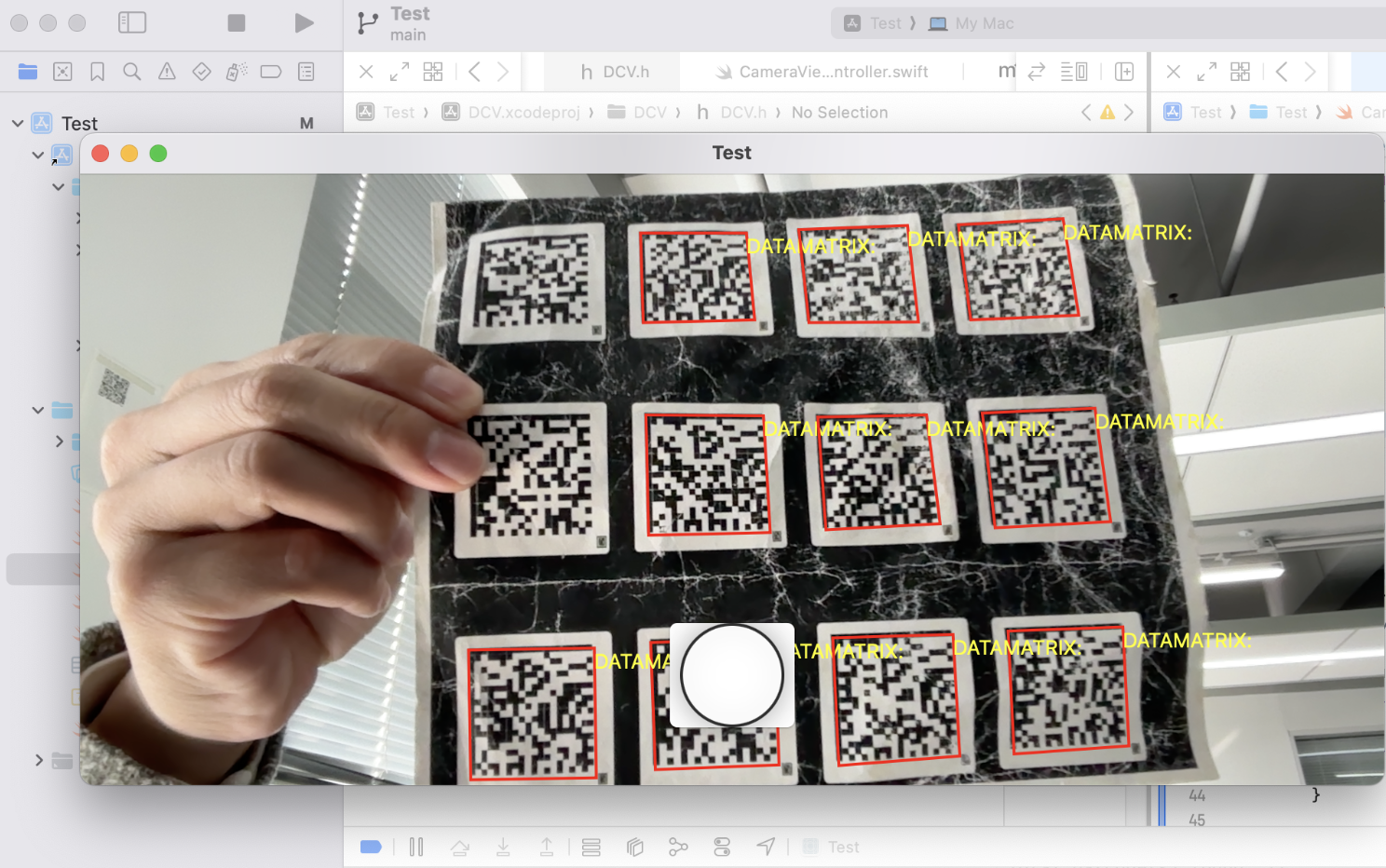
Build and run the macOS SwiftUI project to see the barcode scanner in action:
Step 3: Publish the macOS Framework to CocoaPods
After successfully building the macOS framework, you can publish it to CocoaPods for easy integration into other macOS projects.
- Compress the
DCV.frameworkinto a.zipfile and upload it to a file hosting service, such as GitHub. -
Create a CocoaPods podspec file named
DCV.podspec:Pod::Spec.new do |s| s.name = 'DCV' s.version = '1.0.1' s.summary = 'macOS barcode reading framework.' s.description = <<-DESC DCV is a versatile framework designed for barcode reading. It is built with Dynamsoft Barcode Reader C++ SDK. The framework supports various barcode types, including Code 39, Code 128, QR Code, DataMatrix, PDF417, etc. DESC s.homepage = 'https://github.com/yushulx/ios-swiftui-barcode-mrz-document-scanner/tree/main/examples/macos_framework' s.license = { :type => 'MIT', :file => File.expand_path('LICENSE') } s.author = { 'yushulx' => 'lingxiao1002@gmail.com' } s.source = { :http => 'https://github.com/yushulx/ios-swiftui-barcode-mrz-document-scanner/raw/refs/heads/main/examples/macos_framework/dist/DCV.framework.zip' } s.macos.deployment_target = '10.13' s.vendored_frameworks = 'DCV.framework' s.frameworks = ['Foundation'] s.requires_arc = true endExplanation:
- The
sourcefield specifies the URL of the .zip file containing the framework. - The
vendored_frameworksfield specifies the prebuilt frameworks that are bundled with your plugin and should be included in the consuming project. - The
frameworksfield specifies the dependencies of the plugin. - The framework and license file should be placed in the same directory as the podspec file.
- The
-
Validate the podspec file:
pod lib lint DCV.podspec -
Register a CocoaPods account if you don’t already have one:
pod trunk register your_email@example.com 'Your Name' -
Publish the pod:
pod trunk push DCV.podspec - Run
pod search DCVto verify if the pod has been successfully published. If you have received an approval email but the pod is not yet visible, runpod repo add master https://github.com/CocoaPods/Specsto manually adds the CocoaPods “master” spec repository to your local CocoaPods configuration.
Common Issues & Edge Cases
- Linker errors with
.dylibfiles at runtime: macOS requires.dylibfiles to be embedded in the app bundle’sFrameworksdirectory. If the app crashes withdyld: Library not loaded, verify that all.dylibfiles are listed inBuild Phases>Copy Fileswith theFrameworksdestination and that the framework’sEmbed & Signoption is selected. InitLicensereturns a non-zero error code: The Dynamsoft license requires a valid internet connection for first-time online validation. Ensure network access is available and the license string matches the licensed product (Barcode Reader). Check theerrorMsgBuffervalue logged to the console for details.- App Sandbox blocks camera access or crashes on launch: Confirm that
NSCameraUsageDescriptionis set inInfo.plistand that theApp Sandboxentitlement is either disabled (com.apple.security.app-sandbox = false) or hascom.apple.security.device.cameraenabled in the.entitlementsfile.