




Thanks for Downloading Dynamic Web TWAIN 30-Day Trial!
Your download will start shortly. If your download does not begin, click here to retry.
Scanner
Scanners are the major object which Dynamic Web TWAIN interacts with. We are going to give a brief introduction to it, focusing on what matters to Dynamic Web TWAIN.
Scanner Types
Flatbed Scanner
A flatbed scanner is a type of scanner that provides a glass bed (platen) on which the object to be scanned lies motionless. The scanning element moves horizontally beneath the glass, capturing either the entirety of the platen or a predetermined portion.
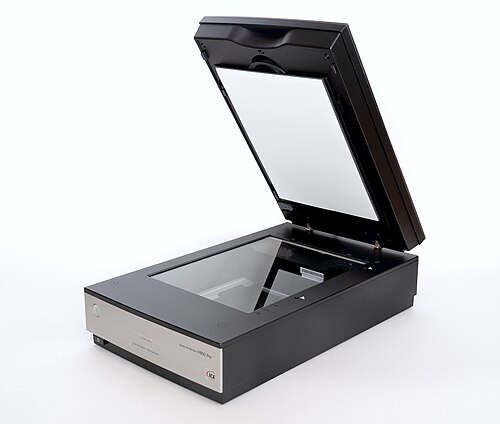
Most flatbed scanners work in a reflective way, which shines white light onto the object and reads the intensity and color of light reflected from it. Some flatbed scanners also have transparency adapters (for scanning films and slides). These work differently: the light passes directly through the scanned object. In the scanning application, you can select whether to use the transparent unit or not.
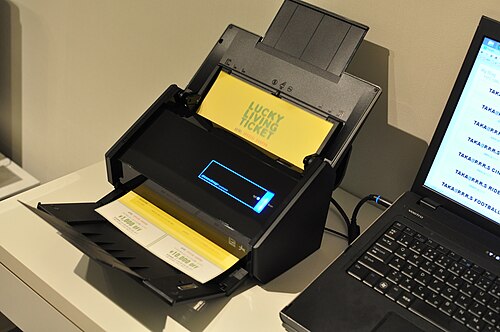
Sheetfed Scanner
A sheetfed scanner, also known as a document feeder scanner or ADF (Automatic Document Feeder) scanner, uses motor-driven rollers to move individual sheets of paper past a stationary scanning element (or two for duplex scanning). Unlike flatbed scanners, sheetfed scanners are not designed to scan bound materials such as books or magazines, nor are they suitable for materials thicker than standard paper. Their primary advantage is the ability to scan multiple documents quickly and automatically, making them much faster than flatbed scanners for high-volume tasks.
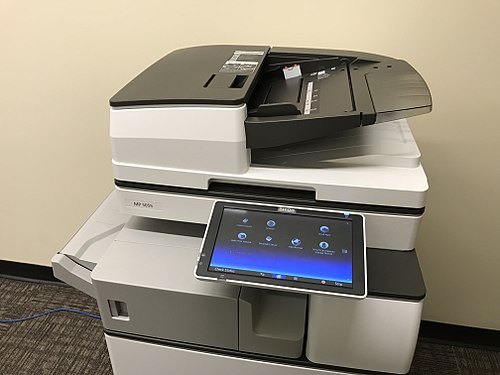
All-in-One Scanner
All-in-one scanners, commonly found in Multi-Function Printers (MFPs), integrate both a document feeder and a flatbed, offering the versatility of both scanner types in a single device.
Camera-Based Scanner
Camera-based scanners use one or more digital cameras to capture a document image all at once, typically with an overhead design.
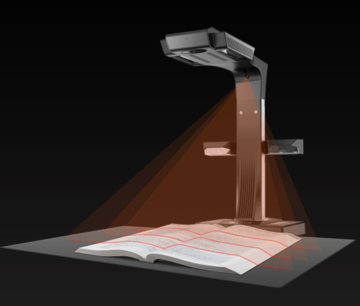
Unlike traditional scanners that scan line-by-line in a controlled environment, camera-based scanners are faster and can handle various materials, including bound books and fragile documents. However, they may be susceptible to issues like perspective distortion, shadows, and inconsistent lighting.
Special Scanners
There are also scanners designed for specific use cases.
Check Scanners
Check scanners are equipped with a Magnetic Ink Character Recognition (MICR) unit, which reads the magnetic ink characters printed on checks.
With Dynamic Web TWAIN, you can not only retrieve the scanned image but also obtain the MICR data from the check.
Scanners with Imprinter / Endorser
Many production scanners can be integrated with a printer or endorser module. This allows them to print text or barcodes directly onto the scanned documents during the scanning process, which is useful for document routing or post-scan sorting.
Connectivity
Most modern scanners use USB for connection, while older models may use SCSI or a parallel port. Network connectivity (Wi-Fi or Ethernet) is also common, especially in office environments.
Application Programming Interface
Standardized Application Programming Interfaces (APIs) enable software to communicate with scanners. The most common ones include:
- TWAIN – The industry standard API widely used by scanners, especially on Windows.
- WIA (Windows Image Acquisition) – An API provided by Microsoft for image acquisition.
- SANE (Scanner Access Now Easy) – A free/open-source API primarily used on Linux and macOS.
- ImageCaptureCore – A native API provided by Apple for macOS and iOS.
- ISIS (Image and Scanner Interface Specification) – A high-performance API often used with high-speed production scanners in enterprise environments.
- eSCL – A vendor-neutral, RESTful-based protocol for driverless scanning over a network, commonly used by modern networked scanners and MFPs.
 Yes
Yes No
No