




Thanks for Downloading Dynamic Web TWAIN 30-Day Trial!
Your download will start shortly. If your download does not begin, click here to retry.
View all FAQs about Project Deployment and End-user Installation
Where can I download the Dynamic Web TWAIN Service installers only?
We recommend getting the Service installers from the downloaded SDK package, under Resources\dist, so the installed Service version matches your SDK version.
If you don’t have access to the SDK package, you can download the installers directly via CDN or GitHub instead.
If your end users do not have administrator privileges, see Are admin privileges required to install the end-user component? for how to get the User Installer instead.
- Download via CDN
- Download via GitHub
Step 1: Visit the CDN site: https://www.unpkg.com/browse/dwt/dist/dist/.
Step 2:
- For Windows users, please choose “.msi” installer
- For Mac users, please choose “.pkg” installer
- For Linux users, please choose “.rpm” or “.deb” installer accordingly
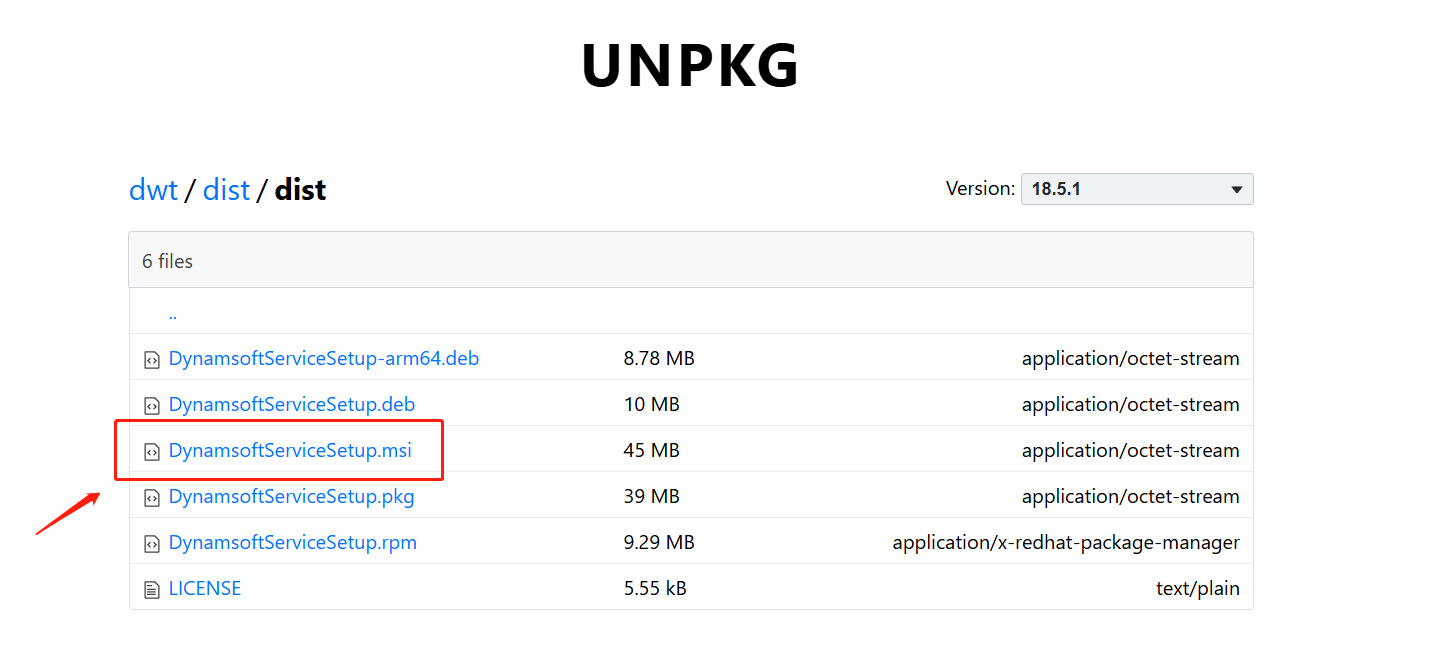
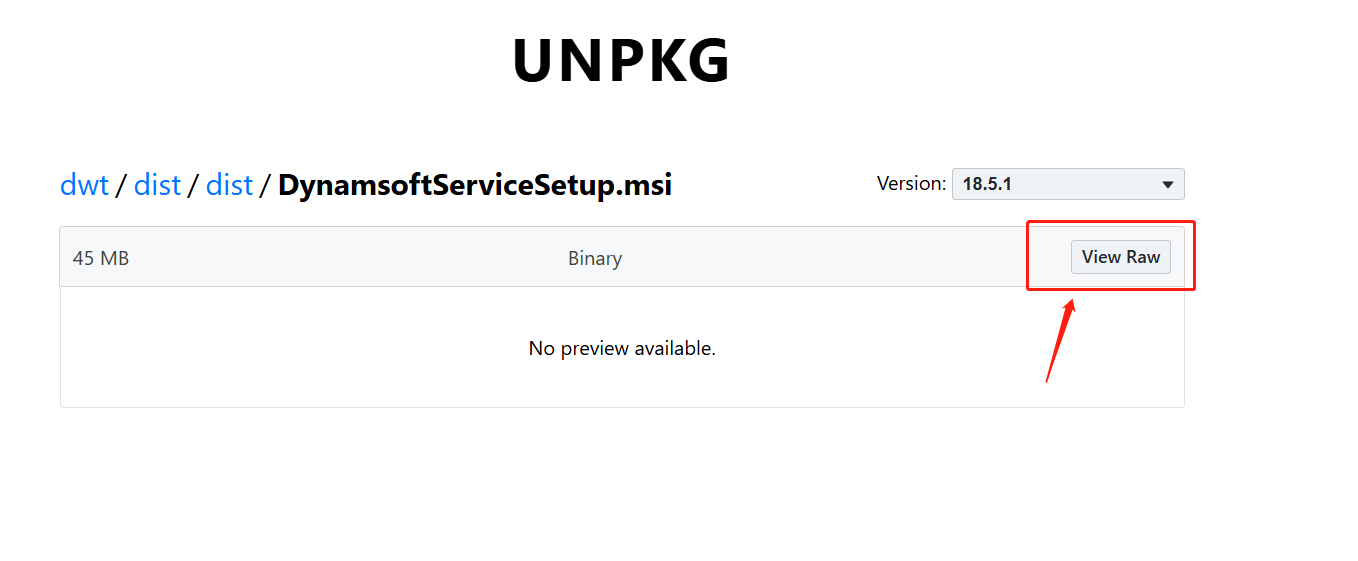
Step 3:
Click on the “View Raw” button, it will start to download the installer.
Step 1: Visit the GitHub site: https://github.com/Dynamsoft/Dynamic-Web-TWAIN/releases.
Step 2: Scroll down to the Assets section.
- For Windows, download the .msi installer.
- For macOS, download the .pkg installer.
- For Linux, download either the .rpm or .deb installer, depending on your distribution.
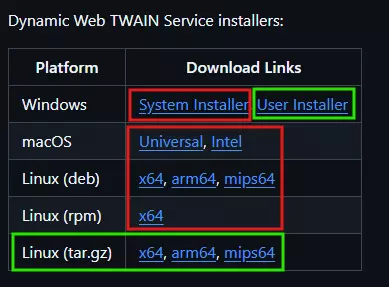
In the screenshot above, the installers circled in red require administrator privileges to install, while the installers circled in green are User Installers that do not require administrator privileges. Choose the installer that matches your end users’ privileges.
Original post creation date: Feb 13, 2025
Last modified date: Aug 19, 2026
 Yes
Yes No
No