




Thanks for Downloading Dynamic Web TWAIN 30-Day Trial!
Your download will start shortly. If your download does not begin, click here to retry.
Why Do I Get a “File is Damaged and Can’t Be Opened” Error When Using the Dynamic Web TWAIN on macOS?
Symptom
When attempt to use the scanner on macOS, an error message states “
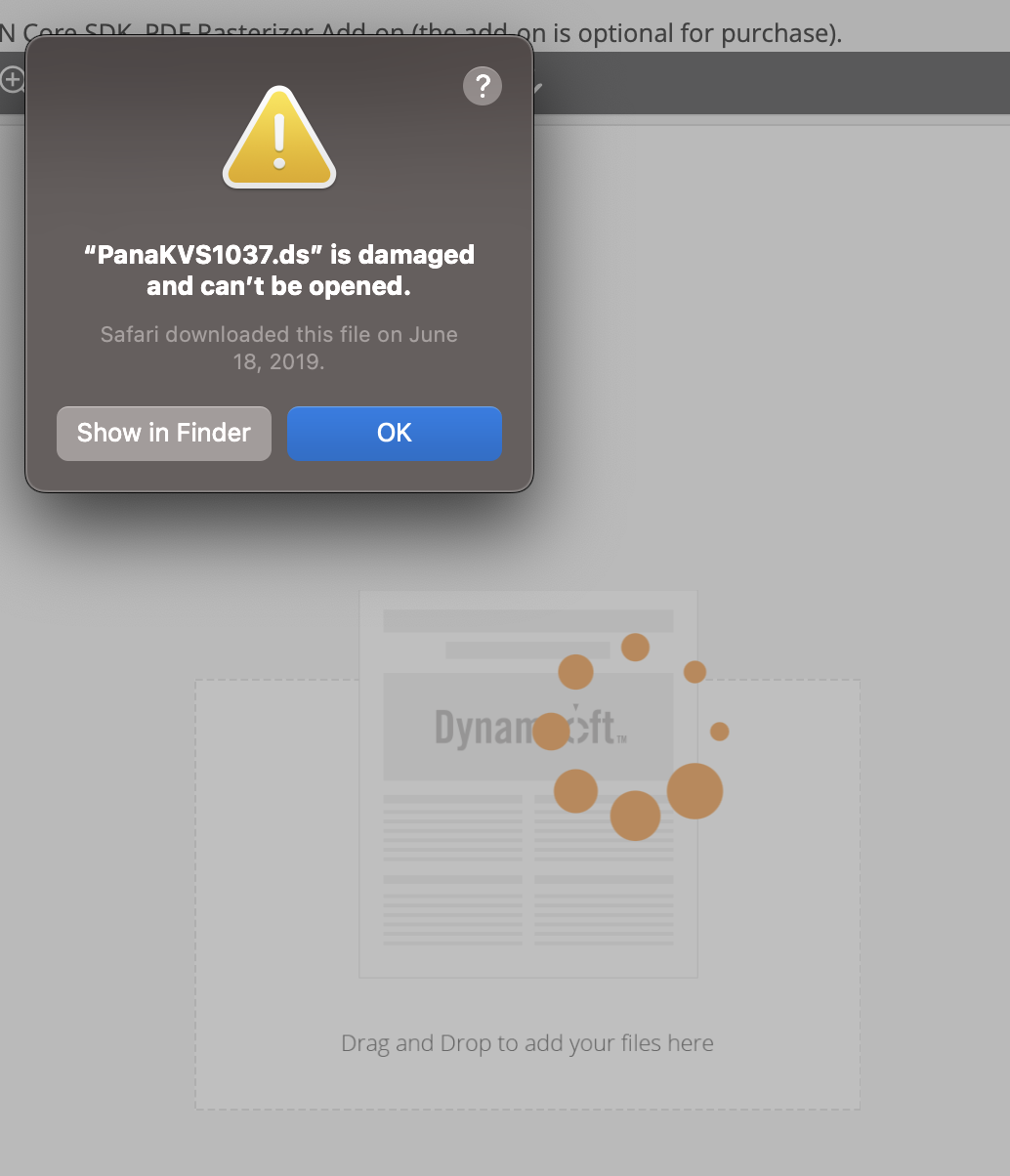
Reason
This issue is caused by macOS Gatekeeper, a security feature that blocks applications that are unsigned or not notarized when the file carries a quarantine attribute. The file itself is not damaged but Gatekeeper prevents it from running.
The error message may also show an outdated download time, for example “Safari downloaded this file on June 18, 2019”, even on a new computer. This happens because macOS preserves the quarantine metadata when the file has been copied from sources such as:
- An old computer
- A USB drive
- A company server
- A backup (e.g., Time Machine restore)
Resolution
This issue is not related to our product but stems from the unsigned driver.
-
Temporary Fix: Click “OK” on the error dialog. The driver often works normally afterward.
-
Permanent Fix (if error persists): Remove the “quarantine” attribute via Terminal:
- Open Terminal (/Applications/Utilities).
- Run this command:
sudo xattr -rd com.apple.quarantine /Applications/{YourDriver}.app
Only disable checks for trusted files. Verify the driver’s source is safe before proceeding.
Original post creation date: Dec 08, 2025
Last modified date: Dec 08, 2025
 Yes
Yes No
No