




Thanks for Downloading Dynamic Web TWAIN 30-Day Trial!
Your download will start shortly. If your download does not begin, click here to retry.
End-User Guide
This article aims at guiding you, an end user of your company’s web app, to scan documents using Dynamic Web TWAIN.
Install Service
When you visit your company’s web app and want to scan for the first time, you may be prompted to install Dynamic Web TWAIN if your IT does not have it installed. Please download the service installer and install it on your device. It is needed to communicate between the scanners and the web app.
Service Installation Dialog:
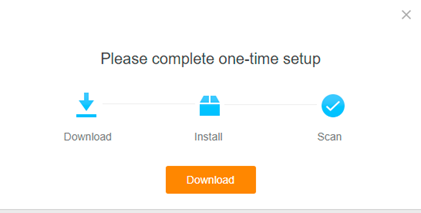
If you still see the dialog after installation, try enabling access to apps on your device and checking the list of possible reasons.
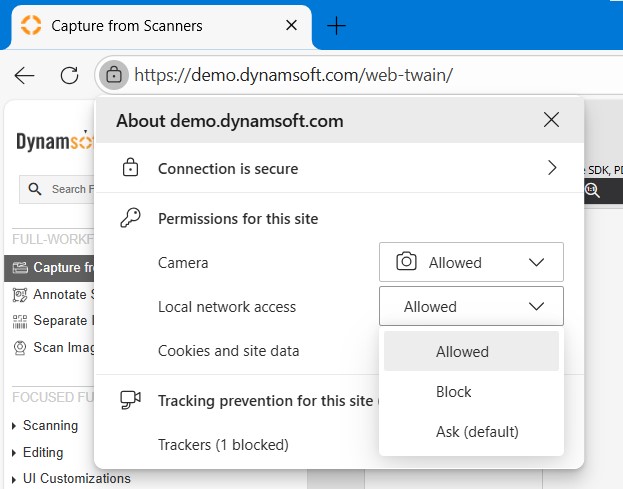
Allow Access to Local Apps
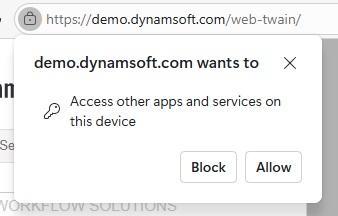
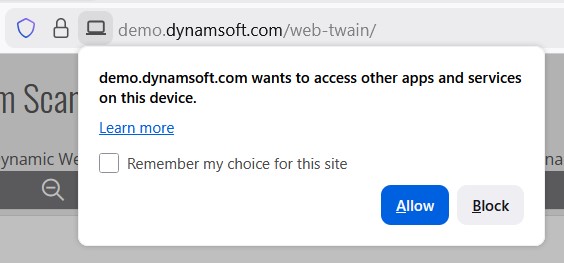
In latest browsers, you may need to grant access to apps on your device to make proper scanning.
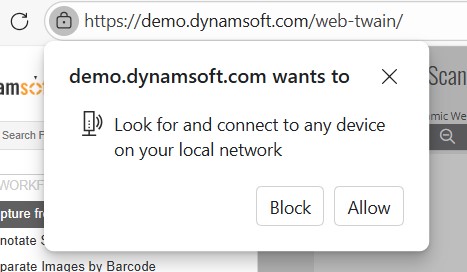
When it is asking for permission, please click “Allow”.
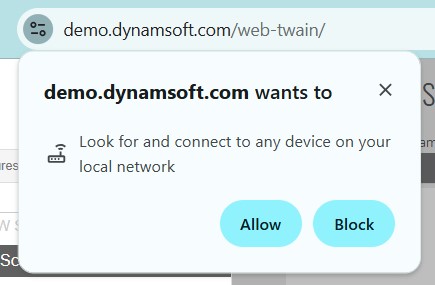
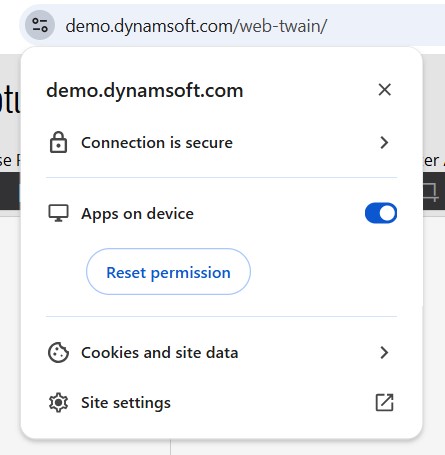
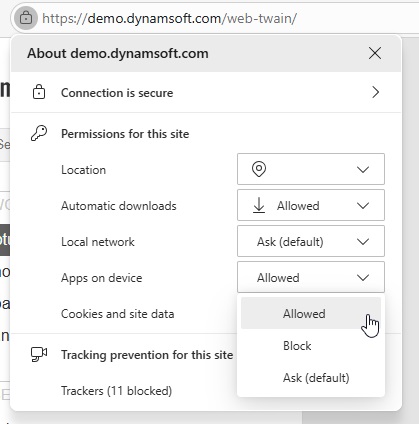
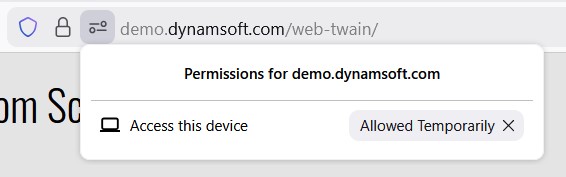
If you accidentally block the access, you can reset it as shown in the following dialog.
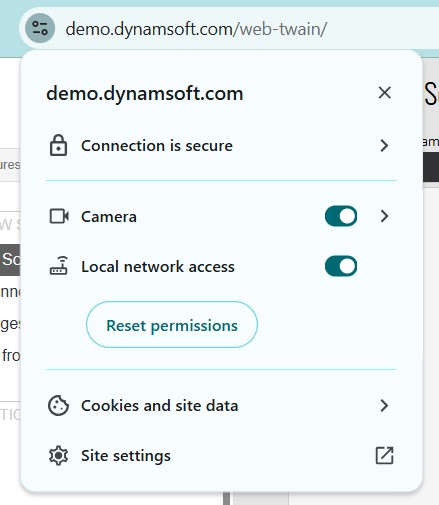
The UI may vary according to different browsers and browser versions. The following shows the different UIs.
- Chrome 145+
- Chrome 142-144
- Edge 145+
- Edge 142-144
- FireFox
-
Permission asking dialog:
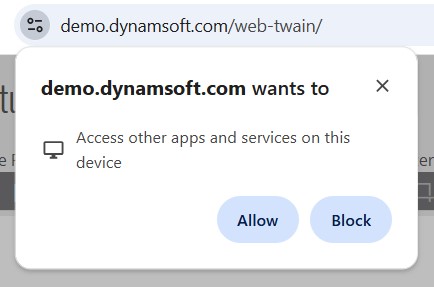
-
Site settings:
-
Permission asking dialog:
-
Site settings:
-
Permission asking dialog:
-
Site settings:
-
Permission asking dialog:
-
Site settings:
-
Permission asking dialog:
-
Site settings:
Perform Scanning
Now, visit your app and try to scan documents. Here, we are using Dynamsoft’s online demo for illustration.
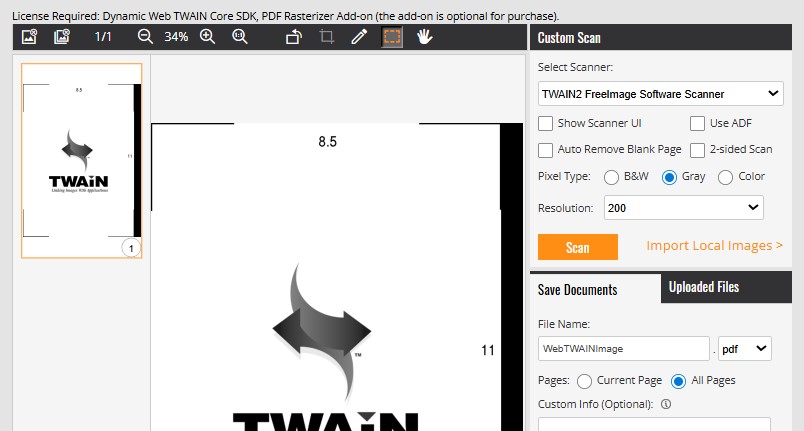
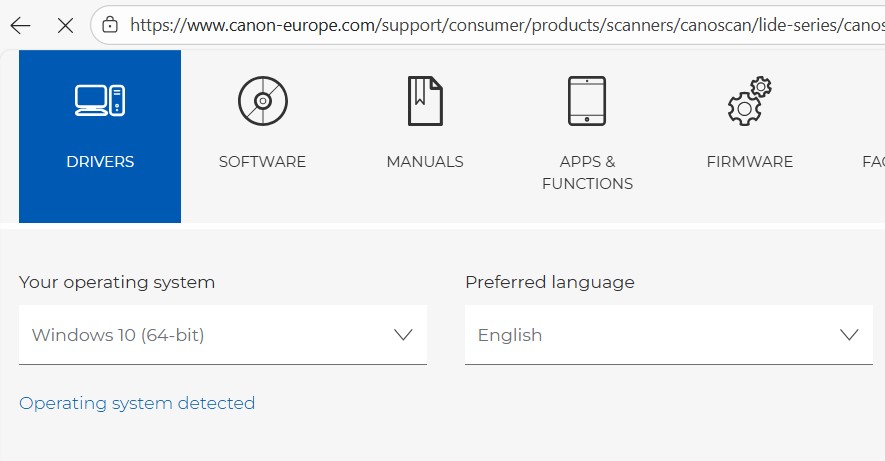
If it does not detect any scanners, make sure that you have installed the driver. You can find the driver from the scanner manufacturer’s support site.
Canon’s Driver Download Site (e.g.):
Others
If you do not have the permission to make the changes, please contact your IT for help.
More resources:
- Configuring the Dynamic Web TWAIN Service
- What does the Dynamic Web TWAIN Service do on the end-user machine?
- I have installed the Dynamic Web TWAIN Service on an end-user machine but still got asked to install it repeatedly. Why?
- How to uninstall Dynamic Web TWAIN Service?
Original post creation date: Feb 02, 2026
Last modified date: Feb 02, 2026
 Yes
Yes No
No